pnpm and the lockfile contract
The pnpm toolchain: the version pinned through mise, the committed lockfile as a deterministic contract, and the guard against mixing package managers.
Every B2B SaaS ships the same page before anyone logs in: a header with a logo and nav, a hero with a headline and two call-to-action buttons, a three-column feature grid, a pricing table, a footer, and — below the md breakpoint — a nav drawer that slides in from the side.
It is the most-viewed page the company owns and the first thing its design system is judged against.
You will build it from empty component files up, cashing out the React, JSX, and Tailwind work at once on a single page where one wrong token or one keyboard trap is visible to anyone who opens it.
The scope is deliberately narrow.
It is a static page: no real auth behind the “Get started” buttons, no CMS, no analytics, and no animation beyond what shadcn and tw-animate-css already give you.
The copy and pricing numbers live in one typed file, src/lib/data.ts, so components stay about layout and tokens rather than hard-coded strings.
Nothing on this page talks to a server.
Three commitments run through the chapter:
tw-animate-css and shadcn’s defaults already animate the drawer and respect prefers-reduced-motion. You do not hand-build transitions here.Sheet . The Sheet primitive owns the focus trap; the only custom code it needs is one project-owned hook, useLockBodyScroll.This is the from-scratch toolchain project.
The starter is a Next.js 16 app, already scaffolded and installed, but unlike later project chapters it was not cloned from a previous repo.
Because it lays the foundation those chapters carry forward, the next four lessons walk through the provided toolchain — pnpm, AGENTS.md, tsconfig, and Biome — before you write a line of UI.
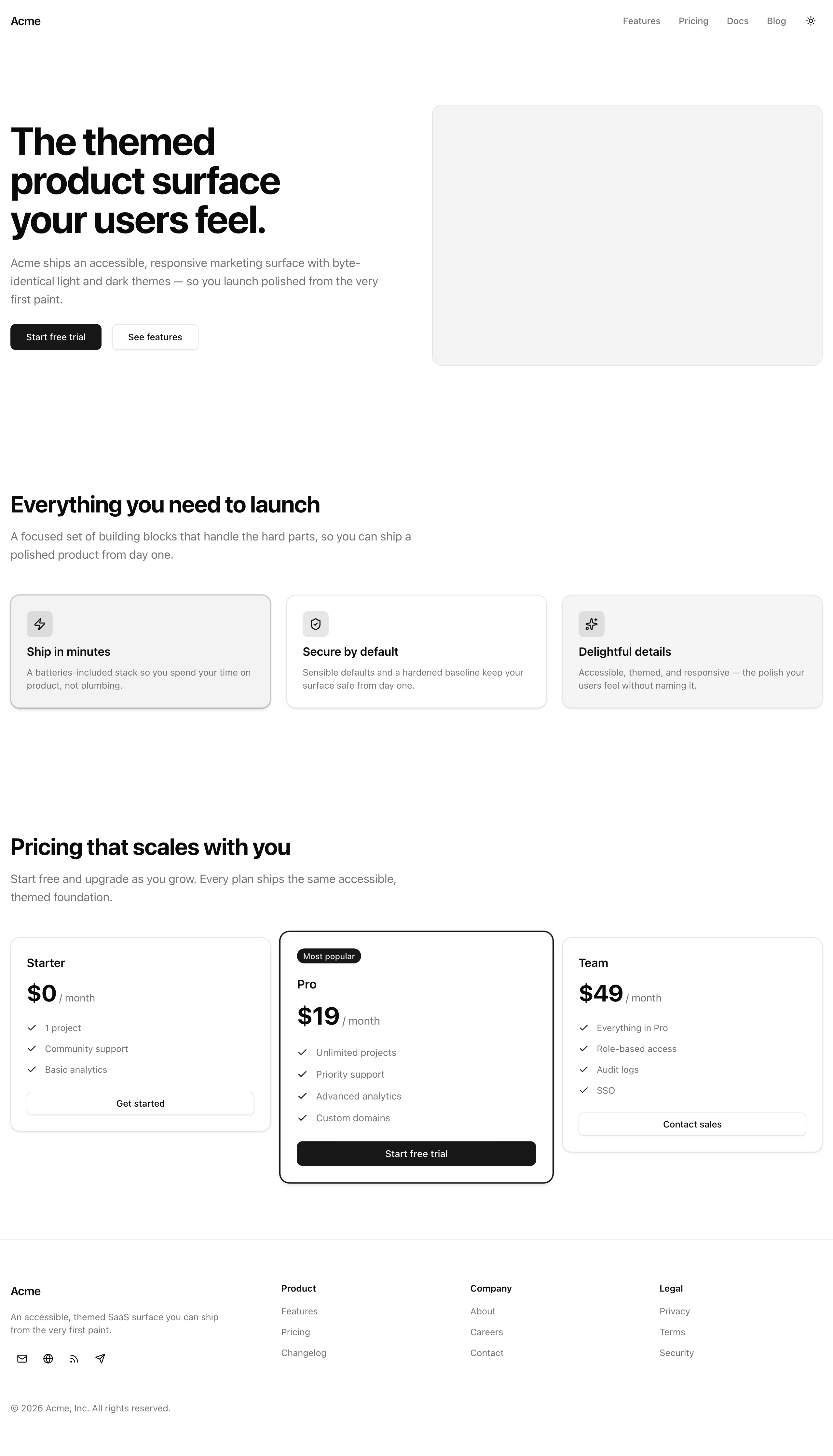
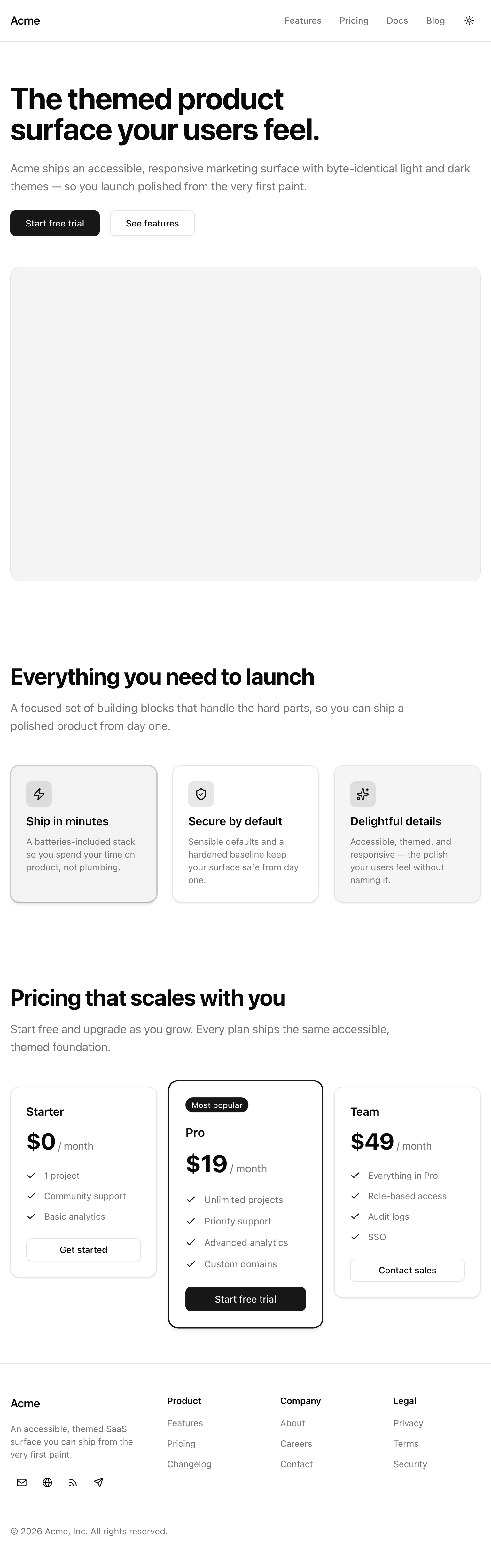
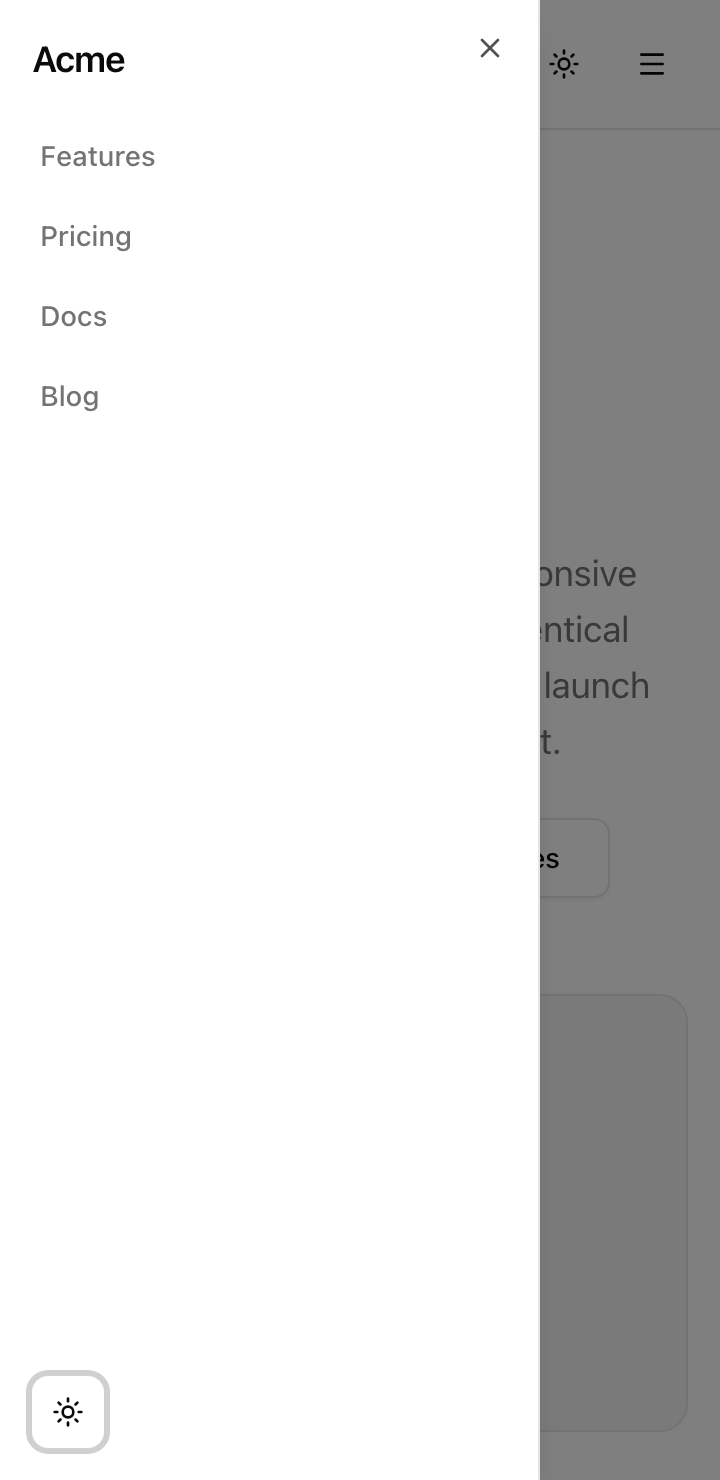
This is where the React, JSX, and Tailwind skills stop being separate exercises and meet on one page: shadcn primitives instead of raw elements, a card’s tone driven from data through a cva table, semantic tokens instead of literal colors, flex and Grid layout across breakpoints, a next-themes toggle that paints the right theme on the first frame, and an accessibility bar you verify with the keyboard and Lighthouse.
The other half is reading a real toolchain critically.
By the end you will know why this project pins pnpm and commits its lockfile, what earns a place in an AGENTS.md, the two halves of a tsconfig, and the floor a single Biome config sets for formatting and linting, all read off the config files the starter already ships.
The shape is small because the page is static. Read as roles:
src/app/page.tsx. It composes the sections in order and owns the <main> landmark wrapping the three middle ones.SiteHeader, Hero, FeatureGrid, PricingTable, and SiteFooter in src/components/. Header and footer carry their own <header> and <footer> landmarks; the page supplies the <main> between them.Button, Badge, Card, Sheet, Separator, and Skeleton in src/components/ui/, composed rather than reinstalled.src/lib/data.ts: nav links, features, pricing tiers, footer groups, and social links, all as typed arrays.useLockBodyScroll in src/hooks/, the only custom behavior the project owns.next-themes flips a .dark class on <html> from a <ThemeProvider> in src/app/_components/providers.tsx. The OKLCH tokens and the @theme inline block that maps them to Tailwind utilities live in src/app/globals.css.What is not here is as telling as what is: no data fetching, no auth, no server state, no database. Every bit of complexity on this page is layout, tokens, and one client-side interaction.
The starter is fully scaffolded: every config file, shadcn primitive, the stylesheet, layout, page, theme provider, and typed data are in place.
You write only the eleven highlighted files — the section components and one hook — each shipped as a stub with the right signature and a TODO(Ln) comment naming the lesson that fills it in.
The annotations below mark only files a later lesson walks through or that your components import; anything unannotated is plumbing you can take for granted.
sharp native build — next lessonlang, fonts, and the <Providers> wrappermin-h-dvh with the <main> landmark.dark) and the @theme inline mapnext-themes <ThemeProvider>cn() class-merge helperTwo structural facts to note.
There is no (marketing) route group — the page is src/app/page.tsx directly.
And there is no standalone dialog.tsx: the mobile drawer’s Sheet wraps Radix’s Dialog internally, so the dialog behavior is already there.
Eleven lessons turn the empty scaffold into the running page. The first four read the toolchain; the rest each build one confirmable piece of the surface.
pnpm and the lockfile contract
The pnpm toolchain: the version pinned through mise, the committed lockfile as a deterministic contract, and the guard against mixing package managers.
AGENTS.md as the next contributor's briefing
What earns a place in the onboarding file — thesis, pinned stack, layout, commands, conventions — and what does not.
Configuring tsconfig
tsconfig.json in two halves: the project-owned strictness floor and the Next.js-owned compatibility surface.
Biome, the single-binary linter and formatter
Why Biome replaces ESLint plus Prettier: the biome.json, the daily check and verify scripts, and safe versus unsafe fixes.
Site header with desktop navigation
The semantic sticky <header> with logo, desktop nav, and slots for the theme toggle and mobile drawer.
Hero with a flicker-free theme-aware image
The single-<h1> hero with two CTAs and a light/dark image swapped by CSS, with no flash on load.
Feature grid with CVA card variants
A responsive three-column grid whose card tone and emphasis come from data through a cva table.
Pricing table with a featured tier
A data-driven pricing row with one promoted tier and a lift that respects reduced motion.
Site footer
The footer landmark: brand block, three link-group navs, and labelled icon buttons for social links.
Flicker-free theme toggle
The next-themes sun/moon toggle with a CSS-only icon swap and no mount gate.
Mobile nav drawer
The shadcn Sheet drawer with its focus trap, the useLockBodyScroll hook, and Esc-to-close.
This project starts from the toolchain, not a feature, so setup is short: the starter ships scaffolded and installed, and the dev server serves the page shell as soon as it boots.
Get the starter codebase from the project repository, under Chapter 028/start/.
You already have mise from earlier in the course. The starter’s .mise.toml pins both Node 24 and pnpm 11.3.0, so when you cd into the project, mise activates the right versions automatically — nothing global to install.
Install dependencies. This resolves against the committed lockfile and populates node_modules.
pnpm installStart the dev server.
pnpm devThere are no environment variables to set; the page is fully static.
Open the printed local URL. The layout, global styles, and page frame render, but the eleven section components are still empty stubs, so the page is mostly bare scaffolding. That is the expected starting state, and the lessons ahead fill the stubs in one confirmable piece at a time.