Flicker-free theme toggle
The header has carried an empty theme-toggle slot since you built it. By the end of this lesson it holds a real icon button: click it and the whole page flips between light and dark, the choice survives a hard reload, and the first paint never flashes the wrong theme or trips a hydration warning. The hero already swaps its marketing image with the active theme; this toggle is the control that lets the visitor choose that theme.
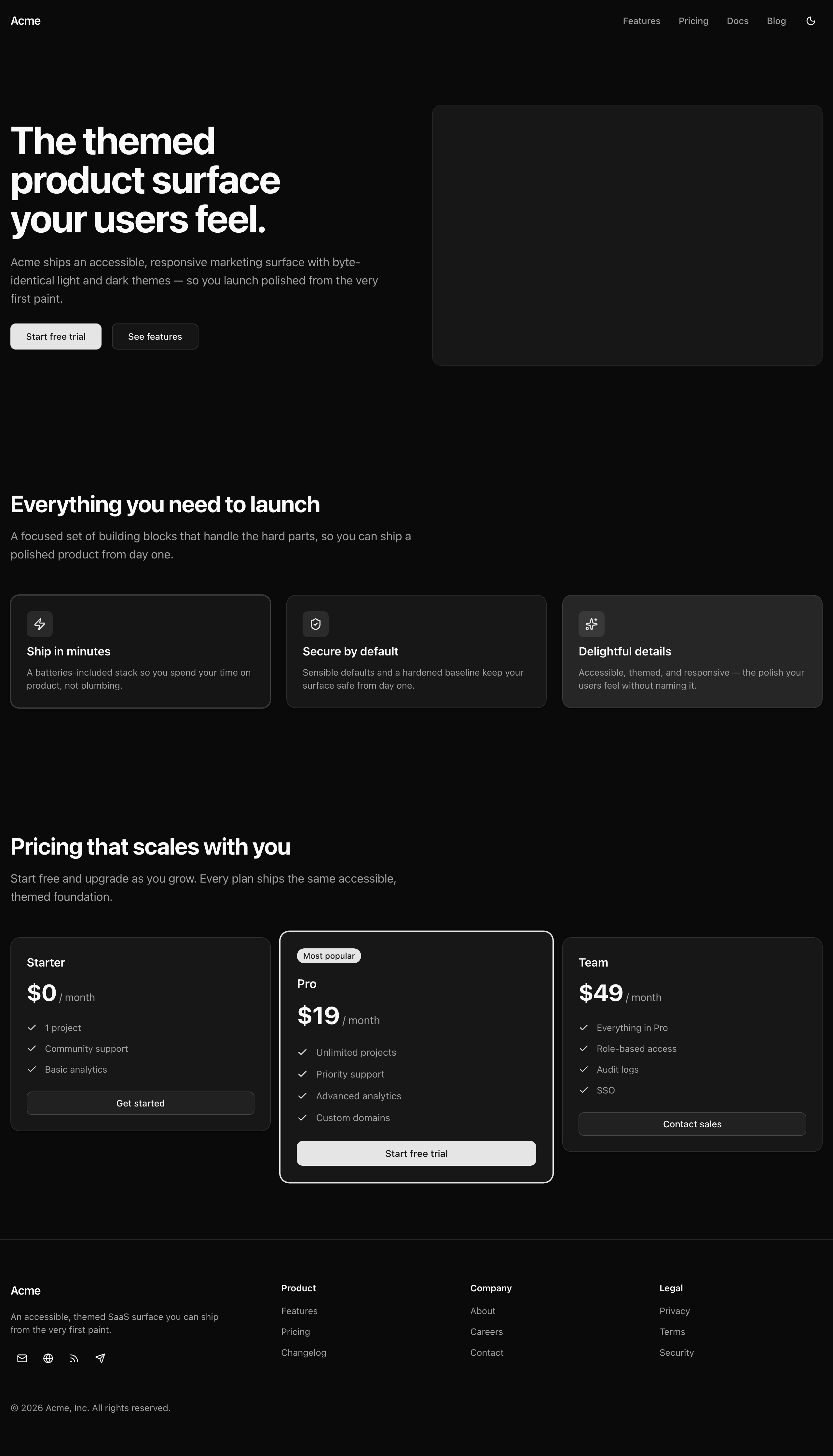
The page in dark theme after the toggle flips it.
Your mission
Section titled “Your mission”Add an icon button to the header that toggles the page between light and dark and remembers the choice across reloads.
The interesting part is the shape of the solution.
The common way to write a next-themes toggle uses a mounted flag — a useState(false) flipped to true in a useEffect — to gate the render so the server and client never disagree on which icon to draw.
You will write a toggle with no such gate.
Render both the sun and the moon on every paint and let one CSS class on <html> decide which one shows.
When the markup is identical on the server and the client and only the styling branches on the theme, there is nothing for React to mismatch.
The no-flash behavior is already handled by the <ThemeProvider> and the pre-paint script that next-themes injects to set the theme class before React hydrates.
Your job is to not regress it: keep the component a Client Component ('use client'), and never read the theme during render.
Read it only inside the click handler, where the toggle flips to the opposite of the theme the page is actually showing.
Use resolvedTheme, not theme; the reference solution explains the difference.
The header already imports this component, so you are filling a waiting slot, not wiring anything new.
Out of scope: a three-way light / dark / system menu, and any per-route theme override.
Coding time
Section titled “Coding time”Open src/components/theme-toggle.tsx.
The header already imports it, so it fills in as soon as it renders something real.
Build it against the brief and the tests before you read on.
Reference solution and walkthrough
The whole component is one file and twenty-five lines:
'use client';
import { Moon, Sun } from 'lucide-react';import { useTheme } from 'next-themes';
import { Button } from '@/components/ui/button';
export const ThemeToggle = () => {  const { resolvedTheme, setTheme } = useTheme();
  return (    <Button      type="button"      variant="ghost"      size="icon"      data-testid="theme-toggle"      aria-label="Toggle theme"      onClick={() => setTheme(resolvedTheme === 'dark' ? 'light' : 'dark')}    >      <Sun className="dark:hidden" />      <Moon className="hidden dark:block" />    </Button>  );};
Three spots carry the teaching. Read them one at a time.
'use client';
import { Moon, Sun } from 'lucide-react';import { useTheme } from 'next-themes';
import { Button } from '@/components/ui/button';
export const ThemeToggle = () => {  const { resolvedTheme, setTheme } = useTheme();
  return (    <Button      type="button"      variant="ghost"      size="icon"      data-testid="theme-toggle"      aria-label="Toggle theme"      onClick={() => setTheme(resolvedTheme === 'dark' ? 'light' : 'dark')}    >      <Sun className="dark:hidden" />      <Moon className="hidden dark:block" />    </Button>  );};
Both icons always render. No ternary picks one over the other: server and client both render both glyphs, so the markup is byte-identical and there is nothing for React to flag as a hydration mismatch. A mounted/useEffect gate exists only to protect a component whose content branches on the theme. Render both and that whole problem disappears.
'use client';
import { Moon, Sun } from 'lucide-react';import { useTheme } from 'next-themes';
import { Button } from '@/components/ui/button';
export const ThemeToggle = () => {  const { resolvedTheme, setTheme } = useTheme();
  return (    <Button      type="button"      variant="ghost"      size="icon"      data-testid="theme-toggle"      aria-label="Toggle theme"      onClick={() => setTheme(resolvedTheme === 'dark' ? 'light' : 'dark')}    >      <Sun className="dark:hidden" />      <Moon className="hidden dark:block" />    </Button>  );};
The swap is pure CSS. next-themes toggles a .dark class on <html>. The sun’s dark:hidden shows it at the base and hides it under .dark; the moon mirrors that, hidden at the base and shown only under .dark. The moon’s leading hidden matters: drop it and both icons would flash at once for one frame in light mode.
'use client';
import { Moon, Sun } from 'lucide-react';import { useTheme } from 'next-themes';
import { Button } from '@/components/ui/button';
export const ThemeToggle = () => {  const { resolvedTheme, setTheme } = useTheme();
  return (    <Button      type="button"      variant="ghost"      size="icon"      data-testid="theme-toggle"      aria-label="Toggle theme"      onClick={() => setTheme(resolvedTheme === 'dark' ? 'light' : 'dark')}    >      <Sun className="dark:hidden" />      <Moon className="hidden dark:block" />    </Button>  );};
resolvedTheme is read only inside the click handler. Use resolvedTheme, not theme: theme can be the literal "system", while resolvedTheme is always the concrete "light" or "dark" on the page, so flipping it always lands on a real opposite. Reading it only in onClick, never during render, keeps the render deterministic and removes the other reason a mount gate would be needed.
A few choices worth naming:
The icon-button shape. <Button variant="ghost" size="icon"> is the shadcn icon-button, the same square, transparent-until-hover shape you used for the footer’s social icons. Because it is a real <button>, it is keyboard-focusable and fires on Enter and Space with no key handlers of your own. type="button" stops it submitting if it ever sits inside a form.
The label and decorative icons. An icon-only button has no accessible name, so a screen reader announces just “button”; aria-label="Toggle theme" supplies one. The glyphs need no aria-hidden because lucide-react already marks every icon aria-hidden="true", leaving the label as the single accessible name.
Persistence and the correct first paint were wired earlier when you set up next-themes: a pre-paint script sets the .dark class before React hydrates, and suppressHydrationWarning on <html> silences the one attribute it changes. This component only has to keep its render deterministic so it does not break that.
The hook this component calls: setTheme, and why resolvedTheme differs from theme.
The ThemeProvider + suppressHydrationWarning + mode-toggle pattern this lesson builds on.
Moment of truth
Section titled “Moment of truth”Run the lesson’s test suite.
pnpm test:lesson 11A pass looks like this:
 ✓ tests/lessons/Lesson 11.test.ts (8)   ✓ Lesson 11 — Flicker-free theme toggle (8)     ✓ clicking flips the page between light and dark (3)     ✓ renders a labelled icon button with a per-theme icon pair (5)
 Test Files  1 passed (1)      Tests  8 passed (8)
The suite mocks useTheme(), renders the toggle to its first-paint markup, and calls the click handler directly.
It checks that the click writes the opposite of the resolved theme, that both glyphs ship and sit on separate icons carrying the dark:hidden / hidden dark:block rules, and that the button is a real type="button" with a label.
Run pnpm verify too: Biome, the typecheck, and the production build should all pass clean.
Four requirements live outside what a node-environment test can reach. Confirm each by hand in the browser.