Lesson 2 — Server-rendered list and detail
Fills the @list and @detail slots so both render on the server, driven entirely by the URL.
Every SaaS app grows the same workspace: a list of records on one side, the detail of the selected one on the other, and a button that opens a form to add another. Invoices, customers, projects, support tickets — same surface. You’ll build the canonical version: a list of invoices on the left, the selected invoice’s detail on the right, and a “new invoice” form that opens as a modal with its own real URL.
That last detail defines the chapter. The lazy way to build a “new” form is client state — const [open, setOpen] = useState(false) driving a <Dialog open={open}>. It works in the demo, but a state.open modal has no URL: a teammate can’t link to the open form, a refresh drops back to the list, and Cmd+click does nothing. Make the URL the source of truth for which view is open and shareability, refreshability, and Cmd+click all come for free — no extra code over the useState version, just a different file layout. The Modal with a real URL lesson shows how the routing does it.
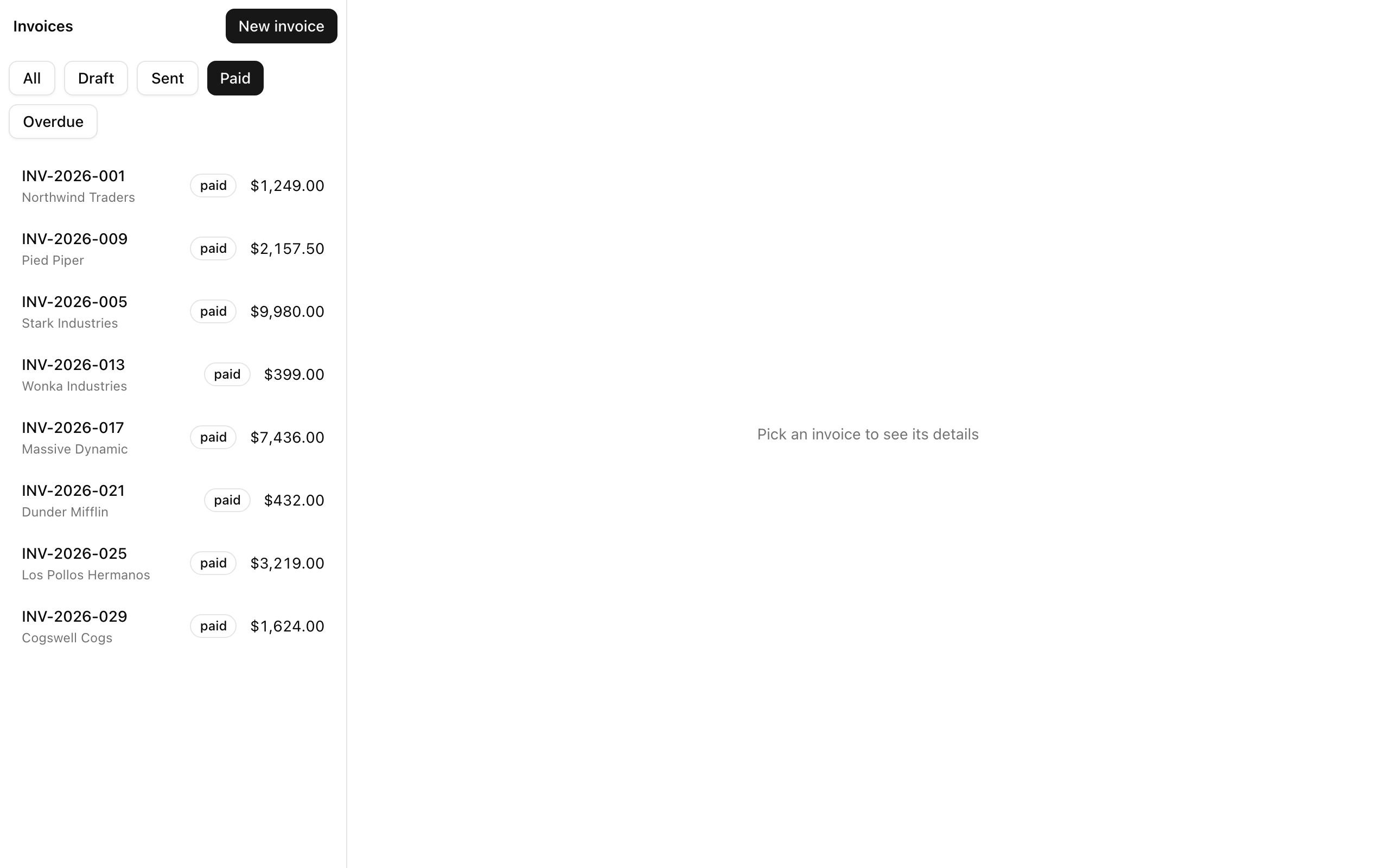
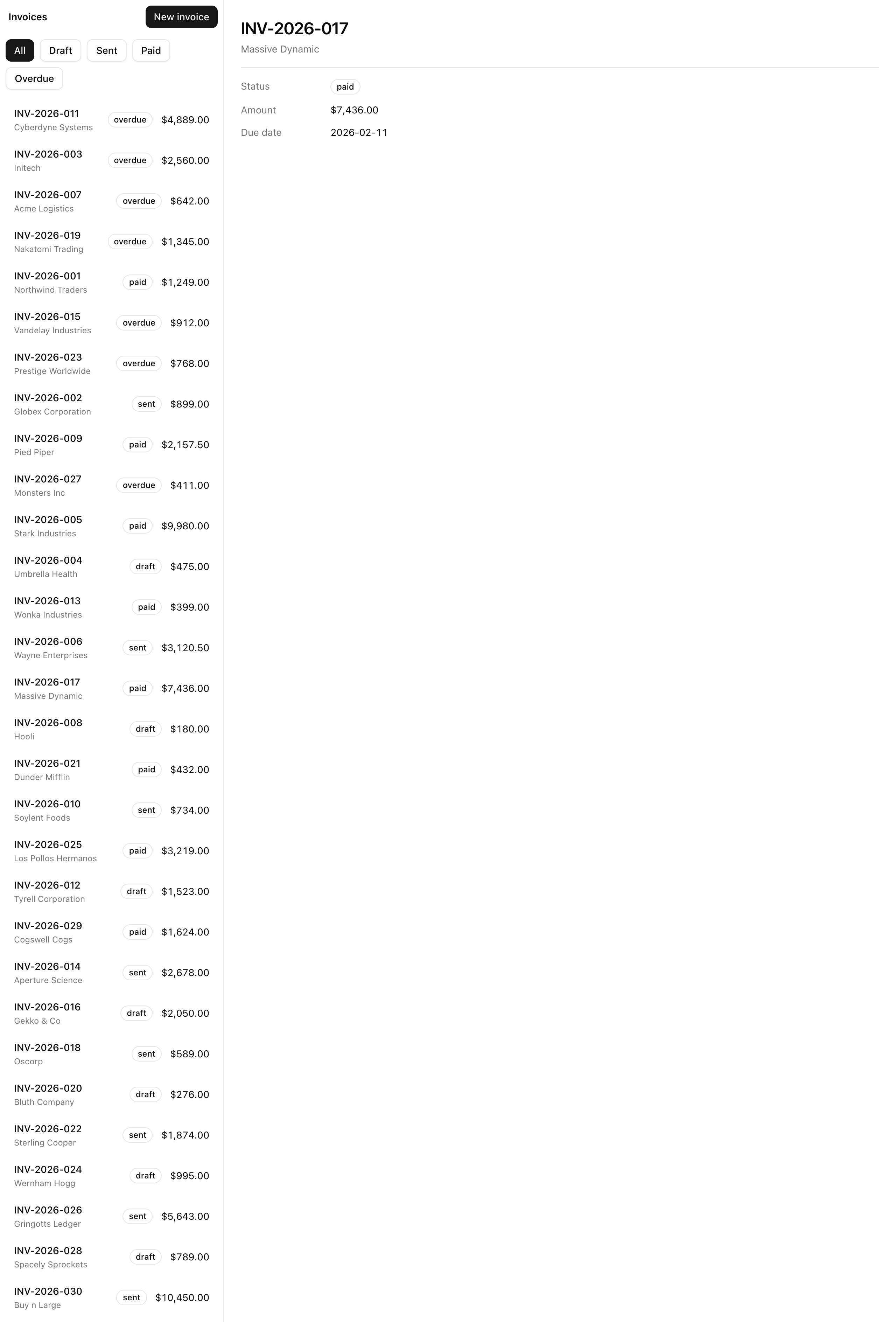
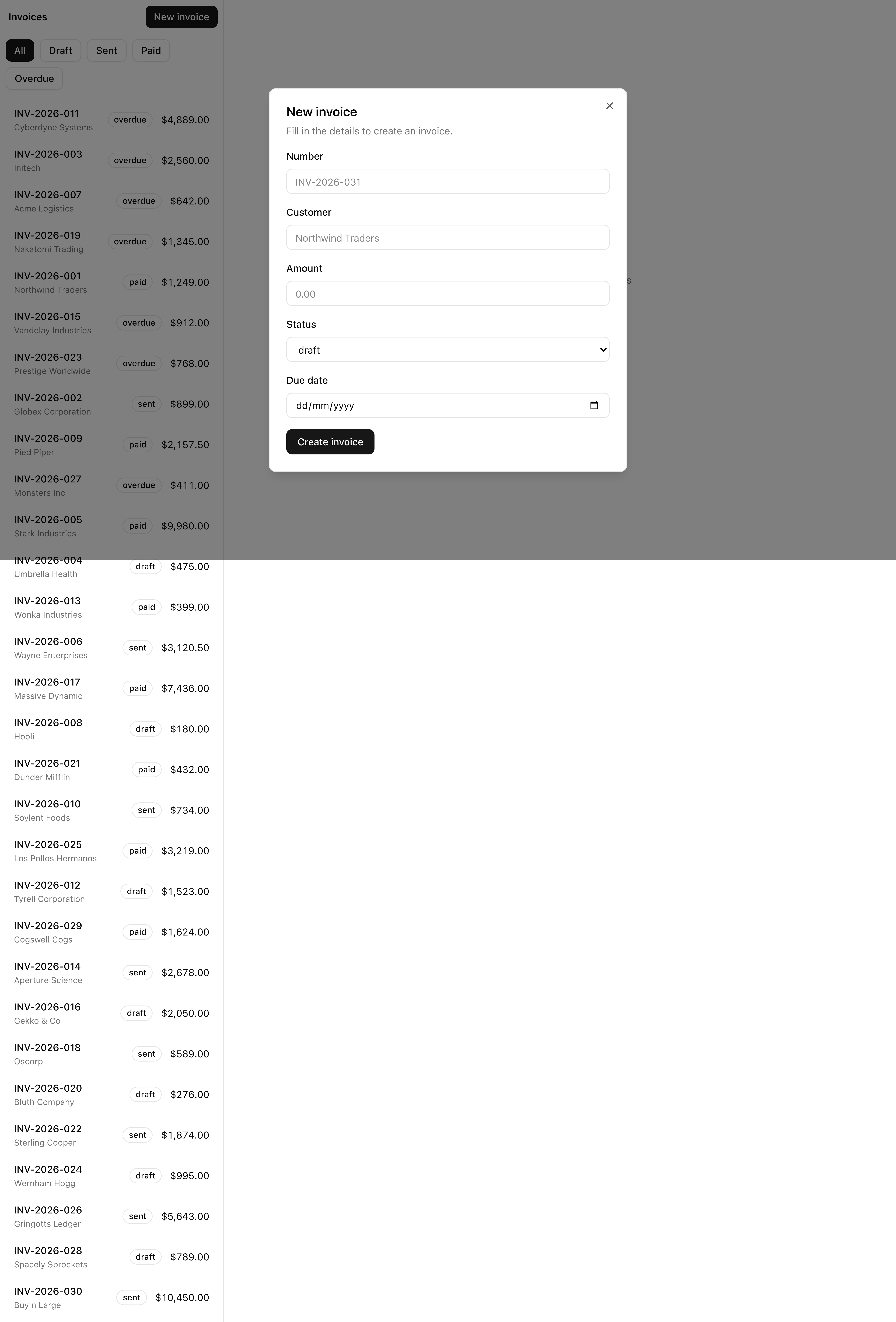
This project introduces no new primitives. URL-as-state through server searchParams, parallel slots, intercepting routes, and data fetching in Server Components were each taught in the App Router chapters; here they combine into one surface a team would ship.
default.tsx, so every independently-rendered region has a fallback when the URL doesn’t match it.Cmd+click each resolve correctly.One URL has to light the right combination of regions on the page, and the App Router resolves that mapping through the layout’s named slots. The invoices/layout.tsx shell is a two-column grid that receives three props — children, list, and detail — and the router fills each from what the URL matches.
@list/page.tsx reads ?status=, renders the filtered list @detail/[id]/page.tsx loads the selected invoice @detail/default.tsx “pick an invoice” empty state (.)new/page.tsx intercepts a soft nav into a Dialog new/page.tsx the full-page twin Each URL lights a combination of named slots in the two-column shell: /invoices?status=paid lights @list; /invoices/inv_017 lights @list and @detail/[id]; a soft nav to /invoices/new opens (.)new over the list. The two grey slots stay present but unlit here — @detail/default is the empty state, and new/ is the full-page twin. Each slot owns its own loading, error, and not-found boundary and its own default.tsx, so the regions render and fail independently.
The next three lessons cover how interception works, what the (.) prefix means, and how the slots stream. For now, keep the map: one shell, two parallel slots beside children, a detail slot that swaps a loaded invoice for an empty state, and an intercepting route with a full-page twin.
This is the first project you clone with degit instead of building by hand. Standing up the toolchain was the themed-surface project’s job; from here a starter carries those decisions forward so you spend your time on the chapter’s topic.
The bold files are stubs. Each ships a placeholder so the app builds from the first clone, plus a TODO(L<n>) comment naming the lesson that fills it in. They are your work for the chapter; everything else is provided.
html/body shell with the next-themes <Providers>/ to /invoices'use client' theme provider, carried over from the themed-surface project{ children, list, detail }children slot?status= and renders the filtered list'use client' filter pills that drive the ?status= URL'use client' dialog wrapper that closes on navigationListSkeleton and DetailSkeletoncn() class-merge helperInvoice type, statusSchema, and searchParamsSchemainv_001–inv_030)listInvoices(filters) and getInvoice(id) async readsThere is no .env, no DATABASE_URL, no environment validation: the thirty-invoice fixture is in-memory, so the project runs without secrets. Validation (@t3-oss/env-nextjs) arrives later, with the real Postgres database.
Three implementation lessons turn those stubs into the finished surface, each ending on a state you can confirm in the browser.
Lesson 2 — Server-rendered list and detail
Fills the @list and @detail slots so both render on the server, driven entirely by the URL.
Lesson 3 — Modal with a real URL
Adds the intercepting modal and its full-page twin: soft navigation opens a dialog, while a direct visit, refresh, or Cmd+click opens the full page.
Lesson 4 — Independent streaming per slot
Adds a per-slot skeleton so the list and detail each stream to content on their own under a throttled network.
Run these in order. You’re done when the dev server boots the placeholder shell and the verify gate passes clean.
Get the starter from the project repository, under Chapter 035/start/:
pnpm dlx degit terencicp/react-saas-course-projects/Chapter-035/start list-plus-detailpnpm dlx runs a package without installing it (the pnpm version of npx); degit copies that folder into a fresh list-plus-detail directory with no git history. Each chapter project ships a start/ and a solution/ folder, so you can diff your work against the reference at any point.
Install the dependencies:
cd list-plus-detail && pnpm installVersions are pinned; the project needs pnpm 11 and Node 24 or newer.
Start the dev server:
pnpm devThe root path redirects to /invoices, whose two-slot shell renders placeholder text in each slot, because @list/page.tsx, @detail/[id]/page.tsx, and the rest are still TODO(L<n>) stubs. A bare shell is what you should see.
Run the verify gate:
pnpm verifyThis runs Biome in CI mode, then next typegen, then tsc --noEmit, then a full production build, the same gate your CI runs on every pull request. (pnpm build runs only the build step; verify runs all of it.)
There are no environment variables to set: the in-memory fixture needs none, and DATABASE_URL arrives with the database in a later unit. Once pnpm dev serves the placeholder /invoices shell and pnpm verify passes clean, you have a runnable, type-clean starter, worth committing before you build on top of it.