Lesson 2 — Move every control to the URL
Puts filter, sort, search, view, and page in the URL via the nuqs parsers, searchParamsCache, toolbar, view-tabs, filter chips, ClearChip, and cursor pagination.
The invoice CRUD surface you built earlier works, but it is the day-one version. The production version behaves differently: paste a teammate’s URL and you land on the exact filtered, sorted page they saw; deleting an invoice hides it instead of destroying it; archived rows live in their own tab and return with one click; and when two people edit the same invoice at once, the second save is refused instead of silently overwriting the first. This chapter builds that view by combining the URL-state filter, sort, search, and pagination from chapter 060 with the soft delete, archive, restore, and optimistic concurrency from chapter 061.
The database is the one piece that is deliberately not production. Instead of Postgres, the data layer is an in-memory store that seeds itself on import, so the project boots on pnpm dev with no Docker and no migrations. The patterns are the same ones a SQL-backed app uses, run against arrays so they stay the focus.
deletedAt / archivedAt filter.version preconditions, so a stale write surfaces as a conflict instead of a silent overwrite.useActionState to carry both the success path and the conflict banner, and layering useOptimistic on archive so a row leaves the table on click and returns if the write is rejected.The project hangs off one round-trip. The URL is the source of truth; a Server Component reads it, the client writes back to it, and every read flows through a single helper.
/invoices page is a Server Component that parses the URL, reads the session, and calls listInvoices with the parsed slice plus the session’s orgId and role.cursor whenever a change re-orders or shrinks the results.listInvoices reads only through scopedInvoices(orgId), routing on the view param and collapsing all to active for non-admins at the read itself, not just in the UI.version precondition holds, and write the audit entry in the same step.version field, and on a conflict renders a banner from the current payload the action returns — no second fetch./inspector page is the verification surface the later lessons lean on: row counts, an identity switcher, reset-and-reseed, version-drift, and the audit-log tail.The starter renders but is unfinished. Each bolded file holds a TODO you complete across the four build lessons; everything else works as-is. Labels below mark only the files the lessons touch.
dev, build, verify, test:lesson scripts (no database, so no db:migrate / db:seed)Invoice with deletedAt / archivedAt / version, plus Role and roleAtLeastfindInvoice / pushAudit / reseedgetSession reads the acting identityResult<T> union with ok / err / conflictauthedAction(role, schema, fn) wrapper — session, RBAC, parse, callcn()nuqs parsers and searchParamsCachelistInvoices / getInvoiceDetail on view; gate all to adminscopedInvoices(orgId)’s three views honest<NuqsAdapter> and theme provider/invoicesproviders.tsx, submit-button.tsxsearchParamsCache, calls listInvoices, renders the surfaceview to the URL; hide All from non-adminsresetAndReseed, switchIdentity, forceVersionDriftThe lesson-verification/ folder isn’t in the starter; each lesson’s test file arrives with that lesson.
Each build lesson ends on a runnable, verifiable state.
Lesson 2 — Move every control to the URL
Puts filter, sort, search, view, and page in the URL via the nuqs parsers, searchParamsCache, toolbar, view-tabs, filter chips, ClearChip, and cursor pagination.
Lesson 3 — Scoped reads and the view tabs
Routes the reads on the view param with RBAC gating so the Active, Archived, and All tabs each return the right rows.
Lesson 4 — Archive, restore, and delete
Implements the three lifecycle actions with audit writes and wires them into the row menu, with optimistic archive in the table.
Lesson 5 — Two tabs, one winner
Adds the version precondition to the update action and renders a conflict banner with “Use latest” and an admin-gated “Overwrite anyway”.
Nothing to provision: the store seeds itself on first import, and your identity is the acting-identity cookie, defaulting to org-acme:admin.
Get the starter codebase from the project repository, under Chapter 062/start/.
Install dependencies.
pnpm installStart the dev server.
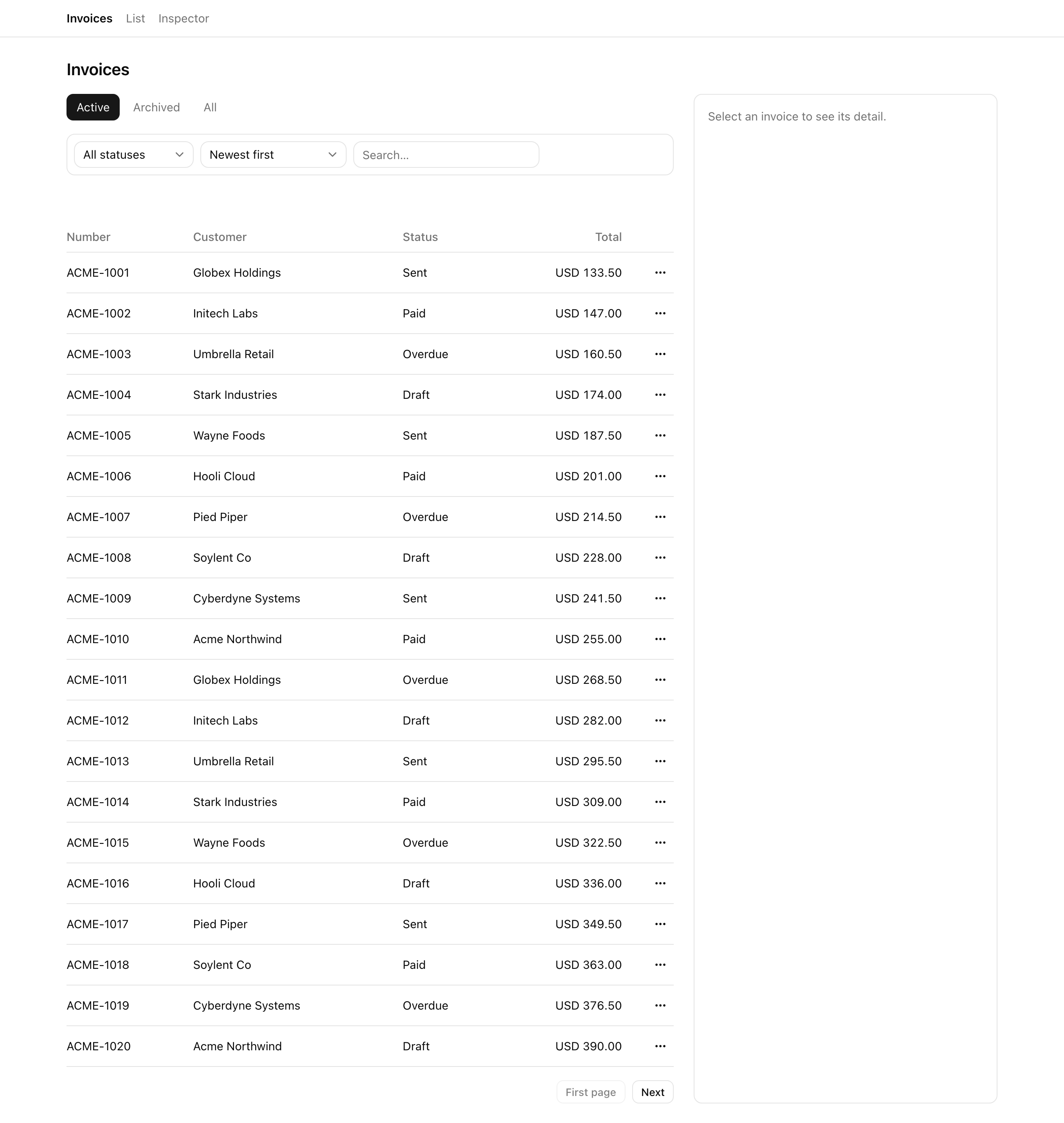
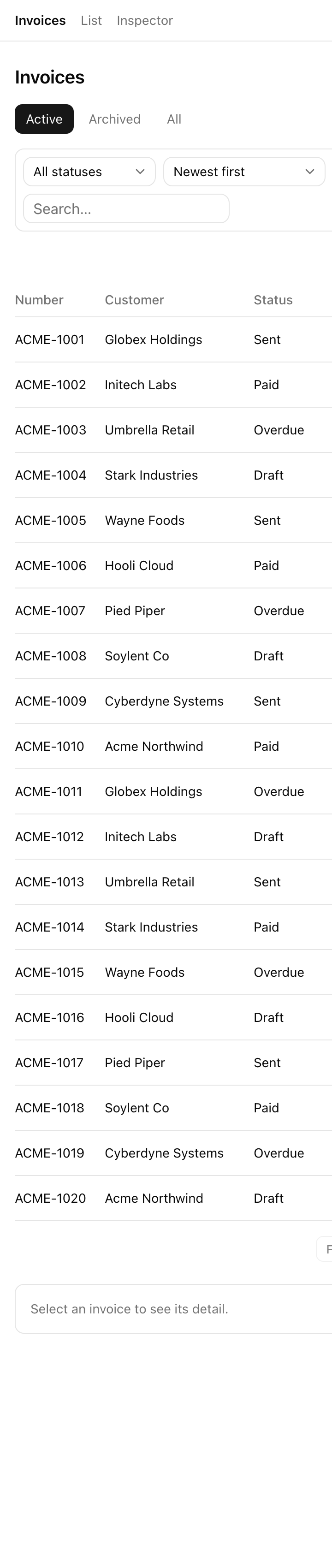
pnpm devpnpm dev serves the list view at /invoices and the edit form at /invoices/[id]/edit, both unfinished. Toolbar filters live in component state, so a refresh wipes them; the view tabs and pagination do nothing, and every tab shows the same rows; there are no archive or restore actions; and the update path silently overwrites on a two-tab race. Each build lesson closes one gap.
Your second URL is the verification surface. Open /inspector and keep it in a tab as you work:
Every build lesson also ships an automated check. After attempting lesson <n>, run pnpm test:lesson <n> (for example pnpm test:lesson 2) to grade it against lesson-verification/Lesson <n>.ts. Once /invoices and /inspector render, head to the first build lesson.