Lesson 2 — Organization plugin and the active-org session
Installs the organization plugin, seeds activeOrganizationId on session create, and ships roleAtLeast plus requireOrgUser, so the inspector’s active-org banner renders a real identity.
The auth dashboard you shipped answers one question: who is this request from?
A real app needs two more before it can act: which organization the request is in, and whether this person may do what they’re asking.
This chapter turns that single-user dashboard into a multi-tenant app with three roles (owner, admin, member), an audit trail the database itself protects, and an invitation handshake that turns an email link into a seat in the org.
The value is in the structure, not the keystrokes.
Wiring an organization plugin or hashing a token is a few lines; the lesson is making cross-tenant data leaks refuse to compile, and making the audit_logs table append-only at the database level.
The screenshots below are the finished build this chapter produces, not what your starter renders today.
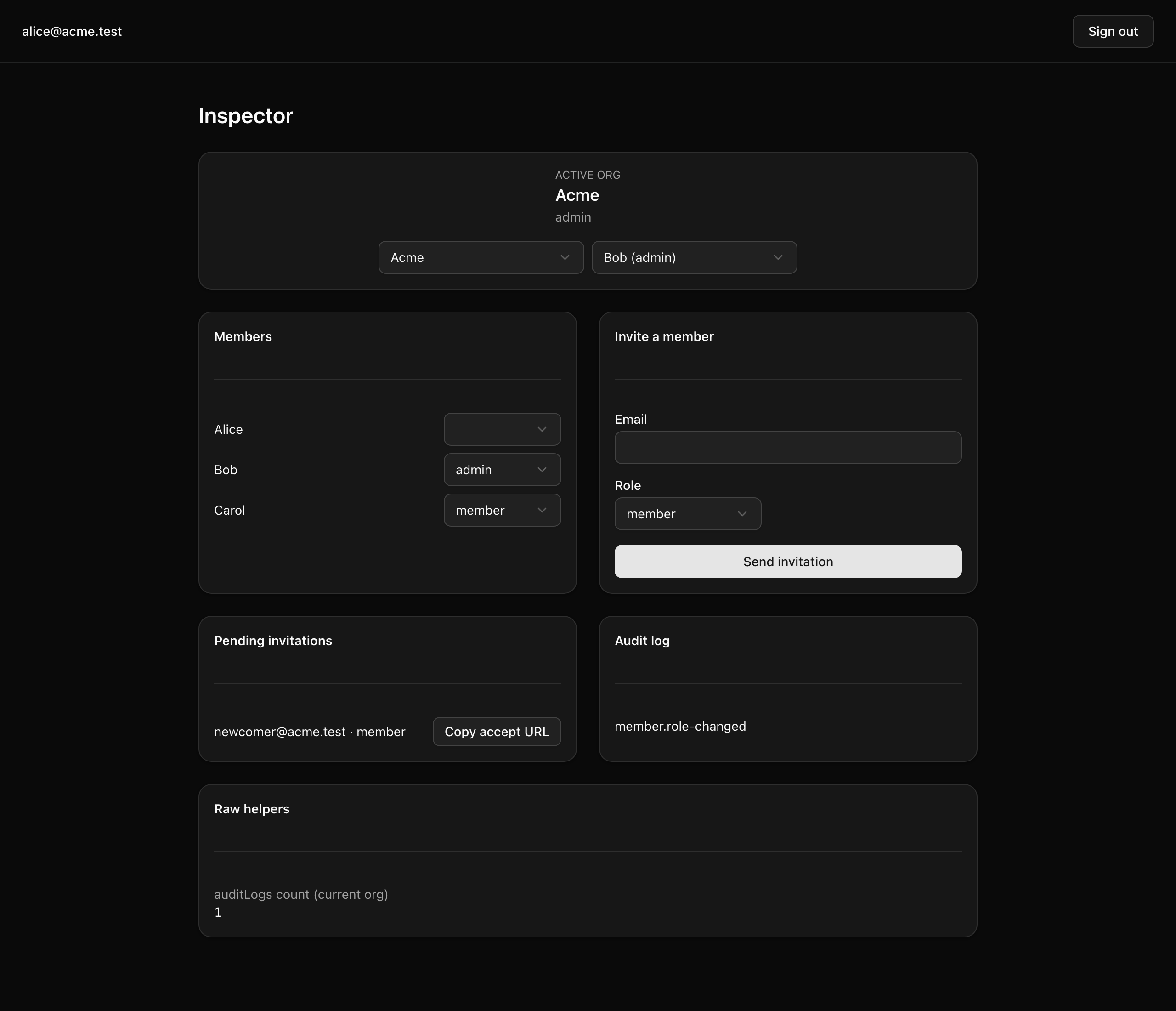
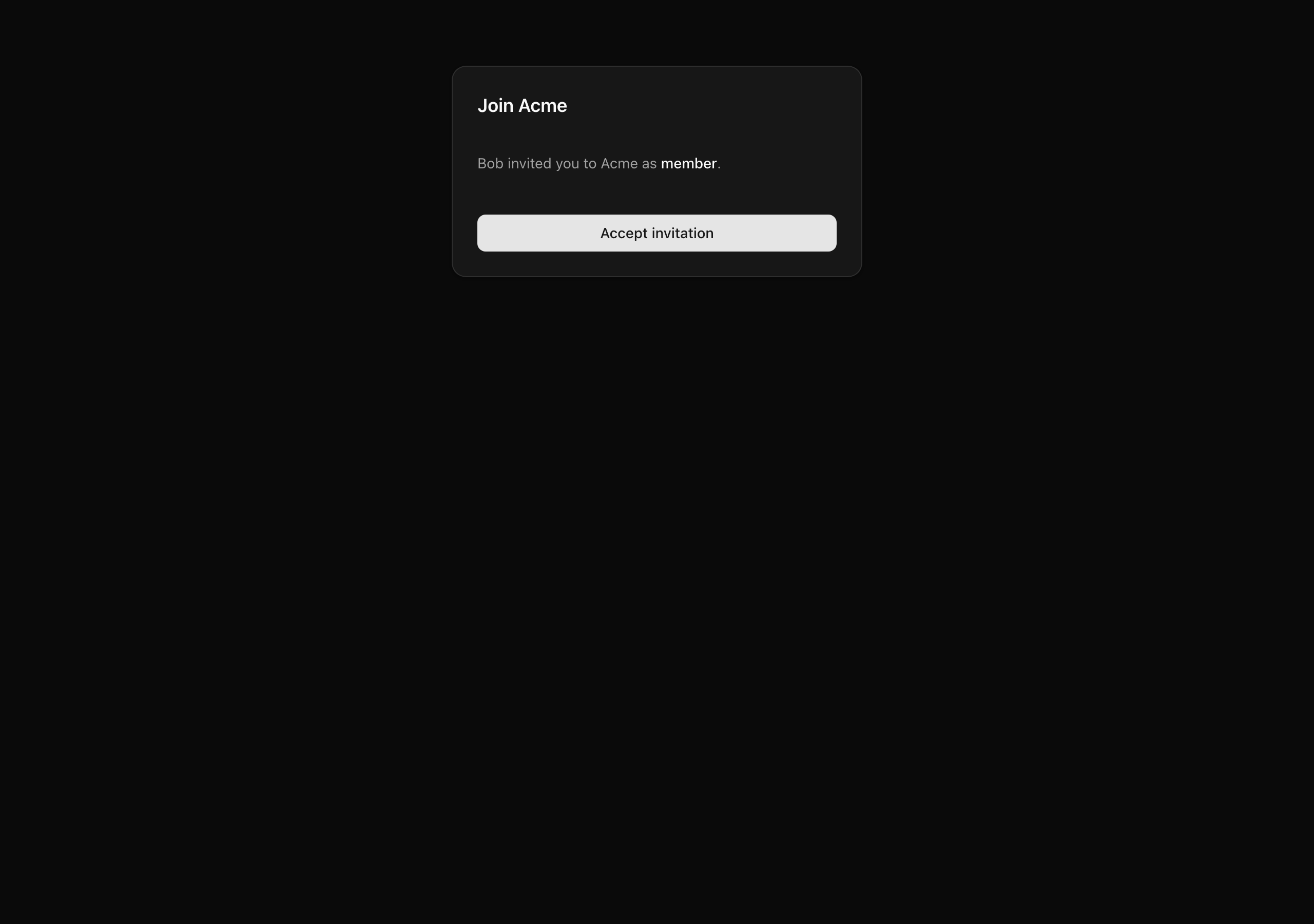
These five lessons reuse patterns from earlier units — the organization model, the action wrapper, RLS, the signed URL — for multi-tenancy. You will:
activeOrganizationId on the session, and resolve the acting { user, orgId, role } through one requireOrgUser helper reading the server-validated session.tenantDb(orgId) facade and an authedAction(role, schema, fn) wrapper fold in each predicate, so code that omits it fails to compile.audit_logs append-only at two levels: application discipline and a Postgres row-level policy that denies every UPDATE and DELETE. Write each row in the same transaction as the change it records.<Select> and invite form to every role, including a plain member, so you confirm the refusal happens on the server, not from a hidden button on the client.Four layers stack, and a verification surface lets you watch them work. Each build lesson fills in one layer.
organization, member, and invitation tables. You add an activeOrganizationId column to session, tokenHash and acceptedAt columns to invitation, and a session.create hook that seeds the active org when a session is minted.requireOrgUser() resolves the acting { user, orgId, role }. tenantDb(orgId) is the only scoped data facade, and authedAction(role, schema, fn) the only shape a privileged Server Action takes. Both fold in the org predicate, so omitting it is a type error, not a silent leak.auditLogs table carries row-level security: a per-org read-and-insert policy keyed on current_setting('app.org_id'), plus deny-everything policies for UPDATE and DELETE. withTenant(orgId, fn) opens the transaction that sets the session variable, and logAudit(tx, event) writes one row, running only inside a transaction by its signature. This is the project’s only table with RLS; every other tenant-owned table is scoped at the application layer through tenantDb.signedInviteUrl and verifyInviteSignature bracket the capability URL. sendInvitation writes the invitation row and its audit event, then emails after the transaction commits. The provided /accept-invite page runs the verification ladder and branches across arrival surfaces; acceptInvitation joins the org and audits in one transaction, then switches the active org after commit./inspector page, seeded with two orgs, four mixed-role users, one pending invite, and one audit row, exercises every helper and action you build. A dev-only acting-user switcher toggles between identities without signing out.You start from the layout below, which carries in the full toolchain and stack from the auth and email projects.
Bold files are the stubs you fill this chapter; each comment opens with the lesson that fills it (TODO L2, TODO L3, …) and what lands there.
Everything else is provided, commented only where a lesson touches it or it changed from a project you carried in.
INVITATION_SIGNING_SECRETpostgres:18db:*, auth:generate, dev, verify, test:lessonINVITATION_SIGNING_SECRET to the server blockorganization() plugin and the active-org hook; complete requireOrgUserorganization() config so the CLI emits the plugin tablesorganizationClient() registeredsendEmail wrapperResult<T>, ok, err, isUniqueViolationROLE_RANK and roleAtLeast (the Role type is provided)authedAction(role, schema, fn) wrappermapAuthErrorgenerateInviteToken, signedInviteUrl, verifyInviteSignature, sha256sendInvitation actionacceptInvitation actionchangeMemberRole actionauditSchema into the Drizzle clientauditLogs table plus its RLS policieslogAudit(tx, event)withTenant, L4 tenantDb facadetimestamps groupemailSuppressionsauth:generate after the org plugin lands — commit the difflistMembers(orgId)listPendingInvitations (L5), getInvitationById (L6)auditLogCount, recentAuditLogs (read through withTenant)InviteEmail templateEmailLayout wrapperauthClient.organization.setActive + router.refresh()getInspectorContext with the dev acting-user overrideacceptInvitationauthClient.organization.createLesson <n> suites, run via pnpm test:lesson <n>Plugin-owned tables come from a code generator, not your keyboard.
Once you add the organization() plugin next lesson, pnpm auth:generate reads src/lib/auth-schema.config.ts and rewrites src/db/schema/auth.ts with the organization, member, and invitation tables.
Run it and commit the diff; never hand-edit that file, since the next person to run the CLI silently overwrites your changes.
The inspector’s “switch acting user” control is dev-only, gated behind NODE_ENV !== 'production'.
It writes a cookie swapping which seeded identity the page renders as, so you can watch RBAC behave as owner, admin, and member without three real accounts.
In production it would be a privilege-escalation hole: any user could become any other.
Five build lessons turn the tree of stubs into the running app. Each ends on a state you can confirm in the inspector.
Lesson 2 — Organization plugin and the active-org session
Installs the organization plugin, seeds activeOrganizationId on session create, and ships roleAtLeast plus requireOrgUser, so the inspector’s active-org banner renders a real identity.
Lesson 3 — Append-only audit_logs with RLS
Adds the auditLogs table with deny-UPDATE/DELETE policies and the transaction-required logAudit(tx, event) writer behind withTenant.
Lesson 4 — Scoped data, the action wrapper, and role changes
Builds the tenantDb(orgId) facade and the authedAction(role, schema, fn) wrapper, then ships changeMemberRole, which refuses owner targets and last-owner demotion and audits in-transaction.
Lesson 5 — Send an invitation with a signed accept URL
Generates the token, hashes it at rest, HMAC-signs the URL, writes the row and audit event in one transaction, and sends the React Email after commit.
Lesson 6 — Accept the invitation behind the provided arrival surfaces
Ships acceptInvitation (and getInvitationById) behind the provided /accept-invite page: it joins the org, auto-verifies the email, and audits in one transaction, then switches the active org after commit.
Work through these in order. You are done when the dev server boots and the dashboard flow you carried in still works. You are standing up the shell here; the org context, audit table, and invite flow stay stubs.
Get the starter codebase from the project repository, under Chapter 059/start/:
pnpm dlx degit terencicp/react-saas-course-projects/Chapter-059/start org-rbac-invitationscd org-rbac-invitationsdegit copies that folder into a fresh org-rbac-invitations directory with no git history. Each project ships start/ and solution/ siblings, so you can diff against the reference anytime.
Bring up Postgres:
docker compose up -dThis starts the postgres:18 service on port 5432 in the background. The first run pulls the image; later runs are instant.
Install the dependencies:
pnpm installThe repo is pnpm-only: a preinstall hook blocks other package managers, and versions are pinned.
Copy the example env file and fill in the values (the table below covers every variable):
cp .env.example .envThe database variables already match the Docker Postgres above. You supply three: a BETTER_AUTH_SECRET, your carried-in Resend values, and a fresh INVITATION_SIGNING_SECRET.
Run the migrations and seed the database:
pnpm db:migrate && pnpm db:seedThis applies the carry-in schema and loads the two orgs, four users, one pending invite, and one audit row the inspector reads. Your own org, audit, and invitation tables land across the build lessons.
Start the dev server:
pnpm devThe Next app comes up at http://localhost:3000.
Both secrets want the same kind of value: 32 base64-encoded bytes of CSPRNG output, which this command produces. Run it twice and give each secret a different output; the two must never match.
openssl rand -base64 32| Variable | Purpose | How to get it |
|---|---|---|
DATABASE_URL | Postgres connection string. | Matches the docker-compose.yml defaults; leave as-is. |
DATABASE_URL_UNPOOLED | Same value locally. The pooled/unpooled split lets a managed Postgres drop in later without renaming anything. | Leave as-is. |
SEED | Seed toggle. | Leave as 1. |
BETTER_AUTH_SECRET | Signs session cookies and tokens. Server-only. | A fresh value from openssl rand -base64 32, or the one carried in from the auth project. |
BETTER_AUTH_URL | The auth server’s origin. | http://localhost:3000. |
RESEND_API_KEY | Authenticates the invitation-email send. | Carry-in from the email project: your Resend API key. |
EMAIL_FROM | The verified sender identity, in Name <addr> form. | Carry-in from the email project; the address must live on a domain you verified in Resend. |
EMAIL_REPLY_TO | The reply-to address. | Carry-in from the email project. |
INVITATION_SIGNING_SECRET | The HMAC key that signs the accept URL. Distinct from BETTER_AUTH_SECRET. | A second, fresh value from openssl rand -base64 32. You add it to src/env.ts in Lesson 5; set it in .env now so it’s ready. |
NEXT_PUBLIC_APP_NAME | The app name shown in the email chrome. | Carry-in; leave as the default. |
NEXT_PUBLIC_APP_URL | The public app origin, and the base host for the signed accept URL. | http://localhost:3000. |
On success, pnpm dev serves the same sign-up, sign-in, sign-out, and /dashboard flow you carried in. Open /inspector and you get placeholder panels, not a working build: the active-org banner reads “No active organization”, and the members, pending, and audit panels show empty states. That is correct: the helpers behind them are deliberate stubs that return empty data instead of throwing, so the page renders while the real org context and scoped data layer are still ahead.