Lesson 2 — Create an invoice
Derive the create schema, write createInvoice in the five-seam shape, and wire NewInvoiceForm with the reusable <SubmitButton> and <FieldError> so a valid invoice persists and redirects.
You already have a read surface for the invoicing app: the org-scoped data layer from earlier units, plus the list and detail pages that render it.
Open /invoices and you get a paginated list of seeded invoices, but nothing on the page changes anything yet.
This project adds the write surface: a new invoice form, an edit invoice form, and a delete-with-confirmation button, the full CRUD the read pages were missing.
Every mutation flows through one Server Action that parses its FormData with a Zod schema derived from the Drizzle table, returns the canonical Result, and revalidates the list.
It is the flow nearly every web app feature is a variation of.
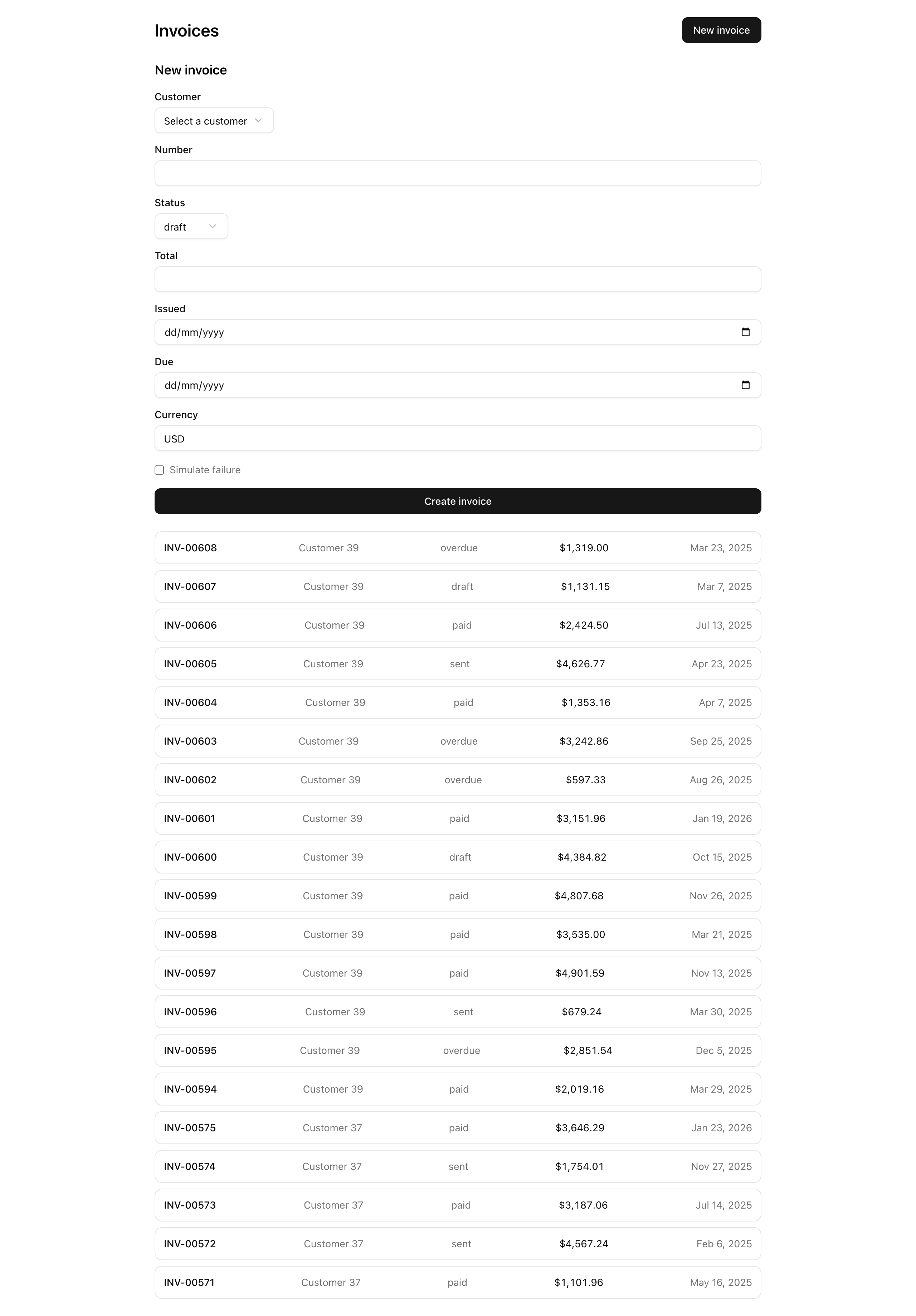
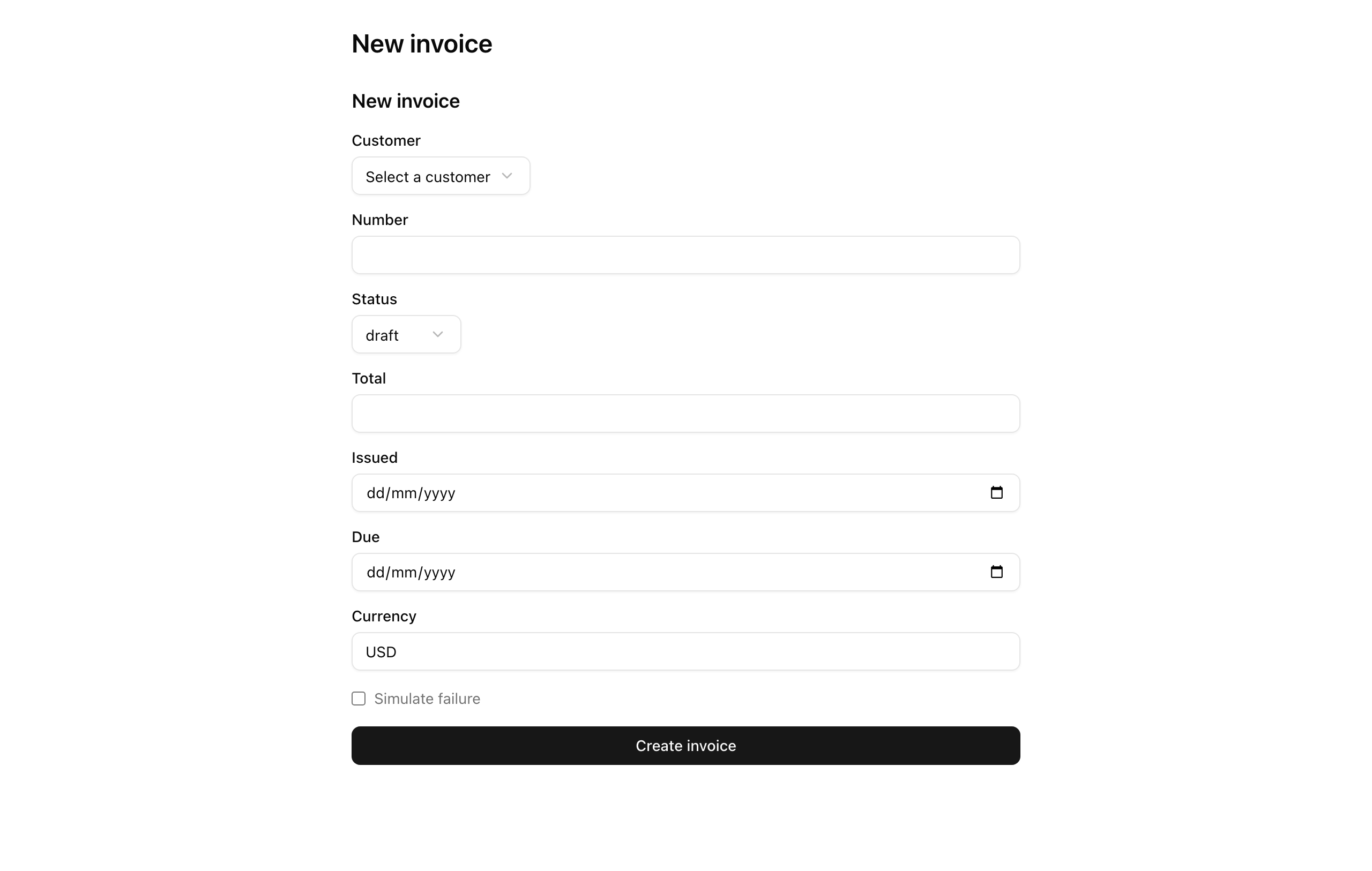
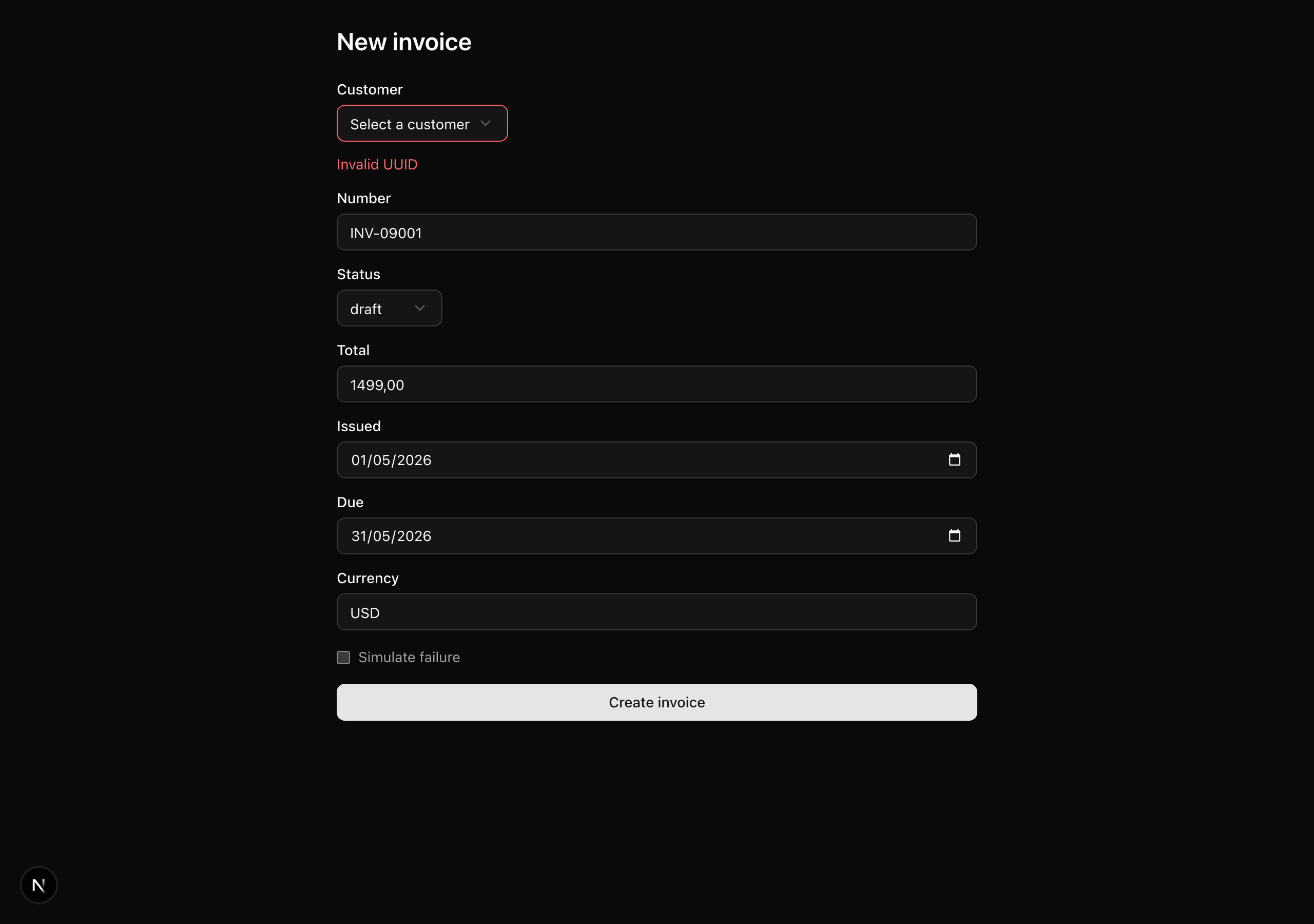
![An invoice detail page at /invoices/[invoiceId]: a read-only panel with the invoice number, status badge, customer, email, issued and due dates, total in USD, and line items, alongside a prefilled 'Edit invoice' form, a 'Save changes' button, and a 'Delete' control.](/screenshots/047/l4-desktop-1280.png)
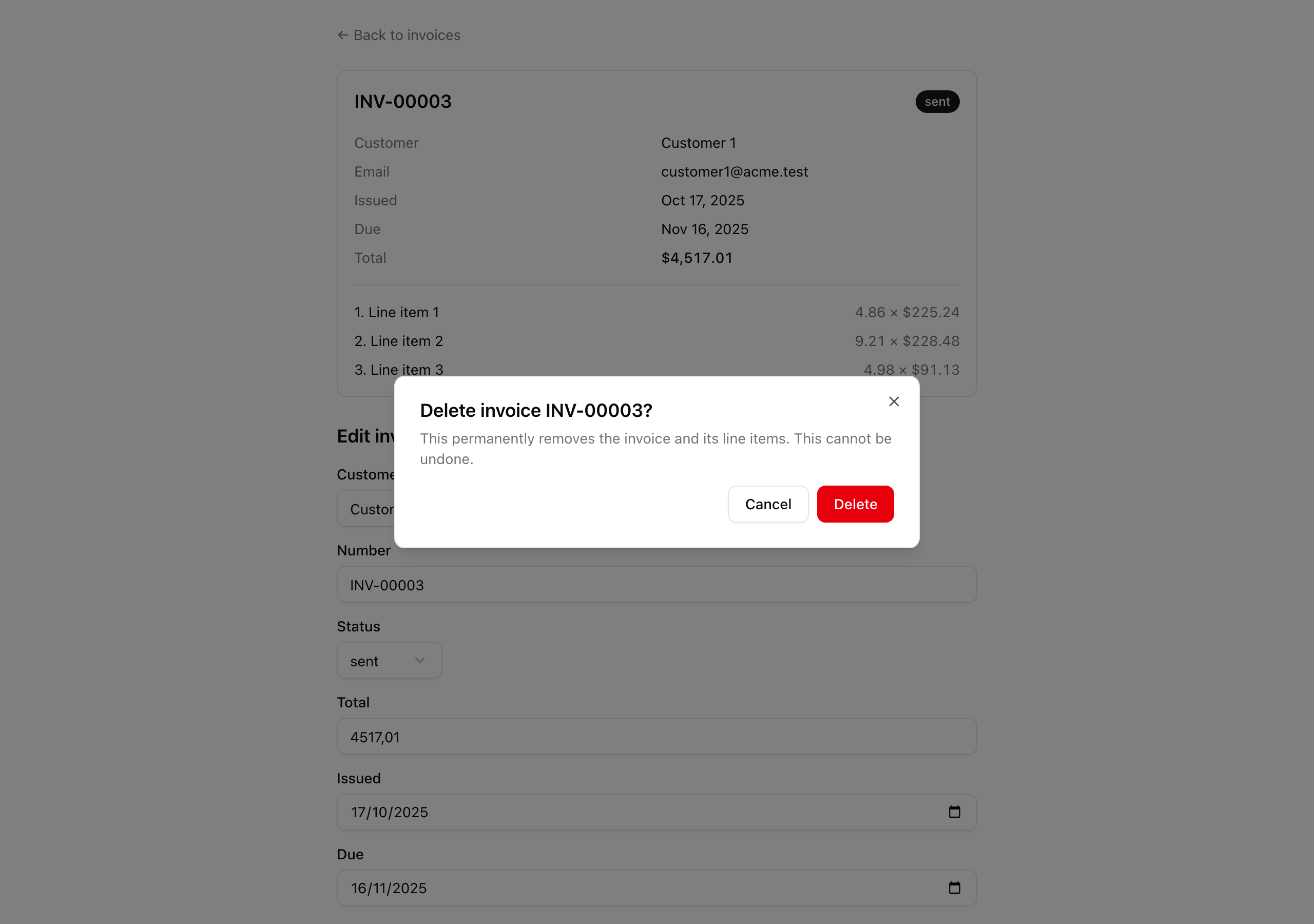
This project introduces no new primitives: the Zod, Server Action, and React 19 form chapters covered them all. Here you combine those isolated exercises into one mutation surface, practicing four things.
invoices table with createInsertSchema plus refinement, then making that one schema the contract both the action and the form’s input names obey.Result instead of throwing.useActionState, uncontrolled inputs, useFormStatus, and useOptimistic that still work with JavaScript disabled.The surface spans many files, but a single mutation runs a straight line through them:
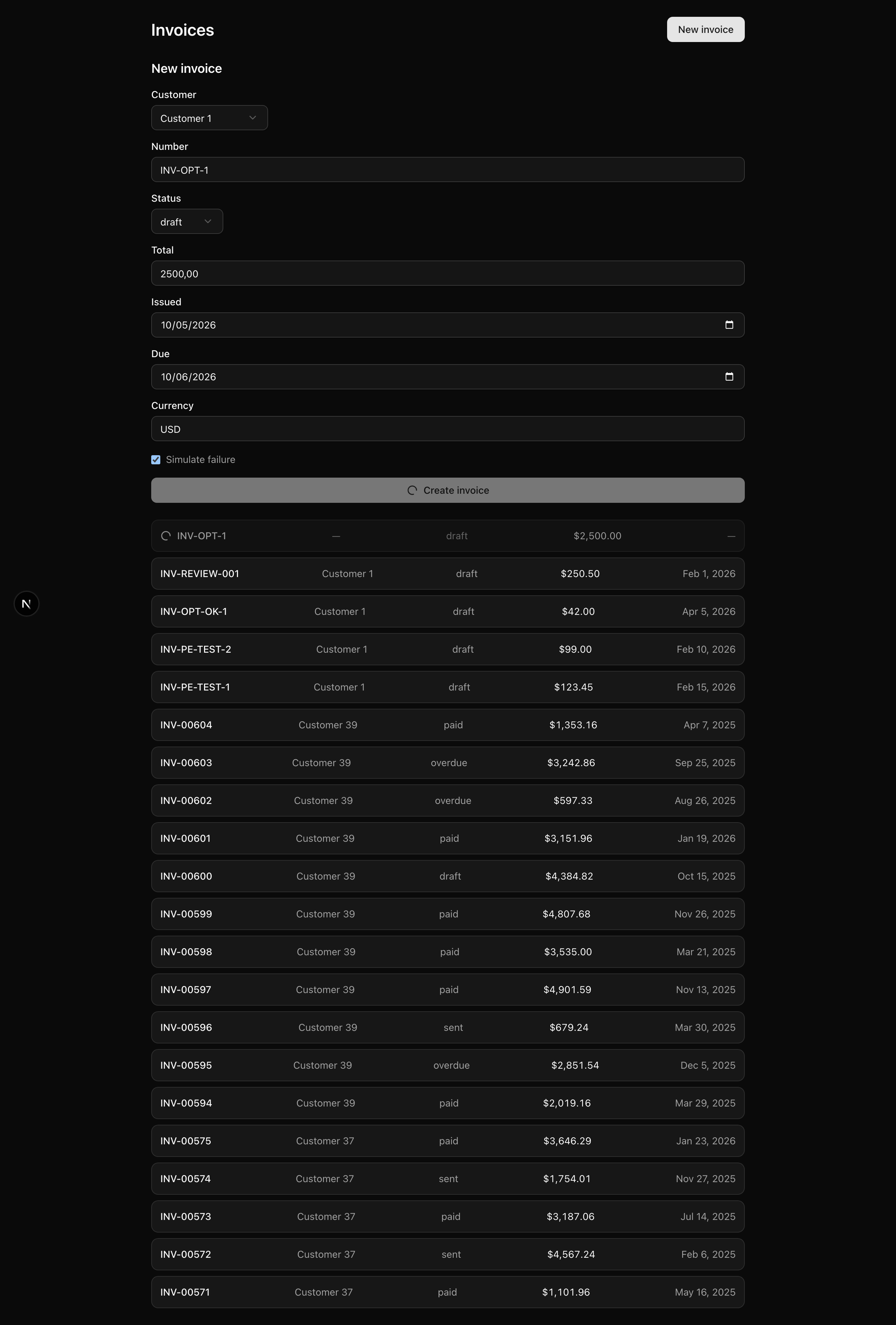
<form action={serverAction}>: no onClick, no fetch, no /api/* route. The form posts straight to the action, so the surface works with JavaScript off.FormData against the Zod schema, read the active org and user from the auth stub, write through the pooled Drizzle client (the delete inside a transaction), call revalidatePath('/invoices'), and return a Result.useActionState renders that Result, field errors inline under each input and a banner for everything else, while useOptimistic paints the pending create row at the top of the list until the revalidated rows replace it.The action reads its tenant context from getActiveContext(), the stub returning the seeded org and user. It marks the slot where a real authentication wrapper drops in later, so the mutation body reaches for the stub rather than cookies().
You inherit the toolchain and data layer from earlier chapters: pnpm, the strict tsconfig, Biome, the next-themes providers, the Docker Postgres service, Drizzle, and the @t3-oss/env-nextjs boundary.
The work lives in eight bold stub files, each carrying a TODO(L<n>) comment naming the lesson that completes it; everything else is provided.
listCustomers(organizationId)statusSchema, listInvoicesInputSchemaTODO L2 / L3 / L4listInvoices, getInvoiceDetail'use server' TODO L2 / L3 / L4Result<T>, ok(), err(), isUniqueViolationgetActiveContext() resolving the seeded org + user<Providers> + <Toaster />/ to /invoices?deleted banneruseOptimistic + the inline create form TODO L5?deletedTODO L2 / L5[invoiceId]/TODO L3TODO L4next-themes ThemeProvideruseFormStatus + the shadcn <Button> TODO L2Result.error.fieldErrors[name] TODO L2A folder whose name starts with an underscore opts out of App Router routing, so _components/ is not a URL segment, just a shared home for the components its sibling routes use.
Two provided files are worth reading first, since the build leans on both:
lib/result.ts holds the Result<T> type, a discriminated union that is either { ok: true; data } or { ok: false; error }, where the error carries a code, a userMessage, and optional fieldErrors. Alongside it sit the ok and err constructors and isUniqueViolation, which spots a Postgres unique-constraint violation (SQLSTATE 23505) so you can map it to a conflict instead of crashing.lib/auth-stub.ts exposes getActiveContext(), returning { organizationId, userId } for the seeded org and its owner. It resolves them by natural key (org slug plus user email) because the seed assigns fresh UUIDv7 keys on every run, so the ids cannot be hardcoded. Each action calls it once at the top.Five lessons turn those eight stubs into a working CRUD surface, each ending on a state you can check in the browser.
Lesson 2 — Create an invoice
Derive the create schema, write createInvoice in the five-seam shape, and wire NewInvoiceForm with the reusable <SubmitButton> and <FieldError> so a valid invoice persists and redirects.
Lesson 3 — Edit an invoice
Extend the schema with an id, write updateInvoice with a tenant-scoped where, and prefill EditInvoiceForm so edits save in place and a duplicate number surfaces a conflict banner.
Lesson 4 — Delete with confirmation
Add deleteInvoice and a shadcn <Dialog> delete form that submits through the action, with an inline no-JS fallback.
Lesson 5 — Optimistic create
Layer useOptimistic on the list and a client-generated UUIDv7 so the new row appears instantly, reconciles by key, and rolls back on failure.
Lesson 6 — Transactional delete
Wrap the delete in a Drizzle transaction so multi-step deletion is atomic, and add a URL-param success toast.
Run these in order. You are done when the dev server boots and serves the seeded /invoices list against a running Postgres.
Get the starter codebase from the project repository, under Chapter 047/start/:
pnpm dlx degit terencicp/react-saas-course-projects/Chapter-047/start invoices-crudcd invoices-cruddegit copies that folder into a fresh invoices-crud directory with no git history, and pnpm dlx runs it without installing. Every chapter project ships a start/ and a solution/, so you can diff your work against the reference.
Install the dependencies:
pnpm installThe repo is pnpm-only: a preinstall hook blocks other package managers, and versions are pinned.
Copy the example env file:
cp .env.example .envThis project reuses the same three variables as the data-layer project:
DATABASE_URL — pooled connection string for the app’s db client; locally postgres://postgres:postgres@localhost:5432/app.DATABASE_URL_UNPOOLED — unpooled URL for Drizzle Kit’s migrate and seed; the same value locally.SEED — integer seed for the PRNG, so seeding is identical every run. Defaults to 1.The .env.example defaults already match a local Docker Postgres, so copy the file as-is.
Bring up the database:
docker compose up -dThis starts the postgres:18 service on port 5432 in the background. The first run pulls the image; after that it is instant.
Apply the schema and fill it with seed data:
pnpm db:migrate && pnpm db:seeddb:migrate runs the one init migration that creates the six tables; db:seed loads a deterministic set: two orgs, four users, forty customers, and a few hundred invoices with line items.
Start the dev server:
pnpm devThe root path redirects to /invoices, which renders the seeded list (that read path is inherited from the data-layer project and works out of the box). Click “New invoice” and you reach a form that is still a bare heading, because its components are stubs you fill in starting next lesson.