Verify email and auto-sign-in
A brand-new account gets a verification email, and clicking the link verifies the account and signs the user in — no second trip to the sign-in form. That turns last lesson’s dead-end “check your inbox” screen into a working front door.
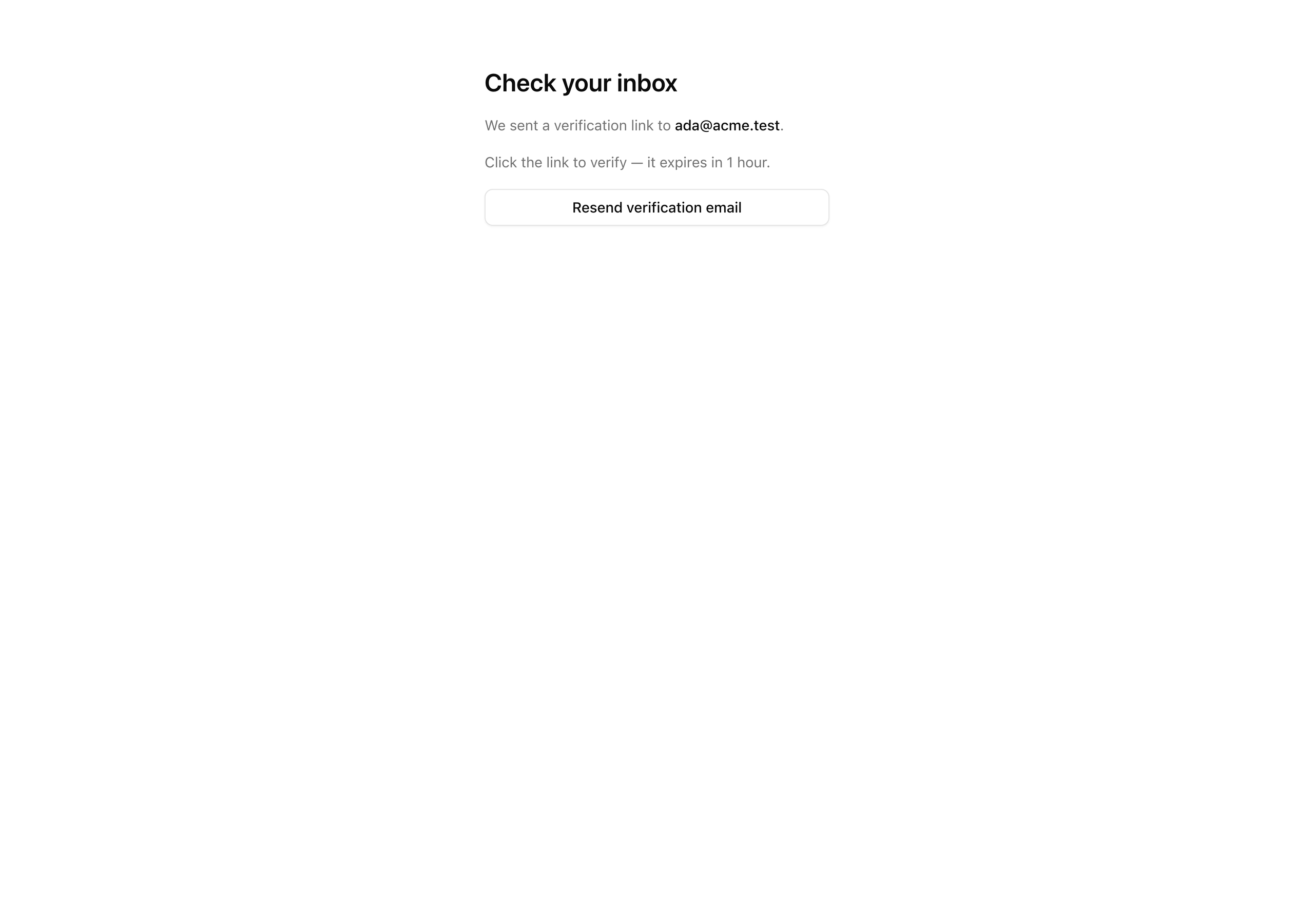
Right now sign-up creates the rows and lands the user on the screen below, showing the address the link was sent to.
What does not exist yet is the link: nothing sends an email.
By the end of this lesson the inbox holds a branded message whose “Verify email” button drops the user on /dashboard, signed in, never having re-typed the password from a minute ago.
The detail worth internalizing first: there is no token to store.
The link Better Auth hands you carries a signed JWT in its query string, and verification is just checking that signature and its expiry on the callback.
The verification table is never read or written during this flow — it stays empty.
The gate is enforced by cryptography, not by a row you create on sign-up and consume on click.
Your mission
Section titled “Your mission”You build the React Email template that carries the verification link, add the one config block that fires it on sign-up, and finish the verify-email screen with a button to request a fresh link.
You do not re-implement Resend or touch the suppression rules: the verification email rides the same sendEmail pipeline from the welcome-email project.
You author one new template and the callback that hands it the link.
A few decisions shape the solution. Because the token is a JWT in the URL, its lifetime is a number you choose deliberately: an hour is long enough that someone triaging a full inbox does not return to a dead link, and short enough that a message forwarded around the office does not hand out indefinite access.
The other call is who issues the first session, and when.
You turn on autoSignInAfterVerification, so clicking the link both verifies the address and signs the user in — re-prompting for a password the instant after someone proved they control the inbox would be a pointless regression.
This is also the first request in the flow that ships Set-Cookie, which is where the nextCookies() bridge you wired last lesson earns its place.
One edge to understand rather than fight: sendEmail still checks the suppression list before sending, so an address that has hard-bounced or unsubscribed creates an account on sign-up but never receives mail.
That is why the verify screen carries a resend button — it is the user’s escape hatch, not a nice-to-have.
Out of scope here: the sign-in surface and its refusal of unverified accounts land next lesson, and the protected-route gate the lesson after.
So after today’s auto-sign-in, /dashboard is still an open placeholder anyone can hit — correct for now, not a hole to plug.
/verify-email and the screen shows the email address the link was sent to.user.emailVerified to true in Postgres, and the verification table stays empty throughout — the token is a JWT, not a row.session row exists for them — and lands on /dashboard without re-entering a password./verify-email sends a new email carrying a fresh JWT link.Coding time
Section titled “Coding time”Build the verification path against the brief and the tests first, then open the walkthrough to check your work. The order below is build order: the template, the config that sends it, then the screen and resend button that close the user-facing loop.
Reference solution and walkthrough
Author the verification email
Section titled “Author the verification email”The template takes a first name and the verify URL and renders a self-contained HTML email on the brand chrome you already have.
import {  Body,  Button,  Head,  Heading,  Html,  Preview,  Section,  Tailwind,  Text,} from 'react-email';
import { EmailLayout } from './components/email-layout';import { emailTailwindConfig } from './email-tailwind-config';
const APP_NAME = 'Acme';
export type WelcomeVerificationProps = {  firstName: string;  verifyUrl: string;};
const WelcomeVerification = ({  firstName,  verifyUrl,}: WelcomeVerificationProps) => (  <Tailwind config={emailTailwindConfig}>    <Html lang="en" dir="auto">      <Head>        <title>{`Verify your ${APP_NAME} email`}</title>        <meta name="color-scheme" content="light dark" />      </Head>      <Preview>Verify your email to finish signing up</Preview>      <Body className="bg-zinc-50">        <EmailLayout>          <Section className="px-6 py-4">            <Heading as="h1">Verify your email</Heading>            <Text>              Hi {firstName}, confirm this address to finish setting up your              account.            </Text>            <Button              href={verifyUrl}              className="rounded-md bg-brand px-5 py-3 text-brand-foreground"            >              Verify email            </Button>            <Text className="text-[12px] text-muted">              Or paste this link into your browser: {verifyUrl}            </Text>            <Text className="text-[12px] text-muted">              This link expires in 1 hour.            </Text>          </Section>        </EmailLayout>      </Body>    </Html>  </Tailwind>);
WelcomeVerification.PreviewProps = {  firstName: 'Ada',  verifyUrl: 'https://acme.example/verify/abc-123',} satisfies WelcomeVerificationProps;
export default WelcomeVerification;
Read the nesting carefully, because it splits responsibilities.
This template owns the document: it renders <Html>, <Head>, and the <Tailwind> wrapper.
EmailLayout is brand chrome only, the logo header and legal footer, and lives inside <Body>.
So <Tailwind> wraps the outside and EmailLayout slots in the middle.
Inside the body sit the parts the tests do not reach: the heading, the personalized greeting, a <Button> whose href is the verify link, a muted plain-text copy of that URL for clients that strip buttons, and the one-hour expiry notice that matches the config.
PreviewProps lets you open the template in the React Email dev server (pnpm email) with sample data, without sending anything.
Wire the send callback
Section titled “Wire the send callback”This block is what actually sends the email.
Add an emailVerification block to the auth instance you wrote last lesson, along with three imports: createElement from react, the WelcomeVerification template, and sendEmail from your email module.
import 'server-only';
import { betterAuth } from 'better-auth';import { drizzleAdapter } from 'better-auth/adapters/drizzle';import { nextCookies } from 'better-auth/next-js';import type { Route } from 'next';import { headers } from 'next/headers';import { redirect } from 'next/navigation';import { cache, createElement } from 'react';
import { db } from '@/db';import * as authSchema from '@/db/schema/auth';import WelcomeVerification from '@/emails/welcome-verification';import { env } from '@/env';import { sendEmail } from '@/lib/email';
// Declared once here, imported by the proxy. `__Host-` can't set over// http://localhost, so dev drops the prefix.export const SESSION_COOKIE_PREFIX =  process.env.NODE_ENV === 'production' ? '__Host-better-auth' : 'better-auth';
export const auth = betterAuth({  database: drizzleAdapter(db, { provider: 'pg', schema: authSchema }),  secret: env.BETTER_AUTH_SECRET,  baseURL: env.BETTER_AUTH_URL,  emailAndPassword: {    enabled: true,    requireEmailVerification: true,    minPasswordLength: 12,    autoSignIn: false,  },  emailVerification: {    sendVerificationEmail: async ({ user, url }) => {      await sendEmail({        to: user.email,        subject: 'Verify your email',        react: createElement(WelcomeVerification, {          firstName: user.name,          verifyUrl: url,        }),        idempotencyKey: `verify:${user.id}:${url}`,      });    },    sendOnSignUp: true,    autoSignInAfterVerification: true,    expiresIn: 60 * 60,  },  session: {    expiresIn: 60 * 60 * 24 * 30,    updateAge: 60 * 60 * 24,    freshAge: 60 * 10,    cookieCache: { enabled: true, maxAge: 5 * 60 },  },  advanced: {    cookiePrefix: SESSION_COOKIE_PREFIX,    useSecureCookies: process.env.NODE_ENV === 'production',  },  // nextCookies() MUST be last in `plugins` — it flushes Set-Cookie from the action  // response; out of order, sign-up/sign-in succeed server-side but no cookie lands.  plugins: [nextCookies()],});
sendVerificationEmail is the callback Better Auth invokes when it needs a link delivered; it hands you the user and the built url, and you pass them straight to the same sendEmail from the welcome-email project.
The react field takes a rendered element, so you call createElement(WelcomeVerification, …) rather than JSX, because auth.ts is a .ts module, not .tsx; the pipeline renders that element to HTML for you.
The idempotencyKey makes a double-submit harmless: on a network retry or impatient double-click, Resend sees a key it already processed and skips the duplicate.
Keying on both the user and the exact URL means a resend with a fresh token still sends, while a literal repeat is suppressed.
sendOnSignUp: true fires the callback automatically when a sign-up succeeds, so the action never calls it.
autoSignInAfterVerification: true signs the user in when they click the link, which is where the first session and cookie of the flow land, the payoff of wiring nextCookies() last lesson.
expiresIn: 60 * 60 is the one-hour lifetime in seconds, written as 60 * 60 to keep the unit obvious.
One consequence: because sendEmail checks the suppression list, a sign-up from a suppressed address creates the user but sends nothing, which is exactly why the verify screen needs a resend button.
Finish the verify-email screen
Section titled “Finish the verify-email screen”The starter already renders the “Check your inbox” heading. You finish it so it reads the email from the query string, shows it, and mounts the resend button.
import { VerifyEmailResend } from '@/app/(auth)/verify-email/verify-email-resend';
type VerifyEmailPageProps = {  searchParams: Promise<{ email?: string }>;};
const VerifyEmailPage = async ({ searchParams }: VerifyEmailPageProps) => {  const { email } = await searchParams;
  return (    <main      data-testid="verify-email-page"      className="mx-auto flex max-w-sm flex-col gap-4 px-6 py-16"    >      <h1 className="text-2xl font-semibold">Check your inbox</h1>      <p className="text-sm text-muted-foreground">        We sent a verification link to{' '}        <span          data-testid="verify-email-address"          className="font-medium text-foreground"        >          {email}        </span>        .      </p>      <p className="text-sm text-muted-foreground">        Click the link to verify — it expires in 1 hour.      </p>      <VerifyEmailResend email={email ?? ''} />    </main>  );};
export default VerifyEmailPage;
You await searchParams because it is a Promise, the App Router convention; the email it carries is the one the sign-up action threaded into the redirect.
Showing it back lets the user catch a typo before hunting in the wrong inbox, and the expiry line matches the one in the email.
The address passes down as email ?? '' so the prop is always a string, even when the route is hit with no query param.
Build the resend island
Section titled “Build the resend island”This file is the only one not in the starter. It is a small client island that calls the resend endpoint and confirms it fired.
'use client';
import { useState } from 'react';import { Button } from '@/components/ui/button';import { authClient } from '@/lib/auth-client';
type VerifyEmailResendProps = {  email: string;};
export const VerifyEmailResend = ({ email }: VerifyEmailResendProps) => {  const [pending, setPending] = useState(false);  const [sent, setSent] = useState(false);
  const handleResend = async () => {    setPending(true);    await authClient.sendVerificationEmail({      email,      callbackURL: '/dashboard',    });    setPending(false);    setSent(true);  };
  return (    <div className="flex flex-col gap-2">      <Button        type="button"        variant="outline"        data-testid="resend-button"        onClick={handleResend}        disabled={pending}      >        Resend verification email      </Button>      {sent && (        <p          data-testid="resend-confirmation"          className="text-sm text-muted-foreground"        >          Sent — check your inbox        </p>      )}    </div>  );};
It is 'use client' because it owns interactive state and runs a browser-side call.
The resend goes through authClient, the same-origin Better Auth client in the starter, rather than a Server Action, because there is nothing to validate: it re-runs the same sendVerificationEmail callback with a fresh token, and callbackURL: '/dashboard' tells Better Auth where to land the user once that link is followed.
Two booleans cover the UX: pending disables the button while the request is in flight, and sent reveals a confirmation line afterward.
Each click mints a new JWT, and the send’s idempotencyKey keys on that fresh URL, so a real resend is never mistaken for a duplicate.
Reference for sendVerificationEmail, sendOnSignUp, autoSignInAfterVerification, and the token lifetime you set in the config block.
How the <Tailwind config={…}> wrapper styles the email body, so your brand tokens render across mail clients.
Moment of truth
Section titled “Moment of truth”Run the lesson’s test suite:
pnpm test:lesson 3The suite replaces the Resend boundary with a spy, signs a user up, extracts the verify URL from the email the callback built, and drives the callback with that URL’s token — exactly what clicking the link does.
It then asserts that emailVerified is true, the verification table is still empty, and a session row exists for the user only after the callback (a sign-up without it leaves no session).
The suite uses the same local Postgres as the app, so make sure Docker is up and the migration has run.
Expect every test to pass:
 ✓ tests/lessons/Lesson 3.test.ts (4 tests)   ✓ sets emailVerified to true for the user who followed the link   ✓ writes no row to the verification table during the whole flow   ✓ creates a session row for the user once the link is followed   ✓ does not create a session before the link is followed (sign-up alone leaves no session)
 Test Files  1 passed (1)      Tests  4 passed (4)
The tests cover the database, but never open a browser or render the email. Confirm the rest by hand:
/verify-email shows the exact address the link was sent to.pnpm email to inspect the template./dashboard signed in, with no password re-prompt — the dashboard is still the open placeholder for now; the gate that protects it comes in a later lesson of this chapter./verify-email delivers a fresh email, and the confirmation line appears after it fires.The happy path is complete: sign up, verify, and you are in.
Next you handle the unhappy one in Sign in, with unverified refusal and safe redirects, where you build the sign-in action and make requireEmailVerification: true turn an unverified account away with a path back to a fresh link.