Lesson 2 — Sign the PUT, no DB write
Write the presignedPut action: it signs a short-lived direct-to-R2 upload URL and writes no row. A raw curl PUT lands an object with no function in the transfer.
Over the next four lessons you’ll build a direct-browser-to-R2 upload feature: a /files page where a user picks a file, watches a progress bar as the bytes stream straight to Cloudflare R2, then sees it land in a list with a working download link.
You’ll then retrofit the durable-export CSV so its email carries a real R2 link instead of a placeholder, exercising the same machinery from the server, where a worker does the PUT with no browser to hand off to.
The build installs primitives every later upload feature reuses: a lib/r2.ts client built once, a presigned PUT that lets the browser write to storage without routing a byte through your function, a post-upload HEAD that gates the two-step write, never-cached download URLs minted per render, and a file_metadata row as each object’s canonical identity.
A few things stay out of scope: image resizing and format conversion (Cloudflare Images’ job), multipart upload (one PUT covers the 25 MB cap), virus scanning, client-side preview beyond the picker’s echo, and cleanup of unfinished uploads (production uses R2 lifecycle rules, not application code). Soft-delete is the lone half-measure: its action, column, and tests ship, but no UI calls them.
This project assembles the R2 pieces from the object-storage chapter into one runnable feature. By the end you’ll have practiced:
tenantDb(orgId), with a member role gate at the action boundary.lib/r2.ts from two callers: the browser-PUT user uploads and the server-PUT export retrofit.Two kinds of traffic take different paths. Small JSON crosses your function: the action that signs a URL, the action that finalizes a row. The file itself goes straight from browser to R2 and never touches your server, the thick edge in the diagram.
Read it as four flows over one bucket.
The upload runs across the top: the browser asks presignedPut to sign a URL, PUTs the bytes straight at R2 (the thick edge, no function involved), then tells finalizeUpload, which HEADs the object and writes the row.
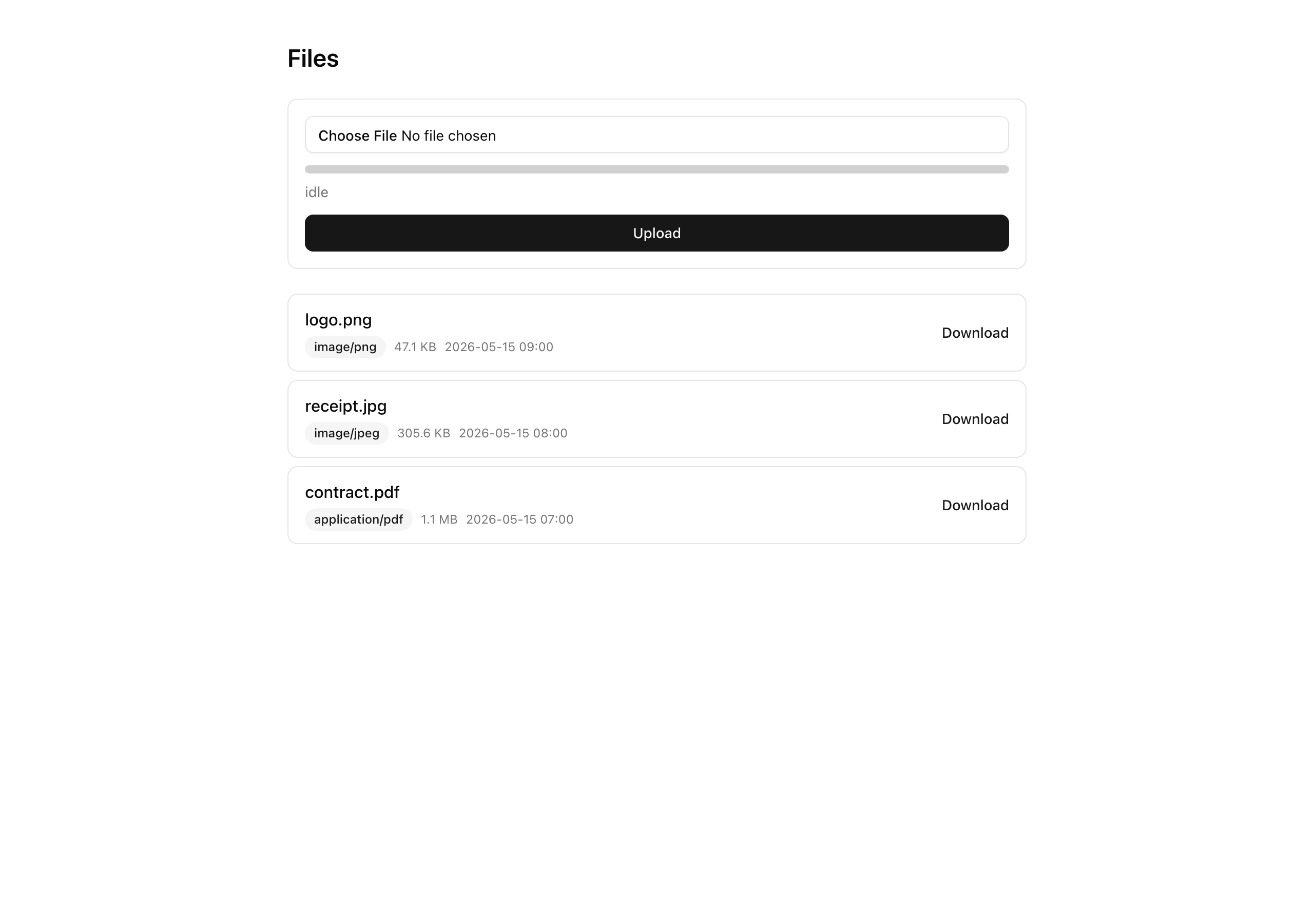
The list is the read side: rendering /files signs a fresh download URL per row.
The export is the previous project’s worker, now PUTting its CSV server-side under an exports/ prefix.
Under all four sits one S3Client and one bucket per environment; the prefixes (org/<id>/files/ for uploads, exports/org/<id>/ for exports) carry the workload split, not separate buckets.
The starter is a complete app, the org-scoped invoicing surface, Better Auth, and the durable export, with the upload feature carved out as stubs.
You write exactly six surfaces, marked below; everything else is provided, including the file_metadata table and its migration.
.env (see Setup); adds the four R2_* varsr2:cors, r2:lifecycle to the export project’s scriptsfile_metadata table, unique objectKey, composite indexfile_metadata rowsAllowedOrigins = your app URLexports/ prefixR2_ACCOUNT_ID / R2_ACCESS_KEY_ID / R2_SECRET_ACCESS_KEY / R2_BUCKET_NAMEfile_metadata table (provided), already presenttenantDb() facadelogAudit() writergetFile, getFileDownloadUrl, getSignedGetForKey, listFilesS3Client + ALLOWED_CONTENT_TYPES + MAX_BYTESsendEmail() wrapperauthedAction() factoryextFor + buildObjectKey (extension from the content type)UploadError with four codesFileCursor + base64url keyset cursorsoftDeleteFile (provided, not wired to UI)presignedPut actionfinalizeUpload actiondownloadUrldownloadUrl as a clickable linkWhere each provided piece first matters:
lib/r2.ts — the singleton S3Client, the ALLOWED_CONTENT_TYPES allowlist, and the MAX_BYTES cap. You sign a PUT against it next lesson.db/schema.ts — the file_metadata table. finalizeUpload inserts into it in lesson three.lib/files/keys.ts — extFor and buildObjectKey; the extension comes from the validated content type, never the filename. Next lesson.lib/files/errors.ts — the UploadError class with its four codes and a toResult mapper. Lesson three.lib/files/cursor.ts — FileCursor plus encodeCursor / decodeCursor, a base64url keyset cursor. Lesson four’s list.lib/files/soft-delete.ts — softDeleteFile, shipped but never called from the UI.scripts/r2-cors.ts and scripts/r2-lifecycle.ts — the CORS push and the 7-day lifecycle rule. Run the first in Setup, the second in the last lesson.app/(protected)/inspector/ — the export surface, now rendering metadata.downloadUrl as a clickable link, live in the last lesson.trigger/* and lib/exports/* — the export task files. You edit only trigger/export-invoices.ts, in the last lesson.The four implementation lessons build the feature one confirmable slice at a time.
Lesson 2 — Sign the PUT, no DB write
Write the presignedPut action: it signs a short-lived direct-to-R2 upload URL and writes no row. A raw curl PUT lands an object with no function in the transfer.
Lesson 3 — Browser PUT, HEAD, then insert
Write the finalizeUpload action, which HEADs the object and inserts its file_metadata row, and the XHR upload form. A file picked in the browser now lands in R2 and writes its row.
Lesson 4 — Fresh-per-render GETs
Render the /files list, signing a fresh download URL for every row on every render. A copied URL dies at the 11-minute mark; a refresh hands back a working one.
Lesson 5 — Real downloadUrl for the export
Retrofit the CSV export to write a real R2 object server-side and email a working presigned link, reusing lib/r2.ts from a worker.
This project runs two terminals at once: the Trigger.dev worker, which still runs the previous project’s export, and the Next.js dev server. It also adds a step earlier projects didn’t have: create your own R2 bucket and push a CORS rule to it before the first browser upload works.
Get the starter from the project repository, under Chapter 069/start/, then install:
pnpm installCopy the env template, bring up Postgres, then apply the schema and seed:
cp .env.example .envdocker compose up -dpnpm db:migrate && pnpm db:seedThe migration adds the file_metadata table. The seed plants the export project’s organizations and invoices but no file_metadata rows, so /files starts empty.
In the Cloudflare R2 dashboard, create a bucket and a bucket-scoped API token with Object Read and Object Write. Paste the account id, the token’s access key id and secret, and the bucket name into the four R2_* variables in .env.
Push the CORS rule to your bucket, once per environment:
pnpm r2:corsThe script logs the effective rules. Confirm AllowedOrigins is ['http://localhost:3000'], not '*', since a wildcard origin would let any site upload to your bucket. Run this before the first browser upload, or the CORS preflight fails and the PUT never leaves the page.
Start the worker in one terminal and the app in another:
pnpm trigger:devpnpm devVisit /files for an empty list under a form that does nothing yet, since the upload actions are still stubs. Visit /inspector (behind the auth guard) for the working export, except its download link is still a placeholder, not a real R2 link. The implementation lessons begin at those two points.
Four environment variables are new this chapter; the rest carry over from the export project, already in .env.example.
| Variable | Purpose | How to obtain |
|---|---|---|
R2_ACCOUNT_ID | Identifies your Cloudflare account; the R2 endpoint derives from it. | The R2 dashboard. |
R2_ACCESS_KEY_ID | The scoped token’s key id. | Shown once when you create the API token. |
R2_SECRET_ACCESS_KEY | The scoped token’s secret. | Shown once when you create the API token; copy it then. |
R2_BUCKET_NAME | The bucket the objects live in. | The bucket from step 3. |
The carried-over variables keep their previous values.
Their .env.example placeholders satisfy env validation, so next build passes without reaching R2 or the Trigger.dev cloud; you only need real R2 credentials for the live upload loop.
You’re set up when /files renders its empty list and the worker terminal reads Waiting for tasks.
The next lesson writes the first half of the upload: the action that signs a URL and hands the browser the right to write straight to R2.