Lesson 2 — Sign up creates the account
Wire the auth instance, generate the schema, mount the catch-all handler, and ship a sign-up that creates the user and account rows and redirects to the verification screen — no session yet.
Every SaaS app needs an answer to one question before it can do anything else: who is this request from? You are about to build that answer — a runnable email and password auth flow with a verification gate. A visitor signs up with their name, email, and a password; a verification email lands in their inbox; clicking the link verifies the account and drops them, signed in, on a protected /dashboard; signing out deletes their session and bounces them back to the sign-in page. That last detail is the proof the model is real and not a UI trick: the session lives as a row in Postgres, and when you sign out you watch the row vanish. This is the foundation almost everything later sits on top of — organizations and roles, the list views that gate their reads with requireUser, billing, notifications. They all assume there is a signed-in user to talk about, and this is the chapter that produces one.
This first lesson builds none of that. Its job is narrower, and it comes first for a reason: stand up the starter, fill the environment, and confirm it runs, so that when you start wiring auth in the next lesson the moving parts are already legible. By the end you will have Postgres up, the dev server serving the sign-up and sign-in shells and a placeholder dashboard, and a clear map of which later lesson adds which capability.
Here is where the four lessons after this one land you. These are screenshots of the finished flow — not what your starter renders today, which is still unwired — so read the strip as a destination, not a current state.
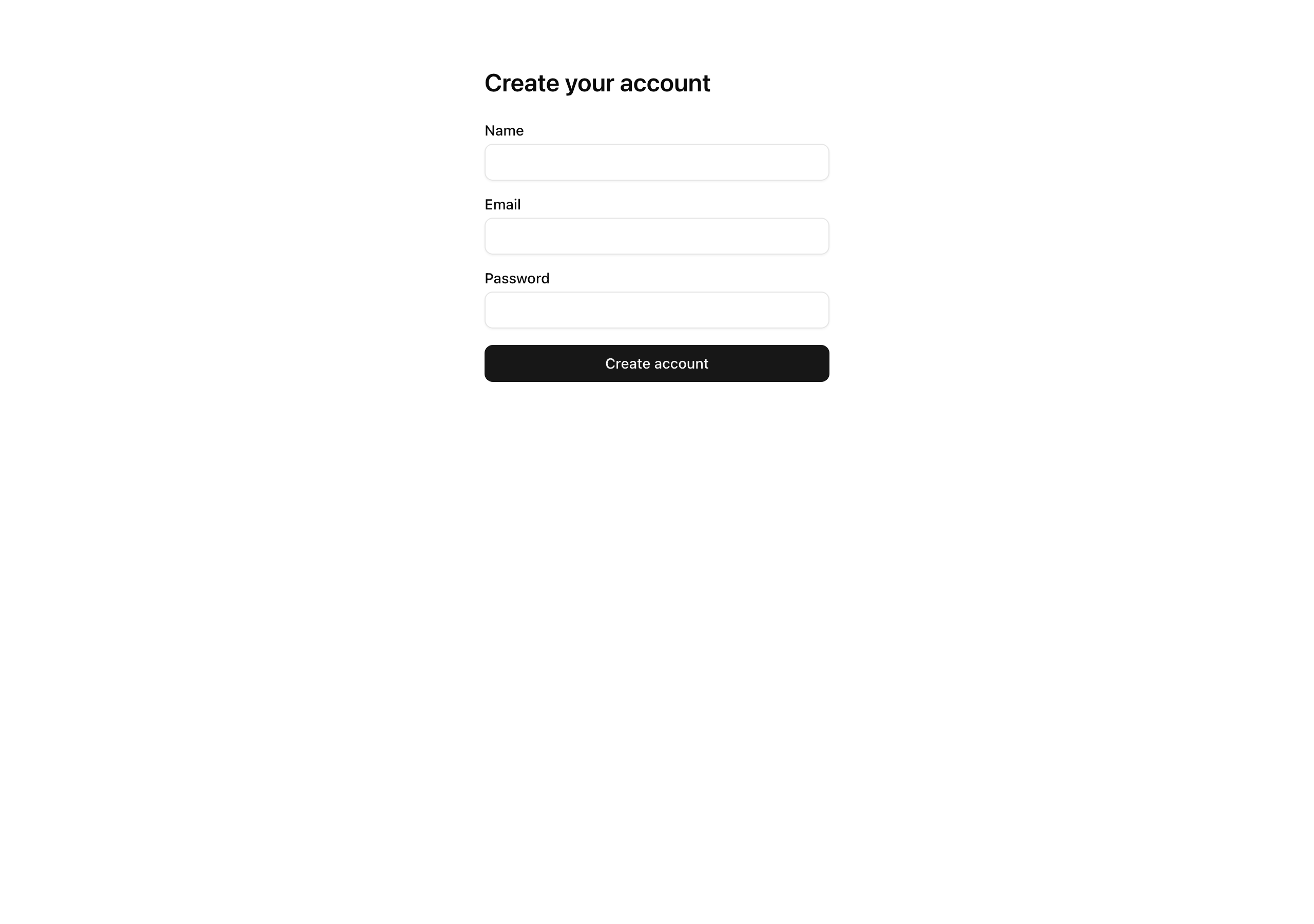
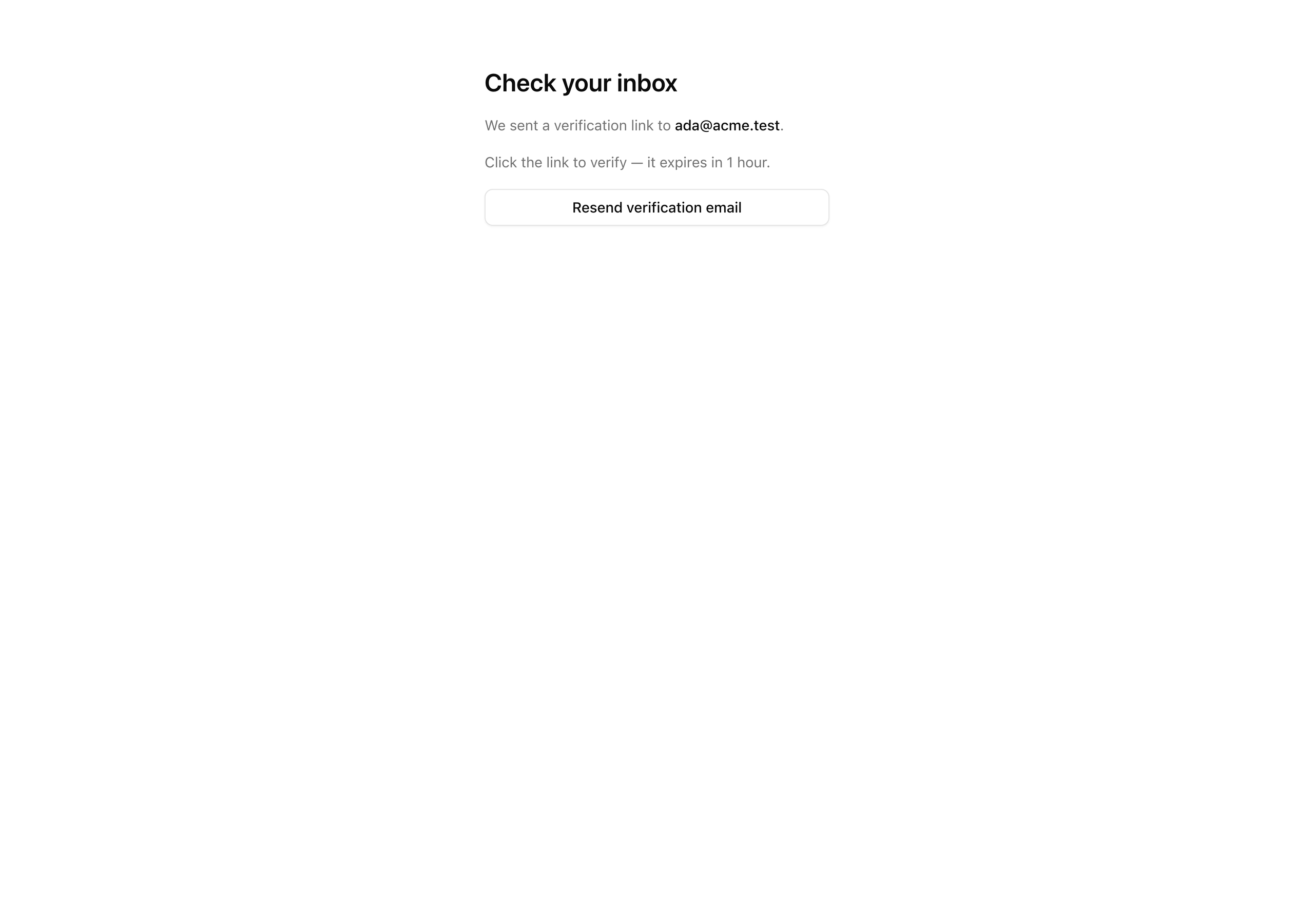
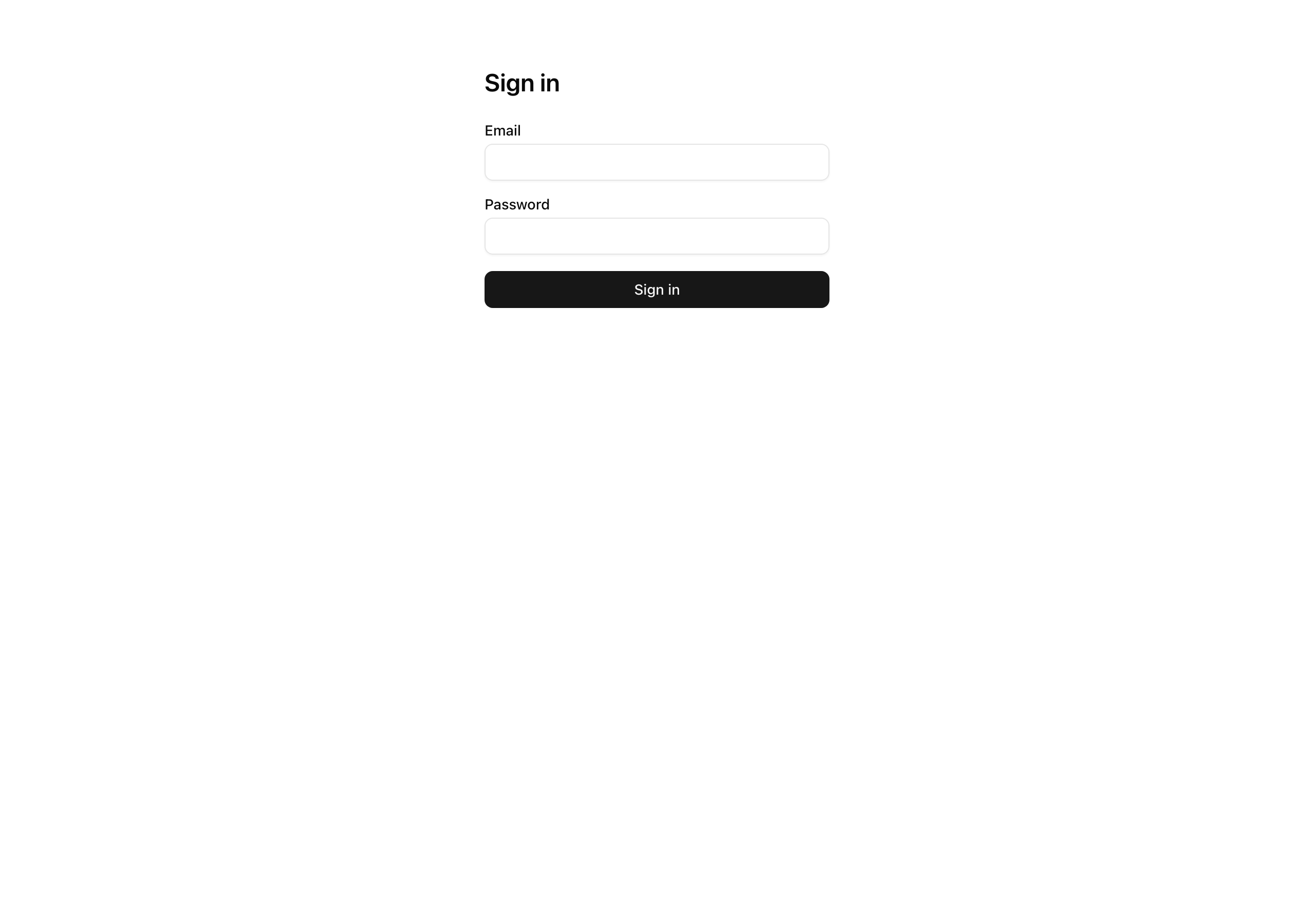
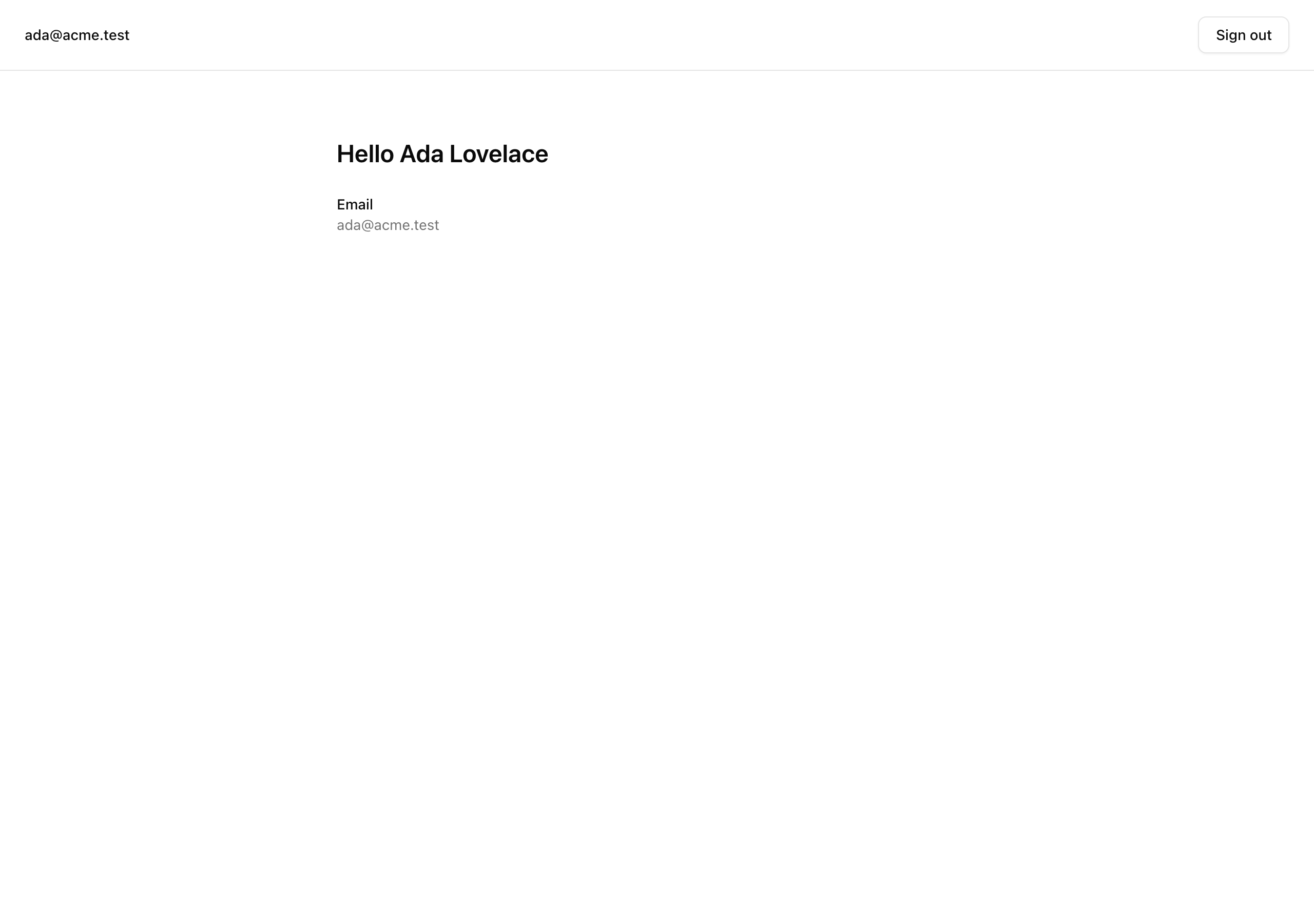
The chapter cashes in everything the authentication chapters installed. You are not meeting many new primitives — this is where the isolated pieces lock together into the one flow a team would actually run in production. Across the four lessons you will be:
auth instance and reading the four-table schema (user, session, account, verification) the CLI generates for you, rather than hand-writing it.Result shape, with Zod parsing the form at the boundary.proxy.ts plus a validating read in the protected layout.Just as important is what stays out. This project lives in the email and password lane and nothing else: no OAuth providers, no passkeys, no two-factor, no magic links, no password reset, no account linking, no rate limiting, no organization scoping, no audit log. Each of those is real and each has its own home later in the course — drawing the line here keeps the flow small enough to ship and understand in one sitting.
Before the file tree, walk one request through the moving parts. The shape matters more than any single line of code, and it is the thing the next four lessons fill in piece by piece.
/sign-up. A Server Action calls auth.api.signUpEmail, which creates the user and account rows — but because the project runs with requireEmailVerification: true, it issues no session. The visitor is redirected to /verify-email with no cookie at all.sendVerificationEmail callback rides the existing Resend pipeline to deliver the link. The verification token is a stateless signed JWT carried in the URL, so nothing is written to the verification table — it stays empty throughout this flow./api/auth/[...all] handler, the single route file that serves every Better Auth endpoint. Verification flips emailVerified to true and, via autoSignInAfterVerification, issues the session. The nextCookies() plugin is what lands the Set-Cookie header on the response — this is the first point in the entire flow where a cookie actually exists./dashboard. proxy.ts does a cookie-presence redirect — cheap, no database read — and the protected layout.tsx does the validating requireUser() read. The proxy is the fast first line; the layout is the defense-in-depth catch for a cookie that looks present but no longer maps to a live session.%%{init: {'flowchart': {'nodeSpacing': 28, 'rankSpacing': 42}, 'themeCSS': '.nodeLabel, .nodeLabel * { font-size: 17px !important; } .edgeLabel, .edgeLabel * { font-size: 15px !important; }'} }%%
flowchart LR
browser(["<b>Browser</b><br/>/sign-up"])
action["<b>Server Action</b>"]
api["<b>auth.api</b><br/>signUpEmail<br/>rows, no session"]
resend(["Resend<br/>sends link"])
handler["<b>catch-all handler</b><br/>verify + sign in"]
gate["<b>two-layer gate</b><br/>/dashboard"]
browser --> action
action --> api
api --> resend
action -- "no session yet" --> handler
resend -. "email link" .-> handler
handler -- "cookie lands here" --> gate
class browser edge
class action,api cookieless
class resend mail
class handler born
class gate guarded
classDef edge fill:#1f2937,stroke:#94a3b8,color:#f8fafc
classDef cookieless fill:#fef3c7,stroke:#b45309,color:#111,stroke-width:2px
classDef mail fill:#e0e7ff,stroke:#4338ca,color:#111,stroke-width:2px
classDef born fill:#bbf7d0,stroke:#15803d,color:#111,stroke-width:2px
classDef guarded fill:#dbeafe,stroke:#1d4ed8,color:#111,stroke-width:2px The reason that flow is worth tracing before you write any of it: the cookie is the only moving part, and it does not exist until step 3. Most of the bugs people hit building auth come from assuming a session is present somewhere it is not, and the map above is what keeps you honest about which requests are signed in and which are not.
Here is the top-level layout you start from. This project continues the toolchain and the data layer you have been carrying — pnpm, the strict tsconfig, Biome, the Docker Postgres service, Drizzle, the @t3-oss/env-nextjs boundary, and the Resend send path — and the work the chapter is about lives in a set of stubs. The bold files are those stubs; each comment opens with the lesson that fills it (TODO L2, TODO L3, …) and names what lands there. Everything unbold is provided and already done; the comments call out only the files a lesson will touch or that changed from the email chapter you carried this in from.
email_suppressions + enum only; no auth tables yetdb:*, auth:generate, and test:lesson scripts?next= round-trip, inverse gatebetterAuth instance, SESSION_COOKIE_PREFIX, getCurrentUser, requireUserResultResult<T>, ok, errsafeNext open-redirect guardsendEmail wrapperemail_suppressions table + enum[...all] /
useActionState client form?next=, passes it to the formrequireUser() + nav with email and sign-outLesson 2–Lesson 5 suites, stubbed for nowThe underscore is missing from those route folders on purpose — (auth) and (protected) are App Router route groups: the parentheses keep the folders out of the URL while still letting each group share a layout, which is how /sign-in and /sign-up get one chrome and /dashboard gets another.
Two stubs look odd at a glance and are worth a sentence now. src/db/schema/auth.ts ships empty — you do not write its four tables by hand; the Better Auth CLI generates them and you commit the result. And src/lib/auth-schema.config.ts is a stripped-down mirror of auth.ts that exists only so the CLI has something it can load: the real auth.ts opens with 'server-only', which the generator cannot import. Both make sense the moment you run the generate step in the next lesson.
Four lessons turn that tree of stubs into the running flow, each closing on a state you can confirm — a row in Studio, a redirect in the address bar, or a cookie that does or does not exist.
Lesson 2 — Sign up creates the account
Wire the auth instance, generate the schema, mount the catch-all handler, and ship a sign-up that creates the user and account rows and redirects to the verification screen — no session yet.
Lesson 3 — The email verification gate
Build the verification email, turn the gate on, and prove the link verifies the user and signs them in.
Lesson 4 — Sign in, with unverified refusal and safe redirects
Add the sign-in action with opaque credential errors, the refusal of unverified accounts, and the ?next= open-redirect closure.
Lesson 5 — Gate the protected surface
Add the cookie-presence proxy, the layout’s validating read, the inverse gate, and a sign-out that deletes the session row.
Work through these in order. The lesson is done when the dev server boots and the pages below render — the actions and the gate are still stubs, so you are standing up the shell, not the flow.
Get the starter codebase from the project repository, under Chapter 055/start/:
pnpm dlx degit terencicp/react-saas-course-projects/Chapter-055/start email-password-authcd email-password-authdegit copies that folder into a fresh email-password-auth directory with no git history. Each chapter project ships a start/ and a solution/ sibling, so you can diff your work against the reference whenever you want.
Bring up Postgres:
docker compose up -dThis starts the postgres:18 service on port 5432 in the background. The first run pulls the image; after that it is instant.
Install the dependencies:
pnpm installThe repo is pnpm-only — a preinstall hook blocks any other package manager — and the versions are pinned. The install completes with no errors.
Copy the example env file and fill in the values (the table below covers every variable):
cp .env.example .envThe database variables already match the Docker Postgres above, so they work as-is. The two you supply yourself are a fresh BETTER_AUTH_SECRET and your carried-in Resend values.
Run the existing migration. This creates the email_suppressions table and the suppression_reason enum only — no auth tables yet, since those land in the next lesson:
pnpm db:migrateStart the dev server:
pnpm devThe Next app comes up at http://localhost:3000.
Generate the auth secret with one command — it returns 32 bytes of CSPRNG output, base64-encoded, which is exactly what Better Auth wants for signing cookies and tokens:
openssl rand -base64 32Most of the .env values ship with working local defaults; the two you supply yourself are the auth secret and the Resend credentials.
| Variable | Purpose | How to get it |
| --- | --- | --- |
| DATABASE_URL | Postgres connection string. | Matches the docker-compose.yml defaults; leave as-is. |
| DATABASE_URL_UNPOOLED | The same value locally. The pooled/unpooled split exists so a managed Postgres can drop in later without renaming anything. | Leave as-is. |
| SEED | Seed toggle. | Leave as 1. |
| BETTER_AUTH_SECRET | Signs session cookies and verification tokens. Server-only. | A fresh value from openssl rand -base64 32. Use a different one per environment — reusing a secret across environments is the failure mode the Better Auth setup chapter warned about. |
| BETTER_AUTH_URL | The auth server’s origin. | http://localhost:3000. |
| NEXT_PUBLIC_APP_URL | The public app origin. | http://localhost:3000. It is split from BETTER_AUTH_URL for deploy shapes where the auth-server origin differs from the public one; here they match. |
| RESEND_API_KEY | Authenticates the verification-email send. | Carry-in from the email chapter — your Resend API key. |
| EMAIL_FROM | The verified sender identity, in Name <addr> form. | Carry-in from the email chapter. |
| EMAIL_REPLY_TO | The reply-to address. | Carry-in from the email chapter. |
| NEXT_PUBLIC_APP_NAME | The app name shown in the email chrome. | Carry-in from the email chapter. |
On success, the app boots and you can see the starter’s current, deliberately-unwired state — which is the intended starting point, not a problem to fix:
/ redirects to /sign-in./sign-up and /sign-in render their forms, but submitting does nothing yet. Both actions still return Not implemented, which is exactly what you wire up over the next lessons./dashboard serves a static “Dashboard” placeholder with no auth gate — it answers whether you are signed in or not, and anyone can open it right now.pnpm db:studio shows only the email_suppressions table. There are no user, session, account, or verification tables yet; generating them is the first thing you do in the next lesson.That is the whole point of this lesson: a running starter with every action and gate visible but unwired, so the work ahead is legible. In the next lesson, Sign up creates the account, you turn the first part of the flow on — wiring the auth instance, letting the CLI generate those four tables, and shipping a sign-up that creates an account and sends you to the verify screen, still without issuing a session.