The email verification gate
A brand-new account gets a verification email, and clicking the link verifies the account and signs the user in — no second trip to the sign-in form. That is the whole feature, and it is what turns last lesson’s dead-end “check your inbox” screen into a working front door.
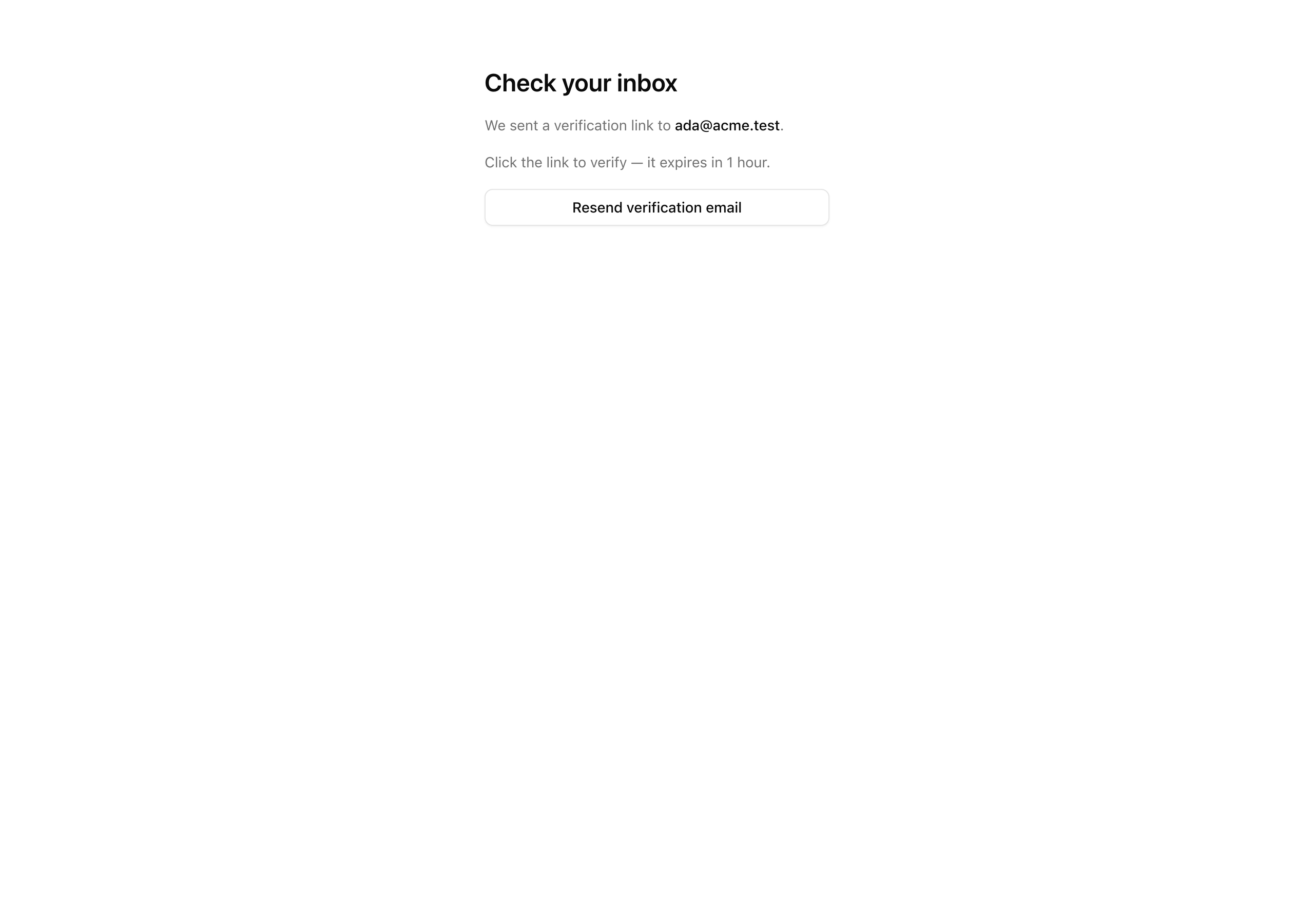
Right now sign-up creates the rows and drops the user on the screen below, showing the address the link was sent to. The piece that does not exist yet is the link itself: nothing actually sends an email. By the end of this lesson the inbox holds a branded message with a working “Verify email” button, and clicking it lands the user on /dashboard, signed in, never having re-typed the password they entered a minute ago.
The detail worth internalizing before you write a line: there is no token to store. The link Better Auth hands you carries a signed JWT in its query string, and verification is nothing but checking that signature and its expiry on the callback. Nothing is read from or written to the verification table during this entire flow — that table stays empty. The gate is enforced by cryptography, not by a row you have to create on sign-up and consume on click.
Your mission
Section titled “Your mission”Last lesson set requireEmailVerification: true and redirected new sign-ups to /verify-email?email=…, but that screen has nowhere to send people because no email is ever dispatched. This lesson closes the loop. You build the React Email template that carries the verification link, add the one config block that fires it on sign-up, and finish the verify-email screen with a button that lets a user request a fresh link. You do not re-implement Resend or touch the suppression rules — the verification email rides the exact same sendEmail pipeline you built in the welcome-email project; you are only authoring one new template and the callback that hands it the link.
A few decisions shape the solution, and they are the reason this lesson is worth doing rather than copying. The token lives in the URL as a signed JWT, so its lifetime is a deliberate tradeoff you set with one number: an hour is long enough that someone triaging a full inbox does not come back to a dead link, and short enough that a stale message forwarded around the office does not hand out indefinite access. Because the token is stateless, verifying it is a pure signature-and-expiry check — there is no row to look up, and sign-up writes nothing to the verification table.
The other judgment call is who issues the first session, and when. You turn on autoSignInAfterVerification, which means the act of clicking the link both verifies the address and signs the user in. Re-prompting for a password the moment after someone proved they control the inbox would be a pointless regression — they have already done the hard part. This is also the first point in the entire flow where a session and a cookie actually land, which is precisely where the nextCookies() bridge you wired last lesson stops being theoretical and starts earning its place: the verify-callback request is the one that ships Set-Cookie.
One edge you should understand rather than fight: sendEmail still consults the suppression list before it sends. An address that has hard-bounced or unsubscribed creates the account on sign-up but never receives mail — which is exactly why the verify screen carries a resend button. That button is the user’s escape hatch, not a nice-to-have.
Out of scope here so you do not reach for them: the sign-in surface and its refusal of unverified accounts land in the next lesson, and the protected-route gate lands in the one after. So after the auto-sign-in you build today, /dashboard is still an open placeholder anyone can hit — that is correct for now, not a hole you need to plug.
/verify-email and the screen shows the email address the link was sent to.user.emailVerified to true in Postgres, and the verification table stays empty throughout — the token is a JWT, not a row.session row exists for them — and lands on /dashboard without re-entering a password./verify-email sends a new email carrying a fresh JWT link.Coding time
Section titled “Coding time”Build the verification path against the brief and the tests first, then open the walkthrough to check your work. The order below is build order: the template the email renders, the config block that sends it, then the screen and the resend button that close the user-facing loop.
Reference solution and walkthrough
Author the verification email
Section titled “Author the verification email”The template is the artifact the whole feature is built to deliver. It takes a first name and the verify URL, and it renders a self-contained HTML email on the brand chrome you already have.
import {  Body,  Button,  Head,  Heading,  Html,  Preview,  Section,  Tailwind,  Text,} from 'react-email';
import { EmailLayout } from './components/email-layout';import { emailTailwindConfig } from './email-tailwind-config';
const APP_NAME = 'Acme';
export type WelcomeVerificationProps = {  firstName: string;  verifyUrl: string;};
const WelcomeVerification = ({  firstName,  verifyUrl,}: WelcomeVerificationProps) => (  <Tailwind config={emailTailwindConfig}>    <Html lang="en" dir="auto">      <Head>        <title>{`Verify your ${APP_NAME} email`}</title>        <meta name="color-scheme" content="light dark" />      </Head>      <Preview>Verify your email to finish signing up</Preview>      <Body className="bg-zinc-50">        <EmailLayout>          <Section className="px-6 py-4">            <Heading as="h1">Verify your email</Heading>            <Text>              Hi {firstName}, confirm this address to finish setting up your              account.            </Text>            <Button              href={verifyUrl}              className="rounded-md bg-brand px-5 py-3 text-brand-foreground"            >              Verify email            </Button>            <Text className="text-[12px] text-muted">              Or paste this link into your browser: {verifyUrl}            </Text>            <Text className="text-[12px] text-muted">              This link expires in 1 hour.            </Text>          </Section>        </EmailLayout>      </Body>    </Html>  </Tailwind>);
WelcomeVerification.PreviewProps = {  firstName: 'Ada',  verifyUrl: 'https://acme.example/verify/abc-123',} satisfies WelcomeVerificationProps;
export default WelcomeVerification;
The nesting is the one thing to read carefully, because it splits responsibilities cleanly. This template owns the document — it renders <Html>, <Head>, and the <Tailwind> wrapper itself. EmailLayout deliberately holds none of those; it is brand chrome only, the logo header and the legal footer, and it lives inside <Body>. That is why the template wraps <Tailwind> on the outside and slots EmailLayout on the inside. If the composition of a React Email template feels unfamiliar, the Authoring templates chapter walks through the component vocabulary in full — this is the same shape applied to a verification message.
The body covers the requirements the tests do not reach: the <Heading>, the personalized greeting, the <Button> styled with the brand tokens whose href is the verify link, a muted plain-text fallback that repeats the same URL for clients that strip buttons, and the one-hour expiry notice that matches the lifetime you set on the config. The PreviewProps at the bottom are what let you open this template in the React Email dev server (pnpm email) and see it render with sample data, without sending anything.
Wire the send callback
Section titled “Wire the send callback”The template renders an email; this block is what actually sends one. You add an emailVerification block to the existing auth instance — you are inserting into the file you wrote last lesson, not rewriting it. Three imports come along with the block: createElement from react, the WelcomeVerification template you just authored, and sendEmail from your email module.
import 'server-only';
import { betterAuth } from 'better-auth';import { drizzleAdapter } from 'better-auth/adapters/drizzle';import { nextCookies } from 'better-auth/next-js';import type { Route } from 'next';import { headers } from 'next/headers';import { redirect } from 'next/navigation';import { cache, createElement } from 'react';
import { db } from '@/db';import * as authSchema from '@/db/schema/auth';import WelcomeVerification from '@/emails/welcome-verification';import { env } from '@/env';import { sendEmail } from '@/lib/email';
// Declared once here, imported by the proxy. `__Host-` can't set over// http://localhost, so dev drops the prefix.export const SESSION_COOKIE_PREFIX =  process.env.NODE_ENV === 'production' ? '__Host-better-auth' : 'better-auth';
export const auth = betterAuth({  database: drizzleAdapter(db, { provider: 'pg', schema: authSchema }),  secret: env.BETTER_AUTH_SECRET,  baseURL: env.BETTER_AUTH_URL,  emailAndPassword: {    enabled: true,    requireEmailVerification: true,    minPasswordLength: 12,    autoSignIn: false,  },  emailVerification: {    sendVerificationEmail: async ({ user, url }) => {      await sendEmail({        to: user.email,        subject: 'Verify your email',        react: createElement(WelcomeVerification, {          firstName: user.name,          verifyUrl: url,        }),        idempotencyKey: `verify:${user.id}:${url}`,      });    },    sendOnSignUp: true,    autoSignInAfterVerification: true,    expiresIn: 60 * 60,  },  session: {    expiresIn: 60 * 60 * 24 * 30,    updateAge: 60 * 60 * 24,    freshAge: 60 * 10,    cookieCache: { enabled: true, maxAge: 5 * 60 },  },  advanced: {    cookiePrefix: SESSION_COOKIE_PREFIX,    useSecureCookies: process.env.NODE_ENV === 'production',  },  // nextCookies() MUST be last in `plugins` — it flushes Set-Cookie from the action  // response; out of order, sign-up/sign-in succeed server-side but no cookie lands.  plugins: [nextCookies()],});
Every field in this block is a decision the brief named. sendVerificationEmail is the callback Better Auth invokes whenever it needs a link delivered — it hands you the user and the fully-built url, and your only job is to get that URL into an email. You pass it straight through to the same sendEmail from the welcome-email project; the verification flow does not get its own send path. The react field takes a rendered React element directly, which is why you reach for createElement(WelcomeVerification, …) rather than JSX here — auth.ts is a plain .ts module, not .tsx, and createElement is the way to construct the element without JSX syntax. This is a React Email and Resend convenience: the pipeline renders that element to HTML for you, so you never serialize anything by hand. The send path itself, including how sendEmail consults the suppression list, is the welcome email send path project — revisit it if the wrapper is hazy.
The idempotencyKey of verify:${user.id}:${url} is what makes a double-submit harmless. If the same link gets requested twice — a flaky network retry, an impatient double click — Resend sees a key it has already processed and does not send a second copy. Keying on both the user and the exact URL means a genuinely new link (a resend with a fresh token) still goes out, while a literal repeat is suppressed.
sendOnSignUp: true is what fires this callback automatically the moment a sign-up succeeds, so you do not call it yourself from the action. autoSignInAfterVerification: true is the call from the brief: clicking the link signs the user in, and this is the request where the first session and cookie of the entire flow land — the payoff of having wired nextCookies() last lesson before you needed it. And expiresIn: 60 * 60 is the one-hour lifetime in seconds, written as 60 * 60 rather than 3600 the way the rest of the instance writes its durations, so the unit stays obvious at a glance.
One quiet consequence worth holding onto: because sendEmail checks the suppression list, a sign-up from a suppressed address creates the user and silently sends nothing. That is not a bug to chase — it is the reason the verify screen needs the resend button you are about to build.
Finish the verify-email screen
Section titled “Finish the verify-email screen”The screen already renders the “Check your inbox” heading from the starter; you finish it so it reads the email out of the query string, shows it, and mounts the resend button.
import { VerifyEmailResend } from '@/app/(auth)/verify-email/verify-email-resend';
type VerifyEmailPageProps = {  searchParams: Promise<{ email?: string }>;};
const VerifyEmailPage = async ({ searchParams }: VerifyEmailPageProps) => {  const { email } = await searchParams;
  return (    <main      data-testid="verify-email-page"      className="mx-auto flex max-w-sm flex-col gap-4 px-6 py-16"    >      <h1 className="text-2xl font-semibold">Check your inbox</h1>      <p className="text-sm text-muted-foreground">        We sent a verification link to{' '}        <span          data-testid="verify-email-address"          className="font-medium text-foreground"        >          {email}        </span>        .      </p>      <p className="text-sm text-muted-foreground">        Click the link to verify — it expires in 1 hour.      </p>      <VerifyEmailResend email={email ?? ''} />    </main>  );};
export default VerifyEmailPage;
searchParams is a Promise you await — the App Router convention — and the email it carries is the one the sign-up action threaded into the redirect. Showing it back to the user is what closes the first requirement: they see the exact address the link went to, which catches a typo before they go hunting in the wrong inbox. The expiry line matches the one in the email, so the deadline is stated in both places. The email is passed down to the resend island as email ?? '' so the prop is always a string even if someone hits the route with no query param.
Build the resend island
Section titled “Build the resend island”This is the only file that does not already exist in the starter — you create it. It is a small client island whose entire job is to call the resend endpoint and confirm it fired.
'use client';
import { useState } from 'react';import { Button } from '@/components/ui/button';import { authClient } from '@/lib/auth-client';
type VerifyEmailResendProps = {  email: string;};
export const VerifyEmailResend = ({ email }: VerifyEmailResendProps) => {  const [pending, setPending] = useState(false);  const [sent, setSent] = useState(false);
  const handleResend = async () => {    setPending(true);    await authClient.sendVerificationEmail({      email,      callbackURL: '/dashboard',    });    setPending(false);    setSent(true);  };
  return (    <div className="flex flex-col gap-2">      <Button        type="button"        variant="outline"        data-testid="resend-button"        onClick={handleResend}        disabled={pending}      >        Resend verification email      </Button>      {sent && (        <p          data-testid="resend-confirmation"          className="text-sm text-muted-foreground"        >          Sent — check your inbox        </p>      )}    </div>  );};
It is 'use client' because it owns interactive state and runs a browser-side call. The resend goes through authClient — the same-origin Better Auth client provided in the starter — rather than a Server Action, because there is nothing to validate or guard here: it is a single library call that re-runs the same sendVerificationEmail callback with a fresh token, and callbackURL: '/dashboard' tells Better Auth where to land the user once that link is followed. Two booleans cover the UX: pending disables the button while the request is in flight so it cannot be hammered, and sent reveals a small confirmation line afterward so the user knows something happened. Each click mints a new JWT, which is the last requirement, and the idempotencyKey on the send keys on that fresh URL, so a genuine resend is never mistaken for a duplicate.
Reference for sendVerificationEmail, sendOnSignUp, autoSignInAfterVerification, and the token lifetime you set in the config block.
How the <Tailwind config={…}> wrapper styles the email body, so your brand tokens render across mail clients.
Moment of truth
Section titled “Moment of truth”Run the lesson’s test suite:
pnpm test:lesson 3The suite stands in for the inbox: it replaces the Resend boundary with a spy, signs a user up, pulls the verify URL out of the email the callback built, and drives the verify callback with the token from that URL — exactly what clicking the link does. It then asserts the two behaviors the tests own: after the callback the user’s emailVerified is true and the verification table is still empty, and a session row now exists for that user while a sign-up without the callback leaves no session at all. Since the suite talks to the same local Postgres the app uses, make sure Docker is up and the migration has run. Expect every test to pass:
 ✓ tests/lessons/Lesson 3.test.ts (4 tests)   ✓ sets emailVerified to true for the user who followed the link   ✓ writes no row to the verification table during the whole flow   ✓ creates a session row for the user once the link is followed   ✓ does not create a session before the link is followed (sign-up alone leaves no session)
 Test Files  1 passed (1)      Tests  4 passed (4)
The tests prove the database side — the flip, the empty verification table, the session that appears only after the callback — but they never open a browser or render the email. Confirm the rest by hand:
/verify-email shows the exact address the link was sent to.pnpm email to inspect the template./dashboard signed in, with no password re-prompt — the dashboard is still the open placeholder for now; the gate that protects it comes in a later lesson of this chapter./verify-email delivers a fresh email, and the confirmation line appears after it fires.With the link real and the auto-sign-in landing a session, the happy path is complete: sign up, verify, and you are in. What is still missing is the unhappy one — someone who never verifies and tries to sign in anyway. In the next lesson, Sign in, with unverified refusal and safe redirects, you build the sign-in action and make requireEmailVerification: true bite, turning an unverified account away with a clear path back to a fresh link.