Lesson 2 — Organization plugin and the active-org session
Installs the organization plugin, seeds activeOrganizationId on session create, and ships roleAtLeast plus requireOrgUser so the inspector’s active-org banner renders a real identity.
The dashboard you shipped in the auth project answers exactly one question: who is this request from? Useful, and not nearly enough. A real SaaS has to answer two more before it can do anything interesting — which organization is this request acting inside, and is this person allowed to do what they’re asking? This project takes that single-user dashboard and turns it into a multi-tenant app with three roles (owner, admin, member), an audit trail the database itself protects, and an invitation handshake that walks a stranger from an email link to a seat in the org. By the end you have organizations riding on the session, an action wrapper that refuses an under-privileged caller, an append-only audit_logs table no application bug can rewrite, and a signed accept link that carries an invitee from their inbox to a working account.
The thing worth saying up front, because it shapes every decision in the chapter: the value here is not the keystrokes. Wiring an organization plugin or hashing a token is a few lines you could prompt an agent to write in a minute. What earns its keep is the structure — making the two mistakes that leak one tenant’s data into another’s account refuse to compile, and making the compliance table grow-only at the database level rather than by hoping every future code path remembers to behave. Those guarantees are the lesson. The code is how you cash them in.
These are captures of the finished build, not what your starter renders today — read them as the destination.
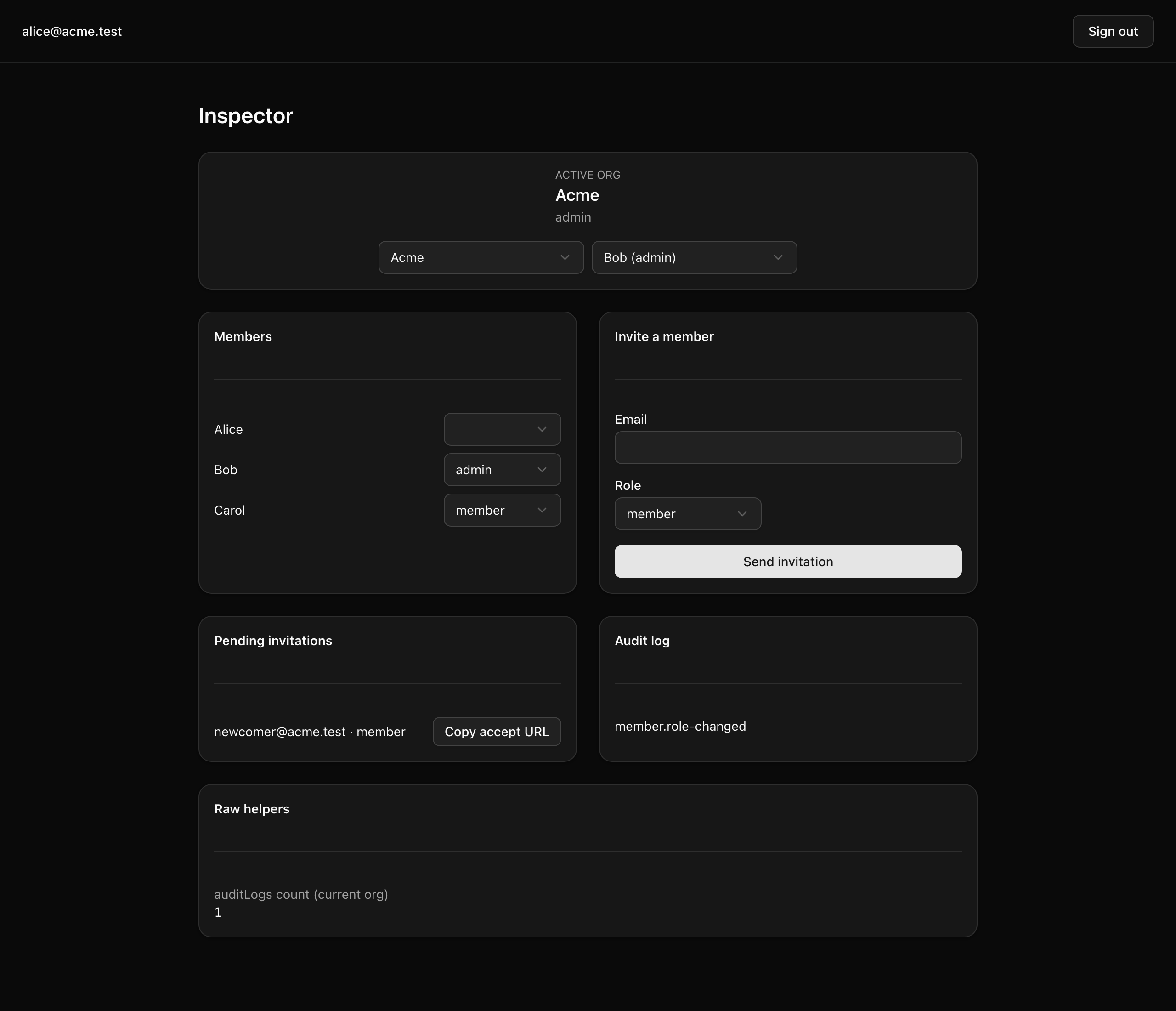
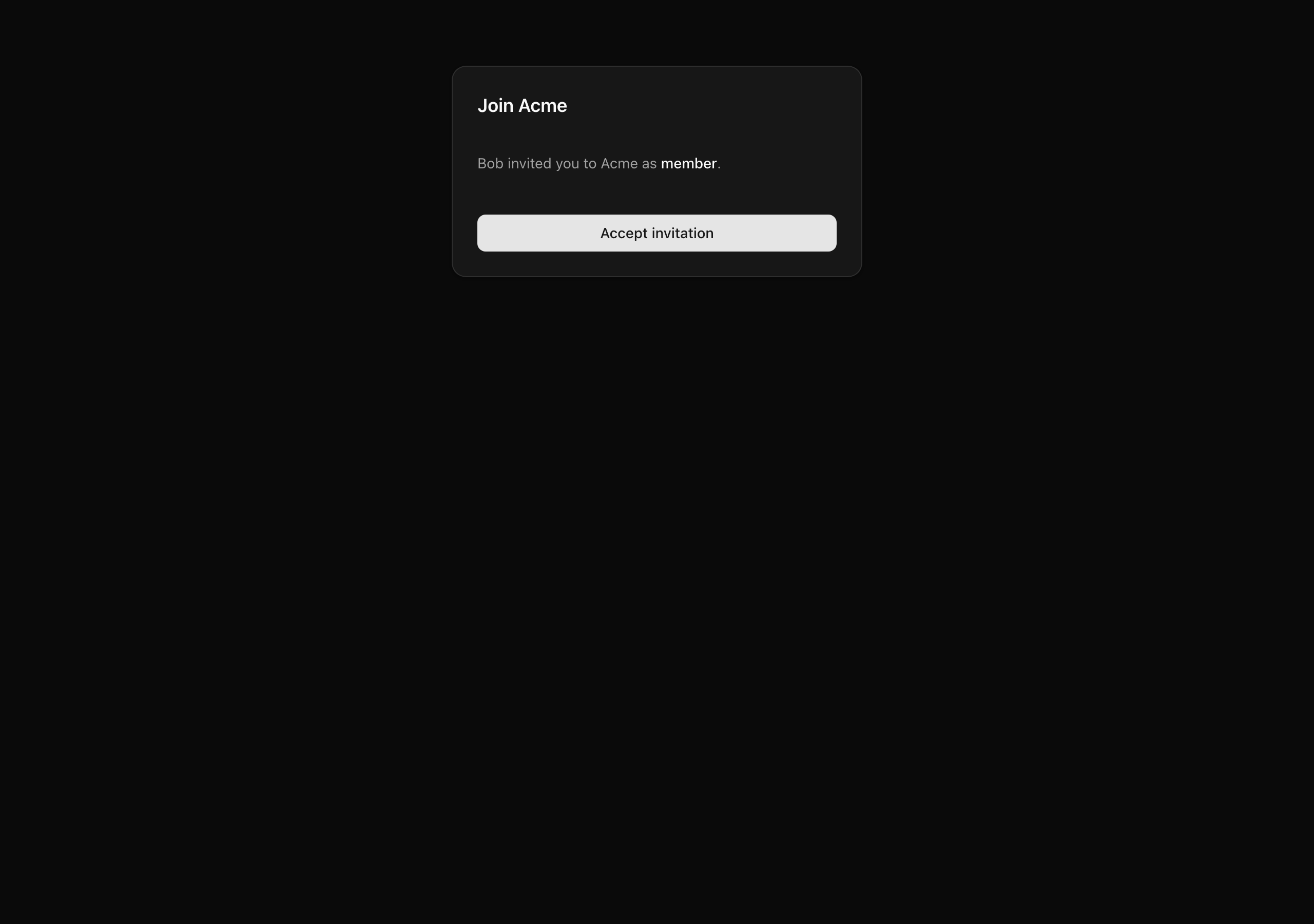
You are not meeting many brand-new primitives in this chapter. The organization model, the role-aware action wrapper, RLS, the signed-URL pattern — each was taught on its own earlier in this unit and the ones before it. This project is where the isolated pieces lock together into one runnable build, and where you practice the experienced-engineer habits that keep a multi-tenant codebase from rotting:
activeOrganizationId riding on the session, and a single requireOrgUser helper that resolves the acting { user, orgId, role } from the server-validated session — never from anything the client can hand you.tenantDb(orgId) data facade and the second with an authedAction(role, schema, fn) wrapper — both compose the predicate for you, so the code that omits it never compiles.audit_logs table is append-only by two independent mechanisms at once: application discipline, and a Postgres row-level deny policy that lets no UPDATE or DELETE qualify. Every audit row is written in the same transaction as the work it records, so a recorded change and its evidence land together or not at all.<Select>, the invite form — to every role on purpose, including a plain member. That is not a bug. It is the only way to see that the refusal happens on the server, where it counts, and not because a button was hidden on the client, where it doesn’t.There is no new request path to memorize here so much as four layers that stack, plus the surface you use to watch them work. Read this as the shape of the system; each build lesson fills in one layer.
organization, member, and invitation tables — you don’t hand-write them. On top of that you add an activeOrganizationId column to session and two columns (tokenHash, acceptedAt) to invitation, and a session.create hook that seeds the active org the moment a session is minted.requireOrgUser() resolves the acting { user, orgId, role }. tenantDb(orgId) is the only scoped data facade, and authedAction(role, schema, fn) is the only shape a privileged Server Action takes. Both fold the org predicate in for you, so leaving it out is a type error rather than a silent leak.auditLogs table carries row-level security: a per-org policy keyed on current_setting('app.org_id') governing reads and inserts, plus two deny-everything policies for UPDATE and DELETE. withTenant(orgId, fn) opens the transaction that sets that session variable; logAudit(tx, event) writes one row and — by its very signature — refuses to run anywhere but inside a transaction.signedInviteUrl and verifyInviteSignature bracket the capability URL. sendInvitation writes the invitation row plus its audit event, then emails after the transaction commits. A provided /accept-invite page runs the verification ladder and branches across its arrival surfaces, and acceptInvitation joins the org, audits in one transaction, and switches the active org after commit./inspector page, backed by a seed of two orgs, four mixed-role users, one pending invite, and one audit row, exercises every helper and action you build. A dev-only acting-user switcher lets you toggle between identities without a sign-out-and-back-in dance.Here is the top-level layout you start from. This continues the toolchain and the carry-in you’ve been building — pnpm, the strict tsconfig, Biome, the Docker Postgres service, Drizzle, the @t3-oss/env-nextjs boundary, the Better Auth instance from the auth project, and the Resend send path from the email project. The work the chapter is about lives in a set of stubs. The bold files are those stubs; each comment opens with the build lesson that fills it (TODO L2, TODO L3, …) and names what lands there. Everything unbold is provided and done; comments call out only what a lesson touches or what changed from the projects you carried this in from. The start and solution trees are identical — every difference is a stub body, never a missing or extra file.
INVITATION_SIGNING_SECRETpostgres:18db:*, auth:generate, dev, verify, test:lessonINVITATION_SIGNING_SECRET to the server blockorganization() plugin and the active-org hook; complete requireOrgUserorganization() config so the CLI emits the plugin tablesorganizationClient() registeredsendEmail wrapperResult<T>, ok, err, isUniqueViolationROLE_RANK and roleAtLeast (the Role type is provided)authedAction(role, schema, fn) wrappermapAuthErrorgenerateInviteToken, signedInviteUrl, verifyInviteSignature, sha256sendInvitation actionacceptInvitation actionchangeMemberRole actionauditSchema into the Drizzle clientauditLogs table plus its RLS policieslogAudit(tx, event)withTenant, L4 tenantDb facadetimestamps groupemailSuppressionsauth:generate after the org plugin lands — commit the difflistMembers(orgId)listPendingInvitations (L5), getInvitationById (L6)auditLogCount, recentAuditLogs (read through withTenant)InviteEmail templateEmailLayout wrapperauthClient.organization.setActive + router.refresh()getInspectorContext with the dev acting-user overrideacceptInvitationauthClient.organization.createLesson <n> suites, run via pnpm test:lesson <n>Two things in that tree are worth a sentence now, because they trip people up otherwise.
The plugin-owned tables come from a code generator, not your keyboard. Once you add the organization() plugin in the next lesson, pnpm auth:generate reads src/lib/auth-schema.config.ts and rewrites src/db/schema/auth.ts with the organization, member, and invitation tables. You run the command and commit the diff — hand-editing that generated file is review-loud, the kind of thing a reviewer flags on sight, because the next person to re-run the CLI silently clobbers your edits.
The inspector’s “switch acting user” affordance is strictly a development tool, gated behind NODE_ENV !== 'production'. It writes a cookie that swaps which seeded identity the page renders as, so you can watch RBAC behave as an owner, an admin, and a member without three real accounts. The exact same affordance shipped to production would be a privilege-escalation hole — any user could become any other. It exists to make the refusals observable while you build, and for no other reason.
Five build lessons turn that tree of stubs into the running app, each closing on a state you can confirm in the inspector.
Lesson 2 — Organization plugin and the active-org session
Installs the organization plugin, seeds activeOrganizationId on session create, and ships roleAtLeast plus requireOrgUser so the inspector’s active-org banner renders a real identity.
Lesson 3 — Append-only audit_logs with RLS
Lays down the auditLogs table with its deny-UPDATE/DELETE policies and the transaction-required logAudit(tx, event) writer behind withTenant.
Lesson 4 — Scoped data, the action wrapper, and role changes
Builds the tenantDb(orgId) facade and the authedAction(role, schema, fn) wrapper, then ships changeMemberRole, which refuses owner targets and last-owner demotion and audits in-transaction.
Lesson 5 — Send an invitation with a signed accept URL
Generates the token, hashes it at rest, HMAC-signs the URL, writes the row plus audit event in one transaction, and sends the React Email after commit.
Lesson 6 — Accept the invitation behind the provided arrival surfaces
Ships acceptInvitation (and getInvitationById) behind the provided /accept-invite page — joining the org, auto-verifying the email, and auditing in one transaction, then switching the active org after commit.
Work through these in order. The lesson is done when the dev server boots and the dashboard flow you carried in still works — the org context, audit table, and invite flow are all still stubs, so you are standing up the shell, not the features.
Get the starter codebase from the project repository, under Chapter 059/start/:
pnpm dlx degit terencicp/react-saas-course-projects/Chapter-059/start org-rbac-invitationscd org-rbac-invitationsdegit copies that folder into a fresh org-rbac-invitations directory with no git history. Each project ships a start/ and a solution/ sibling, so you can diff your work against the reference whenever you want.
Bring up Postgres:
docker compose up -dThis starts the postgres:18 service on port 5432 in the background. The first run pulls the image; after that it is instant.
Install the dependencies:
pnpm installThe repo is pnpm-only — a preinstall hook blocks any other package manager — and the versions are pinned. The install completes with no errors.
Copy the example env file and fill in the values (the table below covers every variable):
cp .env.example .envThe database variables already match the Docker Postgres above, so they work as-is. The ones you supply yourself are a BETTER_AUTH_SECRET, your carried-in Resend values, and a fresh INVITATION_SIGNING_SECRET.
Run the migrations and seed the database:
pnpm db:migrate && pnpm db:seedThis applies the carry-in schema and loads the two orgs, four users, one pending invite, and one audit row the inspector reads. No org, audit, or invitation tables of your own exist yet — those land across the build lessons.
Start the dev server:
pnpm devThe Next app comes up at http://localhost:3000.
Both secrets want the same kind of value — 32 bytes of CSPRNG output, base64-encoded — which this one command produces. Run it twice and use a different output for each: the two secrets have different blast radii and rotate on different schedules, so they must never be the same string.
openssl rand -base64 32| Variable | Purpose | How to get it |
| --- | --- | --- |
| DATABASE_URL | Postgres connection string. | Matches the docker-compose.yml defaults; leave as-is. |
| DATABASE_URL_UNPOOLED | The same value locally. The pooled/unpooled split exists so a managed Postgres can drop in later without renaming anything. | Leave as-is. |
| SEED | Seed toggle. | Leave as 1. |
| BETTER_AUTH_SECRET | Signs session cookies and tokens. Server-only. | A fresh value from openssl rand -base64 32, or carry in the one from the auth project. |
| BETTER_AUTH_URL | The auth server’s origin. | http://localhost:3000. |
| RESEND_API_KEY | Authenticates the invitation-email send. | Carry-in from the email project — your Resend API key. |
| EMAIL_FROM | The verified sender identity, in Name <addr> form. | Carry-in from the email project; the address must live on a domain you verified in Resend. |
| EMAIL_REPLY_TO | The reply-to address. | Carry-in from the email project. |
| INVITATION_SIGNING_SECRET | The HMAC key that signs the accept URL. Distinct from BETTER_AUTH_SECRET. | A second, fresh value from openssl rand -base64 32. You add this one to src/env.ts in Lesson 5; set it in .env now so it’s ready. |
| NEXT_PUBLIC_APP_NAME | The app name shown in the email chrome. | Carry-in; leave as the default. |
| NEXT_PUBLIC_APP_URL | The public app origin, and the base host for the signed accept URL. | http://localhost:3000. |
On success, pnpm dev serves the same sign-up, sign-in, sign-out, and /dashboard flow you carried in from the auth project. Open /inspector and you will find it resolves — not to a working build, but to placeholder panels: the active-org banner reads “No active organization”, and the members, pending, and audit panels show their empty states. That is correct. The helpers behind those panels are deliberate stubs that return empty data instead of throwing, so the page renders without crashing while the real org context, audit table, and scoped data layer are still ahead of you in the build lessons.