Lesson 2 — Sign the PUT, no DB write
Write the presignedPut action that signs a short-lived direct-to-R2 upload URL and writes no database row, verified by a raw curl PUT that lands an object with no function involved in the transfer.
Over the next four lessons you’ll build a direct-browser-to-R2 upload surface — a Files page where a user picks a file, watches a progress bar as the bytes stream straight to Cloudflare R2, and then sees the file land in a list with a working download link. Then you’ll retrofit the CSV export you built in the durable-export project so its email carries a real R2 link instead of a placeholder. The shape you install here is the one every later upload feature copies: a lib/r2.ts client constructed once, a presigned PUT that lets the browser write to storage without piping a single byte through your function, a two-step write whose trust boundary is a post-upload HEAD, fresh-per-render download URLs that are never cached, and a file_metadata row as the canonical identity for every uploaded object. The export retrofit is the proof that the same primitives work from the other side — a worker doing a server-side PUT, with no browser to hand the upload to.
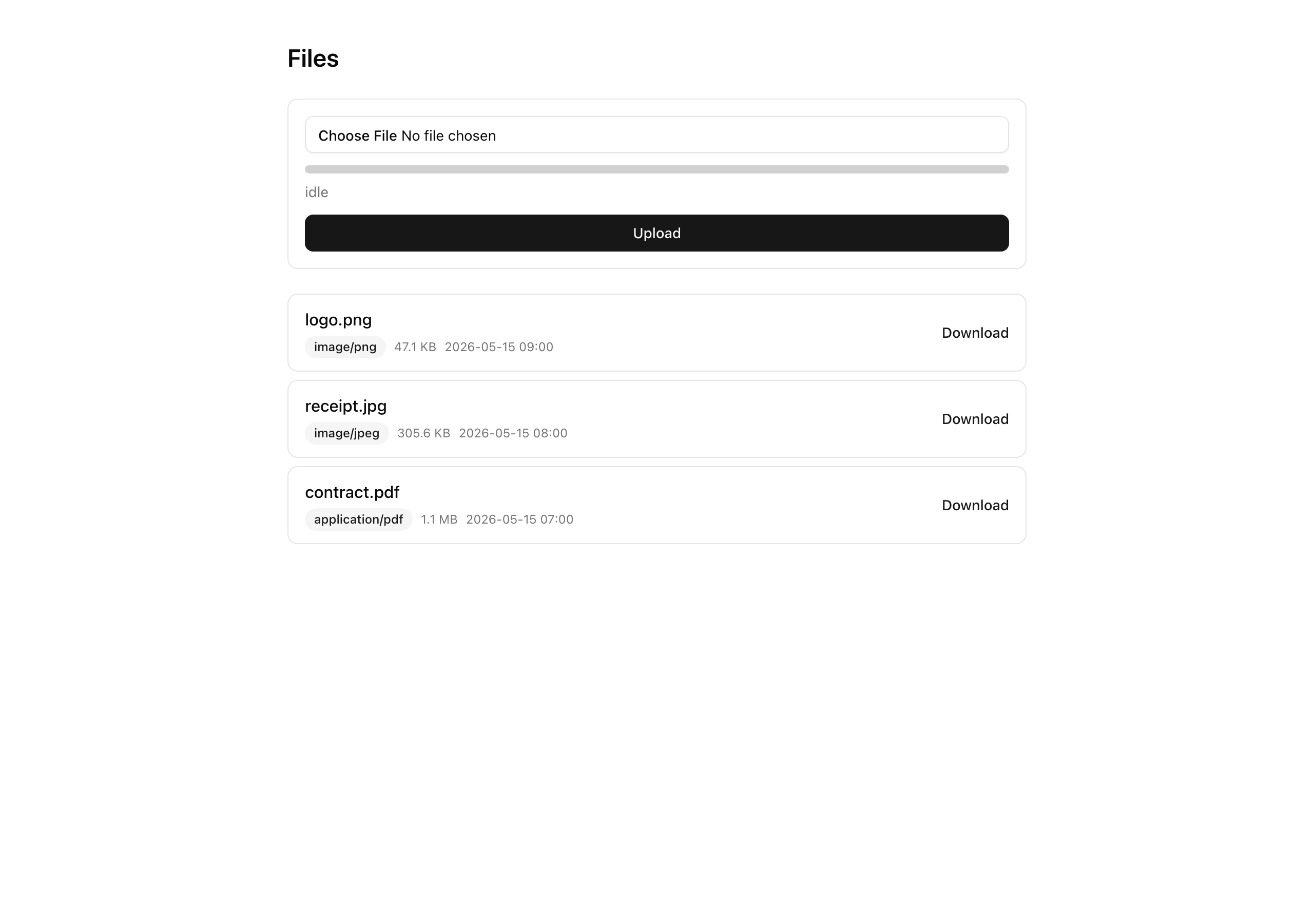
A few things sit deliberately outside the scope, so you know the edges of what you’re building. There’s no image transformation — resizing or format conversion is what Cloudflare Images is for, and it’s named here only so you know where that lives. There’s no multipart upload for large files: a single PUT tops out comfortably below 100 MB, and this project caps uploads at 25 MB, so anything bigger is out. There’s no virus scanning, no client-side preview beyond the file-picker’s own echo of the chosen name, and no soft-delete button — the soft-delete action and its database column ship and are exercised by the tests, but nothing in the UI calls them. And there’s no orphan-cleanup sweep for objects whose upload never finished; that’s a forward note, handled in production by lifecycle rules rather than application code.
This project cashes in the R2 primitives — the bucket, the scoped credentials, the presigned PUT and GET, the file_metadata shape — that the object-storage chapter taught, and lands them as one runnable feature. By the end you’ll have practiced:
tenantDb(orgId), with a member role gate at the action boundary.lib/r2.ts from two consumers — the browser-PUT user uploads and the server-PUT export retrofit — one mechanism, two callers.The thing prose carries badly here is the byte-flow split. There are two kinds of traffic in this design, and they do not travel the same path: small JSON requests cross your function — the action that signs a URL, the action that finalizes a row — while the actual file, all of its megabytes, goes straight from the browser to R2 and never touches your server at all. Hold that distinction as you read the diagram; the thick edge is the one carrying the bytes.
Read it as four flows sharing one bucket. The upload is the three-step dance across the top: the browser asks presignedPut to sign a URL (small JSON in, small JSON out), PUTs the file’s bytes to that URL straight at R2 (the thick edge — no function involved), then tells finalizeUpload it’s done, which HEADs the object to confirm what actually landed and writes the row. The list is the read side: when /files renders, it signs a fresh download URL for every row, right there in the render. The export is the worker from the other project, retrofitted to PUT its finished CSV server-side under an exports/ prefix and sign a link for the email. And underneath all of it sits one lib/r2.ts S3Client and one bucket per environment — the prefixes (org/<id>/files/ for uploads, exports/org/<id>/ for exports) carry the workload split, not separate buckets.
The starter is a complete app — the org-scoped invoicing surface, Better Auth, the durable export from the previous project — with the upload feature carved out as stubs. There are exactly six surfaces you’ll write, marked below; everything else is provided and gets its proper introduction in the lesson that first leans on it. One thing worth saying up front: the file_metadata table and its migration are provided. This chapter consumes that shape — it does not author it — so you won’t be writing schema or generating a migration here.
.env (see Setup); adds the four R2_* varsr2:cors, r2:lifecycle to the export project’s scriptsfile_metadata table, unique objectKey, composite indexfile_metadata rowsAllowedOrigins = your app URLexports/ prefixR2_ACCOUNT_ID / R2_ACCESS_KEY_ID / R2_SECRET_ACCESS_KEY / R2_BUCKET_NAMEfile_metadata table (provided), already presenttenantDb() facadelogAudit() writergetFile, getFileDownloadUrl, getSignedGetForKey, listFilesS3Client + ALLOWED_CONTENT_TYPES + MAX_BYTESsendEmail() wrapperauthedAction() factoryextFor + buildObjectKey (extension from the content type)UploadError with four codesFileCursor + base64url keyset cursorsoftDeleteFile (provided, not wired to UI)presignedPut actionfinalizeUpload actiondownloadUrldownloadUrl as a clickable linkA handful of provided pieces do the supporting work, and each is named here in one line — defer the deep read to the lesson that first touches it:
lib/r2.ts — the singleton S3Client plus the ALLOWED_CONTENT_TYPES allowlist and the MAX_BYTES cap. Reused as-is from the object-storage chapter; first exercised when you sign a PUT in the next lesson.db/schema.ts — the file_metadata table, provided and already present. First read in the third lesson, where finalizeUpload inserts into it.lib/files/keys.ts — the pure extFor and buildObjectKey helpers. The file extension comes from the validated content type, never the user’s filename. First exercised in the next lesson.lib/files/errors.ts — the UploadError class with its four codes (unsupported-type, too-large, size-mismatch, object-not-found) and a toResult mapper. First exercised in the third lesson.lib/files/cursor.ts — the FileCursor type plus encodeCursor / decodeCursor, a base64url keyset cursor. First exercised in the fourth lesson’s list.lib/files/soft-delete.ts — softDeleteFile, shipped and named for API completeness but never called from the UI.scripts/r2-cors.ts and scripts/r2-lifecycle.ts — the idempotent CORS push and the 7-day lifecycle rule. You run the first in Setup and the second in the last lesson.app/(protected)/inspector/ — the export project’s surface, intact, with one addition already wired in: it renders metadata.downloadUrl as a clickable link. That link goes live in the last lesson.trigger/* and lib/exports/* — the export project’s task files in full. You edit only trigger/export-invoices.ts, in the last lesson.Here’s how the four implementation lessons build the feature, one confirmable slice at a time.
Lesson 2 — Sign the PUT, no DB write
Write the presignedPut action that signs a short-lived direct-to-R2 upload URL and writes no database row, verified by a raw curl PUT that lands an object with no function involved in the transfer.
Lesson 3 — Browser PUT, HEAD, then insert
Build the finalizeUpload action that HEADs the object and inserts its file_metadata row, plus the XHR upload form that drives the whole flow — so a file picked in the browser lands in R2 and writes its row.
Lesson 4 — Fresh-per-render GETs
Render the /files list, signing a fresh download URL for every row on every render, and prove a copied URL dies at the 11-minute mark while a page refresh hands back a working one.
Lesson 5 — Real downloadUrl for the export
Retrofit the CSV export to write a real R2 object server-side and email a working presigned link — the same lib/r2.ts, driven from a worker.
This project needs two terminals running at once: the Trigger.dev worker (the export from the previous project still runs on it, and you’ll exercise that in the last lesson) and the Next.js dev server. It also has one step earlier projects didn’t — you create your own R2 bucket and push a CORS rule to it before the first browser upload will work. Work through these in order.
Get the starter codebase from the project repository, under Chapter 069/start/. Then install dependencies:
pnpm installThe repo pins pnpm through only-allow, so npm or yarn will refuse. Expect a clean install.
Copy the env template, bring up Postgres, then apply the schema and seed:
cp .env.example .envdocker compose up -dpnpm db:migrate && pnpm db:seedThe migration includes 0008_add_file_metadata.sql, so the file_metadata table is created here. The seed plants the same organizations and invoices as the export project — and no file_metadata rows, so /files starts empty.
In the Cloudflare R2 dashboard, create a bucket and a bucket-scoped API token with Object Read and Object Write permissions. Paste the account id, the token’s access key id and secret, and the bucket name into .env (the four R2_* variables below).
Push the CORS rule to your bucket — once per environment:
pnpm r2:corsThe script logs the effective rules after the push. Confirm the output shows AllowedOrigins: ['http://localhost:3000'], not '*' — a wildcard origin would let any site upload to your bucket. This has to run before the first browser upload, or the browser’s CORS preflight fails and the PUT never leaves the page.
Start the worker in one terminal and the app in another:
pnpm trigger:devpnpm devVisit /files and you’ll see an empty list under a form that doesn’t do anything yet — the upload actions are still stubs. Visit /inspector (behind the auth guard) and you’ll find the working export surface from the previous project, except its download link is still a console.log-shaped placeholder, not a real R2 link. Both of those are exactly where the implementation lessons begin.
Four environment variables are new this chapter; the rest carry over from the export project and are already in .env.example.
| Variable | Purpose | How to obtain |
| --- | --- | --- |
| R2_ACCOUNT_ID | Identifies your Cloudflare account; the R2 endpoint is derived from it. | The R2 dashboard. |
| R2_ACCESS_KEY_ID | The scoped token’s key id. | Shown once when you create the API token. |
| R2_SECRET_ACCESS_KEY | The scoped token’s secret. | Shown once when you create the API token — copy it then. |
| R2_BUCKET_NAME | The bucket the objects live in. | The bucket you created in step 3. |
The carried-over variables — DATABASE_URL, the Resend pair, the Trigger.dev pair, and the rest — keep their values from the previous project. As with that project, the .env.example placeholders satisfy the env validation, so next build passes without ever reaching R2 or the Trigger.dev cloud; you only need real R2 credentials for the live upload loop.
You’re set up when /files renders its empty list and the worker terminal reads Waiting for tasks. From here, the next lesson writes the first half of the upload — the action that signs a URL and hands the browser the right to write straight to R2.