The audit method, modeled on finding 7
The starter boots, you are signed in as alice@example.com, and the findings/ directory is sitting there with ten empty skeletons. Before you wire a single thing, this lesson installs the method the rest of the chapter runs on, then proves it by writing one finding end to end.
Here is the inversion most people get wrong. Hand a junior an app to audit and they open the source and read it top to bottom, file by file, looking for bugs. That is the slow path, and it misses half of them. The running app is the primary diagnostic surface: three of this chapter’s four observability findings announce themselves in under a minute on a live surface — a DevTools trace, a Network row, a console line — and two of those findings leave no grep target at all. A raw <img> tag and a missing config file are invisible to a source search; they are loud on the running app. So an experienced engineer drives the other way: open the app, watch its signals, and let a signal point you at the source line, not the source line make you guess at a signal.
This lesson has two halves. First a tour: you walk the five live surfaces of the booted app and learn which of the eight findings shows up on each. Then the worked example: you fill findings/007-missing-priority.md end to end, the reference shape every later finding file in this chapter copies.
The audit cadence
Section titled “The audit cadence”The discipline is four beats, run once per finding: open the running app → hold it beside the source → read one finding’s fingerprint on its surface → write it before moving on. That last beat is the one people skip, and it is the one that matters most. The moment you spot a waterfall in a trace, write it down. If you batch — “I’ll note these five and write them all up after lunch” — you lose the surface evidence you can’t reconstruct from memory: the exact LCP timing, the Network priority, the staircase shape of the trace. The trace is gone when you close the panel. The finding has to capture it while it’s on screen.
Each finding lands in the same shape, the rule-location-consequence-fix template you already used in the pre-launch audit — it ships in this starter as findings/template.md. A finding names the rule it violates, the location that breaks it (with the command that surfaced it), the consequence in operator- or user-visible terms, and the fix. That template carries through this chapter unchanged; this lesson is about the cadence that fills it, not the template itself.
Tour the running app, surface by surface
Section titled “Tour the running app, surface by surface”Keep the app running in one tab and your editor in the other. Walk these five surfaces in order. For each one, the point is not to fix anything — it is to see the finding’s fingerprint and learn which panel is canonical for it.
1. The dashboard waterfall — Performance trace (finding 5)
Section titled “1. The dashboard waterfall — Performance trace (finding 5)”Open Chrome DevTools, switch to the Performance panel, start a recording, and navigate to /dashboard. Stop the recording once the page paints.
http://localhost:3000/dashboardYou are looking for a staircase. The dashboard reads four things on the server — the signed-in user, then the organization, then the invoices, then the members — and in the trace they run one after another with idle gaps between them, each waiting on the one before. That staircase is finding 5’s fingerprint: an RSC waterfall. The invoices read and the members read have nothing to do with each other, so two of those steps could run at once, but the code awaits them in series and pays the sum of all four round-trips. The canonical surface here is the Performance trace; you cannot see “these awaits are sequential when they could be parallel” by reading the function — it looks perfectly normal — you see it in the shape of the timeline.
2. The marketing hero LCP — Performance LCP marker (finding 7)
Section titled “2. The marketing hero LCP — Performance LCP marker (finding 7)”Start a fresh Performance recording and navigate to the marketing page at the root.
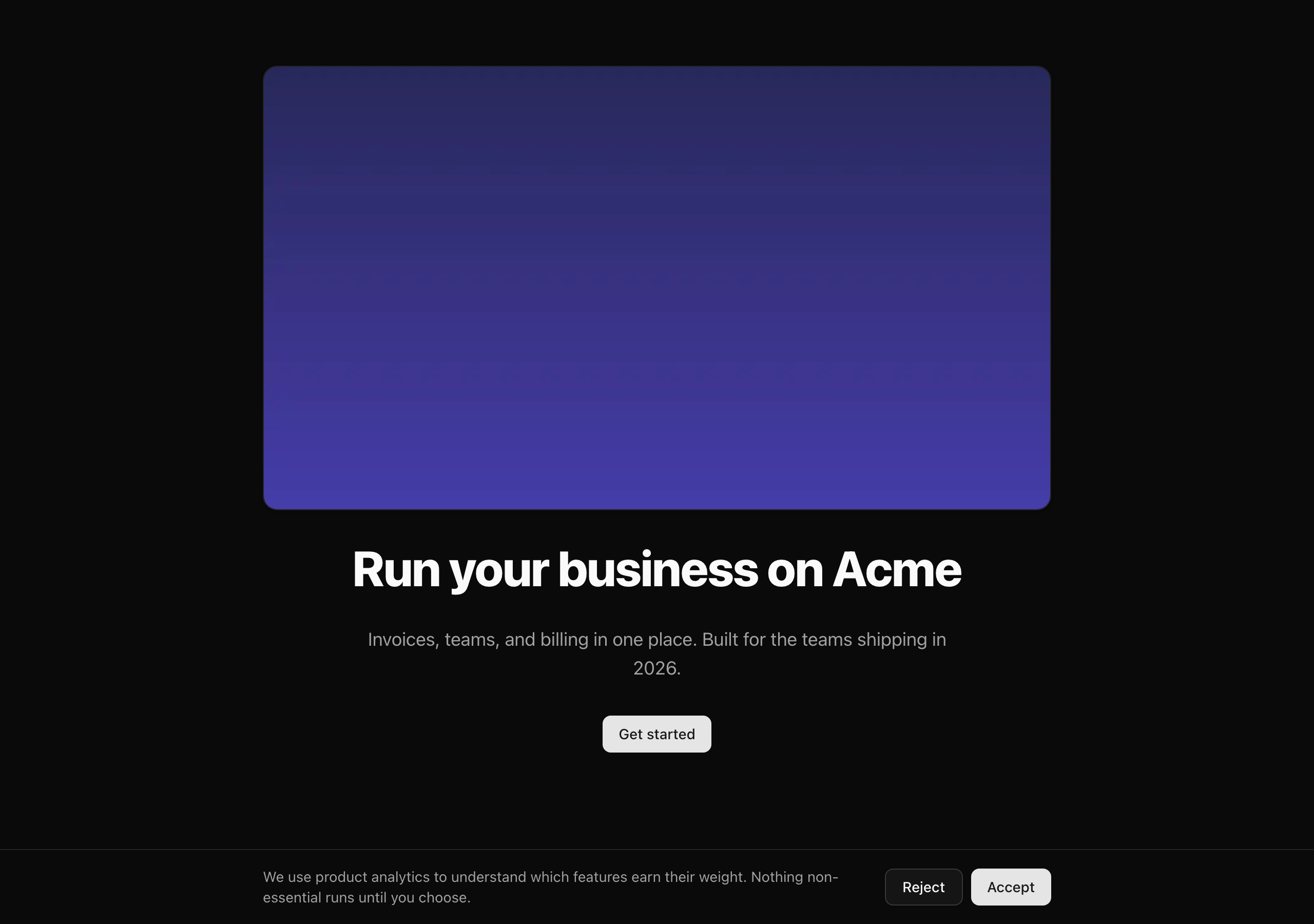
http://localhost:3000/In the recording, find the LCP marker — DevTools labels the Largest Contentful Paint timing on the timeline. It lands on the hero image, and it lands late, past the 2.5-second line. Cross-check it in the Network panel: the hero image starts downloading much later than it should, because the browser only discovers it when it lays the page out, not when it first parses the HTML. This is the finding you will write in full below, so hold onto it.

3. PostHog firing pre-consent — Network panel (finding 4)
Section titled “3. PostHog firing pre-consent — Network panel (finding 4)”Open the Network panel, type ingest into its filter box, then reload the marketing page.
A request fires to /ingest on the very first load — before you have agreed to anything. That is PostHog capturing analytics with no consent gate in front of it (the /ingest path is the reverse proxy the starter ships pre-wired in next.config.ts, so PostHog’s traffic rides your own domain). The fingerprint is the request itself, appearing when it shouldn’t. Note how fast this was: one filter, one reload, and the defect is on screen. Reading providers.tsx to deduce “this inits PostHog with capturing on by default” would take longer and is easier to get wrong — the Network panel just shows you the request.
4. Sentry catching nothing — the error response (finding 1)
Section titled “4. Sentry catching nothing — the error response (finding 1)”Hit the deliberate-throw route the starter ships for exactly this purpose.
http://localhost:3000/api/test/throwThe route throws on purpose. You get the framework’s default error response — and nowhere does an error report appear, because Sentry is not wired. There is no Sentry SDK initialized, no event sent. The fingerprint here is an absence: the error happens and nothing catches it. The surface is the (empty) Sentry dashboard you would be staring at in production, waiting for an alert that never comes — and on the source side, the conspicuous absence of the Sentry config files.
5. The logger leaking a secret — dev console (finding 2)
Section titled “5. The logger leaking a secret — dev console (finding 2)”Watch the terminal where pnpm dev is running, and replay the Stripe webhook flow so the webhook handler logs a request. The log line that comes out includes the raw stripe-signature header value in the clear.
That is a secret in your logs — a textbook violation of the rule that logs must be safe to read at 3am with the whole company watching. The fingerprint is the secret string sitting in a log line where it has no business being. The surface is the dev console now, and a log drain in production later.
Map each finding to its source cluster
Section titled “Map each finding to its source cluster”Now hold the running app beside the source. Each finding lives in one place, and the audit was set up so that each one has a distinct grep target or a distinct DevTools view — they don’t pile up in one file. Here is the cluster, with only the finding-bearing files and the seams worth knowing for orientation annotated.
Directorysrc/
- env.ts Sentry env keys land here later (orientation, finding 1)
- proxy.ts the correlation-ID scope lands here later (orientation, finding 3)
Directoryapp/
Directory_components/
- providers.tsx PostHog inits with capturing on, no consent gate (finding 4)
Directory(marketing)/
- page.tsx hero
<Image>missing the eager-load prop (finding 7)
- page.tsx hero
Directory(protected)/
- layout.tsx ~a dozen icons via the
lucide-reactbarrel (finding 6) Directorydashboard/
- page.tsx four reads awaited sequentially (finding 5)
- layout.tsx ~a dozen icons via the
Directoryapi/test/throw/
- route.ts the deliberate-throw proof target (finding 1)
Directorylib/
- logger.ts no redact seam (finding 2), no
requestIdmixin (finding 3)
- logger.ts no redact seam (finding 2), no
Directorydb/queries/
- invoices.ts healthy: already uses the relations API — must stay healthy
- invoices-with-customer.ts 1 + N customer lookups in a loop (finding 8)
Sentry’s four config files (instrumentation-client.ts, instrumentation.ts, sentry.server.config.ts, sentry.edge.config.ts) are finding 1 — they are simply absent from the tree, and next.config.ts is not wrapped to upload source maps.
Two things in that tree are worth dwelling on. First, src/lib/logger.ts carries two findings: it has no redaction seam (finding 2, the leaked signature you just saw) and no requestId mixin (finding 3, which means a log line and its Sentry event can’t be joined on a shared ID). Both get fixed together in the logger lesson because the same correlation ID has to reach both Pino and Sentry.
Second, look at the two query files. src/db/queries/invoices.ts is healthy — it already uses the Drizzle relations API and must stay that way. The N+1 lives only in the dedicated src/db/queries/invoices-with-customer.ts helper. That separation is deliberate: it keeps the finding falsifiable. If both files had the bug, “the codebase has an N+1” would be vague; with the defect isolated to one helper, you can point at exactly the loop that fires a query per row.
A few seams are named here only for orientation — you don’t touch them this lesson. src/env.ts is where the Sentry environment keys will land, src/proxy.ts is where the request-correlation-ID scope will be opened, and requireUser / requireOrgUser / tenantDb / the audit log are all carried in from earlier units, untouched. One thing that genuinely does not exist yet: there is no consent banner anywhere in the tree. You build it from scratch in a later lesson; for now, PostHog has nothing gating it, which is exactly why finding 4 fires on first load.
Write finding 7 end to end
Section titled “Write finding 7 end to end”This is the heart of the lesson. You are going to fill findings/007-missing-priority.md completely — all five fields — because its shape is the one every other finding in this chapter copies. Get this one right and the rest are fill-in-the-blanks.
Start at the source. Here is the hero block from the marketing page.
<Image src="/hero.png" alt="Acme dashboard preview" width={1280} height={720} className="w-full max-w-3xl rounded-xl border shadow-sm"/>Identity and accessibility, both present. src points at the hero asset and alt describes it — the two props you would notice first are exactly the two that are not the problem here.
<Image src="/hero.png" alt="Acme dashboard preview" width={1280} height={720} className="w-full max-w-3xl rounded-xl border shadow-sm"/>The intrinsic dimensions are present, so the layout box is reserved before the bytes arrive. That rules out a layout-shift (CLS) bug — the page does not jump when the image lands.
<Image src="/hero.png" alt="Acme dashboard preview" width={1280} height={720} className="w-full max-w-3xl rounded-xl border shadow-sm"/>Now read for what is absent. There is no eager-load prop (preload) on this element, so the browser treats the hero as lazy-loadable and only discovers it at layout time — which is exactly the late LCP marker you saw in the trace.
Read what is present versus what is absent. src and alt are there. width and height are there — so the layout box is reserved before the image bytes arrive, which means this is not a layout-shift bug. What is missing is the eager-load hint. Without it, the browser treats the hero as a lazy-loadable image and only discovers it at layout time, which is exactly the late LCP marker you saw in the trace. The diagnosis is the trace; the source just confirms which prop is gone.
Now fill the file, section by section. Here is the finished findings/007-missing-priority.md, and below it the reasoning behind each section so you can reproduce the judgment, not just the text.
# Finding 007 — Hero LCP image ships without `preload`
**Category:** LCP / Core Web Vitals (chapter 094, lesson 2).**Severity:** high — the marketing page is the unauthenticated first impression and the route Google Search scores; an LCP regression past the 2.5s threshold costs ranking and conversion on the highest-traffic surface. Not critical because no data is lost and the page renders correctly — it is slow, not broken.
## Rule
The Largest Contentful Paint element gets the eager-load hint exactly once per page so the browser fetches it during document parse instead of discovering it at layout (chapter 094, lesson 2). In Next.js 16 the `next/image` prop is `preload`; `priority` is the deprecated alias for the same behavior. One `preload` per page — a second splits the browser's high-priority budget and neither image lands sooner.
## Location
`src/app/(marketing)/page.tsx`, the hero `<Image>` at lines 21–27: it ships `src`, `alt`, `width={1280}`, and `height={720}` — the CLS-safe dimensions are present — but carries no `preload` (nor the deprecated `priority`), so the browser lazy-loads the LCP element.
Surfaced by the running app: load `/` with the DevTools Performance panel recording — the LCP marker lands on the hero at roughly 4s, and the Network panel shows the hero starting late. Confirm in source with a grep:
    rg -n "<Image" "src/app/(marketing)/page.tsx"
A raw `<img>` would have escaped the grep entirely, which is why the LCP marker is the primary surface and the grep is the source-side confirmation.
## Consequence
The browser does not discover the hero until it computes layout, so the recorded LCP lands near 4s, past the 2.5s "good" threshold at p75. User-visible, with the timing: the headline paints while the largest element — the product screenshot the page is built around — arrives late, so the first impression is a half-rendered page on the slowest connections (mobile, which dominates p75). Google scores LCP at the 75th percentile over a rolling 28-day window, so the regression lags two weeks in the field data and is search-ranking exposure on the most-indexed route.
## Fix
Documented, not patched — the page keeps the defect so the surface stays readable for the chapter. Three layers:
1. Add `preload` to the hero `<Image>`, the one LCP element. This moves its fetch to document-parse time and is the load-bearing fix.2. Add the `@next/next/no-img-element` lint rule at error as a regression guard, so a future raw `<img>` can't reintroduce the problem (it lives in `eslint-config-next/core-web-vitals`).3. Keep `width`/`height` (already present) as the separate CLS layer — `preload` speeds the fetch but unsized media still shifts layout, so the LCP element needs both.
Category and severity. The category is LCP / Core Web Vitals, the rule family from Priority on the LCP element. The severity call is the part to model: this is high, not critical. High because it is the unauthenticated first impression and the route Search ranks — real money on the highest-traffic page. Not critical because nothing is lost: the page renders, every byte arrives, it is slow rather than broken. Two lines of justification, and the line between “high” and “critical” is whether data or correctness is at stake. Slow is high; broken or leaking is critical.
Rule. One sentence naming the rule, with the chapter it comes from. Eager-load the LCP element exactly once per page so the browser fetches it during parse rather than at layout. The one detail you must get right for Next.js 16: the prop is preload. priority is the deprecated alias for the same behavior — it still works, but naming the current prop is what separates someone who read the current docs from someone repeating an old tutorial. Link the owning lesson; don’t re-explain the theory here.
Location. This is where the template earns its keep. Location is not just a line number — it is the line number and the command that surfaced it. The primary surface is the DevTools Performance LCP marker; the source-side confirmation is the grep. Naming the diagnostic surface is mandatory, because the next person who reads your finding needs to be able to re-run it and watch the same fingerprint appear, not take your word for it. And note why the grep is secondary here: a raw <img> would not match <Image at all, so if you led with the grep you could miss the defect entirely.
Consequence. The rule for this section is operator- or user-visible terms with a number, never “code smell” and never “could potentially.” Name the timing: LCP near 4s, past the 2.5s p75 threshold. Name who feels it: the largest element on the page arrives late on the slowest connections. Name the second-order cost most people miss: Search scores LCP at p75 over a rolling 28-day window, so a regression doesn’t show in your field data for two weeks — it has already cost you rankings before you notice. “The image loads a bit late” is a code smell. “LCP lands at 4s at p75, which is search-ranking exposure on the most-indexed route, lagging two weeks in the field data” is a consequence.
Fix. Three layers, and naming all three is the difference between half-credit and full credit. Half-credit names only the prop and stops. Full credit names: (1) preload on the hero exactly once — the load-bearing fix; (2) the @next/next/no-img-element lint rule at error as a regression guard, so the next person can’t reintroduce a raw <img> (that rule lives in eslint-config-next/core-web-vitals, not Biome — you’re naming the guard, not wiring it into this target); and (3) width/height kept as the separate CLS layer, because preload speeds the fetch but does nothing for layout shift. The three are orthogonal, and the LCP element needs all of them.
One thing this finding is not: a patch. You document it and leave the defect in place. The marketing page keeps shipping without preload for the rest of the chapter, so the surface stays readable — every later lesson can still open / and watch the same late LCP marker. The performance findings are documented, not fixed; only the observability findings get wired.
The cadence rules that carry forward
Section titled “The cadence rules that carry forward”Two rules from this lesson run under the rest of the chapter.
First: observability findings get fixed, performance findings get documented. Findings 1 through 4 — Sentry, the logged secret, the missing correlation ID, the PostHog gate — you actually wire in the lessons that follow. That means their finding files’ Fix sections will read differently from finding 7’s: instead of an illustrative snippet, the Fix is a paragraph naming the seam you installed and the call sites it now governs. And those files stay empty until their wire lesson is done — only finding 7 is fully written now, because it is the one you document rather than fix. Don’t fill 001 through 004 yet; you’ll fill each one as you close it.
Second: read the trace before the source on performance findings. Inverting it is how you miss bugs. The waterfall, the late LCP, the N+1 — each one looks fine in the source: the awaits look ordinary, the <Image> looks complete, the query loop reads like normal code. The defect is only visible in the shape of the running behavior — the staircase, the late marker, the 1+N query count. If you read source first and the trace second, you’ll rationalize the source as correct and never look at the trace.
A quick self-check before you move on, the bar this lesson sets for every finding that follows:
findings/007-missing-priority.md carries all five fields — Category, Severity, and the four template sections.<Image> at lines 21–27 and the DevTools Performance LCP marker as the surfacing command.preload once, the no-img-element lint guard, and width/height as the separate CLS layer.With the method in hand and the reference finding written, the next lesson stops documenting and starts wiring: you install Sentry so that deliberate throw you just watched vanish lands in a dashboard, decoded.
External resources
Section titled “External resources”The reference finding leans on the LCP rule family and the next/image prop that fixes it; these are the canonical sources behind that judgment, plus the docs for the panel the whole audit drives from.
web.dev's actionable LCP guide — the four subparts and why eager-loading the LCP resource is the load-bearing fix.
The Next.js 16 Image API — the priority/preload prop the finding 7 fix names, plus width/height as the CLS layer.
The metric reference behind the Consequence section — the 2.5s threshold and the p75 field scoring.
Chrome DevTools docs for the panel the audit drives from — recording traces, the LCP marker, and the flame chart.